How to connect iPhone via bluetooth with suzuki media player ? : SMARTDrive
Автор: SMARTDrive
Загружено: 2021-05-06
Просмотров: 22053
Описание:
#SMARTDrive
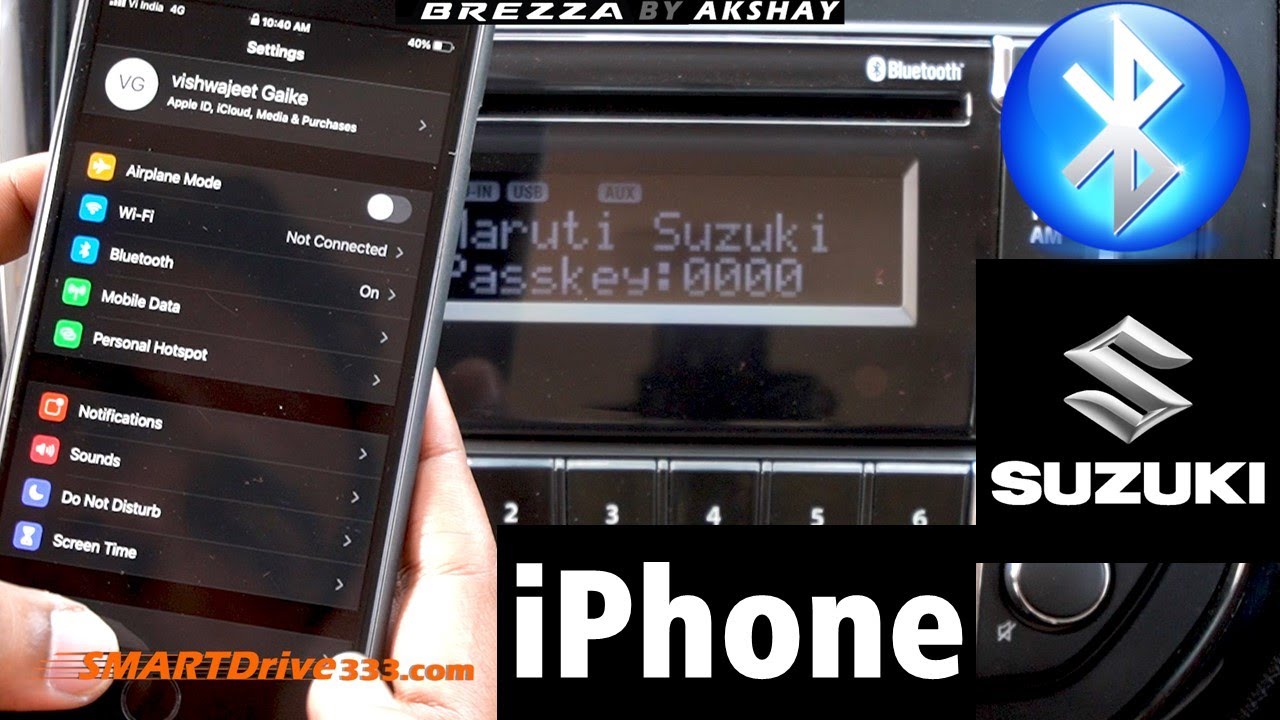
this video demonstrates you how to delete the previously connected Bluetooth paired phones and newly connect the iPhone to Suzuki cars media player.
👉🏻Our Official Website : www.SMARTDrive333.com
👉🏻 Click to subscribe : https://www.youtube.com/c/smartdrive?...
👉🏻Our Amazon Affiliate Page: https://www.amazon.in/shop/smartdrive
[Check out Our Recommended Products]
👉🏻Current Playlist of _ :
#mediaplayer, #Bluetooth, #Suzuki, #Brezza
👉🏻Recommended and Cheap Products to Buy (Affiliate)👌🏻👇🏻
boAt Dual Port Rapid Car Charger (Qualcomm Certified) with Quick Charge 3.0 + Free Micro USB Cable - (Black) : https://amzn.to/3b4NISr
Pagaria 2 in 1 Bluetooth 5.0 Transmitter Receiver 3.5mm Stereo Audio Adapter with Easy Slide Switch Mode, Model: KN330 : https://amzn.to/3utbT4F
👉🏻 For direct selection of a specific chapter please select below:
00:00 Introduction
00:20 how to connect iPhone to any Suzuki car without carplay ?
00:40 how to delete previously saved phones from media player ?
01:20 iPhone iOS 14.4 Bluetooth settings for cars.
01:40 how to use passkey for connection
👉🏻 This video shows following information:
1. iPhone tips and tricks
2. delete already paired phones from media player.
3. Indian hack for iPhone
4. .why iphone is better than android in cars.
5. can i show contacts in media player display to know who is calling ?
6. is it better than android ?
7. .
8. .
9. .
10. .
#ios #suzuki #brezza #media
To connect your iPhone to a media player via Bluetooth, follow these steps:
Turn on your media player and ensure it's in pairing mode. Refer to the player's manual for specific #instructions on how to put it in pairing mode.
On your #iPhone, go to "Settings" and then tap "Bluetooth."
Turn on #Bluetooth if it's not already on, and then wait for your media player to appear in the list of available devices.
Tap on the name of your media player to connect to it. Your iPhone will pair with the media player and may prompt you to enter a passcode. Follow the instructions on your phone and the media player to complete the #pairing process.
Once the pairing is complete, you should be able to #play music and other media from your iPhone through the media player.
If you're having trouble connecting, make sure that both devices are within range of each other and that any other devices that may be interfering with the connection (such as other Bluetooth devices) are turned off or out of range. You can also try resetting your media player or your iPhone and starting the pairing process again.
👉🏻Some Recent Videos:
1) 1. 1 tips and tricks
2) secret
3) hindi
4) .
5) .
👉🏻Playlists of SMARTDrive :
1) 1 tips and tricks
2) secret
3) hindi
4) .
5) .
👉🏻Share, like and subscribe:
YouTube Channel: / smartdrive
Facebook Page: / smartdrive333
Instagram Handle: / smartdrive333
Twitter Page : / smartdrive333
Business Inquiries: [email protected]; [email protected]
👉🏻 Join Our Elite Membership Plan: coming soon…
👉🏻Gear that we use (Affiliate Link):
• Mic: Rode VideoMic Me Directional Microphone : https://amzn.to/3aSraTU
• 2nd Mic: BOYA lavalier Mic : https://amzn.to/3tE9vrT
• Laptop: Dell G3 3500 Gaming : https://amzn.to/36ZBKHF
• Camera: Sony Alpha ILCE-6400M : https://amzn.to/3rDAyS3
Повторяем попытку...
Доступные форматы для скачивания:
Скачать видео
-
Информация по загрузке: