How to Program your Midmark 630 HUMANFORM® Table
Автор: Midmark Medical
Загружено: 2016-01-06
Просмотров: 3785
Описание:
How to program your Midmark 630 HUMANFORM® procedures table. Learn more at http://www.midmark.com.
This video is an overview of the operation and care of your Midmark 630 HUMANFORM® Procedures Table. Always refer to the appropriate technical documentation for the complete list of instructions, safety alerts and sequence of procedures before conducting any service or maintenance operations.
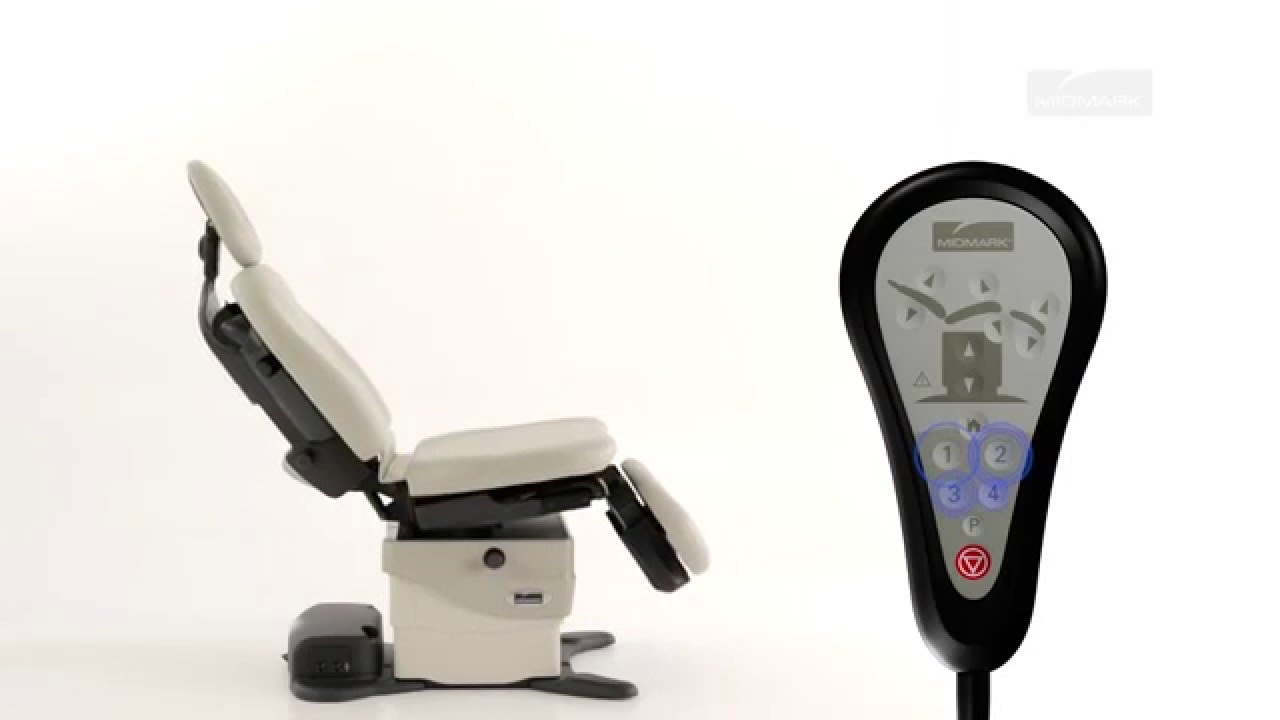
The programming feature allows you to easily recall frequently used table positions. Please note that the programming feature is available on programmable table models only.
To program a table position, move the table to the desired position, press the program button until you hear a single beep, and press the desired position button until you hear three beeps. You must press the desired position button within five seconds of pressing the program button.
To recall a programmed position, press and release the desired position button. Movement stops when the programmed position is reached, the Active Sensing Technology® is activated or the stop button is pressed.
The position buttons may be changed to function as press and release. Refer to the One-Touch Positioning instructions for the proper procedure.
For more information about the Midmark 630, call 1-800-MIDMARK or visit midmark.com.
Повторяем попытку...
Доступные форматы для скачивания:
Скачать видео
-
Информация по загрузке: