Creating Items with Square Dashboard
Автор: Square
Загружено: 2017-03-24
Просмотров: 72956
Описание:
The fastest way to create items for sale in Square Register is through your Square Dashboard.
Full transcript:
"The fastest way to create a library of items to sell in square register is through your square dashboard. To get started,
Visit square-dot-com-slash--login, and sign in with your username and password.
Then, click the menu icon...
And select “items”
Click the “create item” button,...
Name your item,
Give it a category,
Choose a color or photo for your item,
And set its price.
You can also set multiple sizes or types.
Next, you can select any modifiers that apply to your item,
Choose to charge tax for applicable items,
Decide whether or not to offer the item for purchase online,
And finally, enter a description.
Then, click “save.”
You can add and edit your modifiers by selecting “modifiers” from the menu.
Next, click “create modifier set.”
Enter a name,
And then add the options for that modifier set, like “american,”
“cheddar,”
And “provolone.”
Let’s charge 50 cents for extra cheese.
Click “save,” and you’re all done.
To apply your modifier sets across multiple items,
Click “apply set to items,”
And select items from your list.
When you’re finished, click “apply items.”
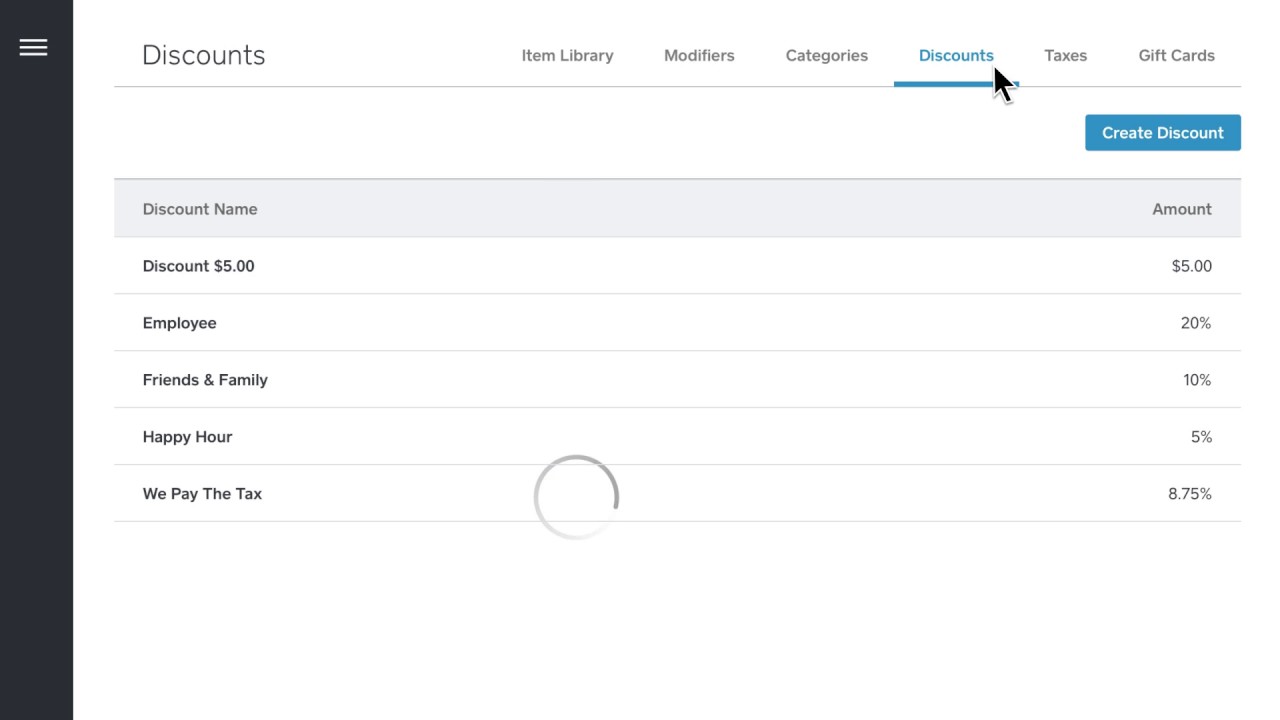
To create a discount,
Select “discounts” from your menu.
Next, select “create discount”...
And enter your details.
Then choose whether the amount is a percentage or dollar amount,
Decide if this discount will require a passcode...
And click “save.”
Your discount will now show up in square register.
Setting taxes are the same kind of thing.
Click “create tax”... And enter your details.
You can even build the tax into the price of your item,
Or have it added separately.
That’s a quick introduction to your item library in square dashboard. Set up all your items and make every sale fast, quick, and exciting for your customers."
Повторяем попытку...
Доступные форматы для скачивания:
Скачать видео
-
Информация по загрузке: