GOOGLE Pixel Watch 4 41mm - How to Change Vibration Intensity
Автор: HardReset.Info
Загружено: 2026-01-22
Просмотров: 11
Описание:
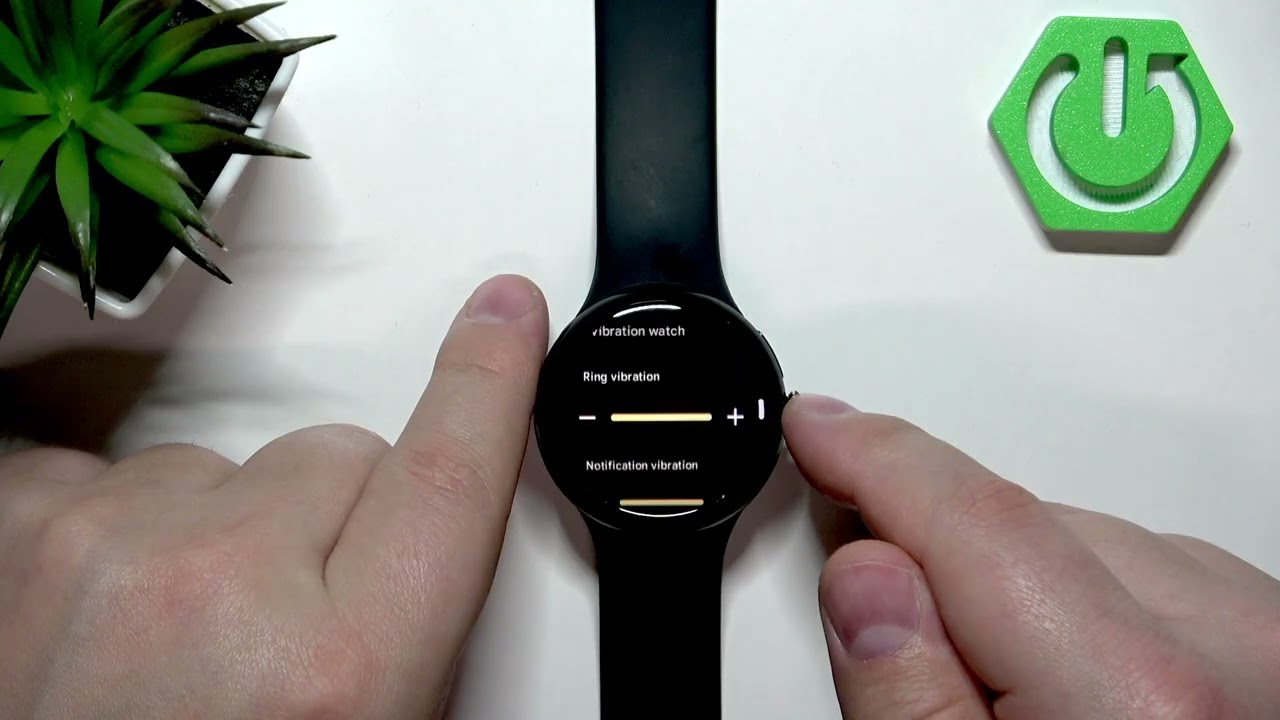
This video shows how to change the vibration intensity on the GOOGLE Pixel Watch 4 41mm. You will learn how to wake the watch, open the menu, go to Settings, find the Vibration option and adjust separate sliders for ring, notifications and alarms. These steps are quick and easy to follow, perfect for new Pixel Watch users or anyone who wants firmer or softer haptic feedback on their 41mm Pixel Watch.
How to change vibration intensity on GOOGLE Pixel Watch 4 41mm?
How to adjust vibration strength on GOOGLE Pixel Watch 4 41mm?
Where is the vibration setting on Google Pixel Watch 4 41mm?
0:00 Intro
0:10 Wake the screen (press the crown)
0:20 Open the menu (press crown again)
0:24 Navigate to Settings (scroll or swipe)
0:33 Open Vibration settings
0:47 Adjust Ring / Notification / Alarm sliders
1:17 Press crown to return to watch face
1:25 Outro & subscribe
#PixelWatch4 #GooglePixelWatch #VibrationSettings #WearOS
Find out more:
https://www.hardreset.info/devices/go...
Follow us on Instagram ► / hardreset.info
Like us on Facebook ► / hardresetinfo
Tweet us on Twitter ► / hardreseti
Support us on TikTok ► / hardreset.info
Use Reset Guides for many popular Apps ► https://www.hardreset.info/apps/apps/
Повторяем попытку...
Доступные форматы для скачивания:
Скачать видео
-
Информация по загрузке:


