Mixing Electric Guitar with Waves H-Delay Plugin
Автор: Pro Audio Files
Загружено: 2013-06-12
Просмотров: 24810
Описание:
🎧 Train your ears in just minutes a day: https://quiztones.com
🤖 AI-powered learning for producers & engineers: https://ai.theproaudiofiles.com/join
📺 Get unlimited premium mix training: https://theproaudiofiles.com/members
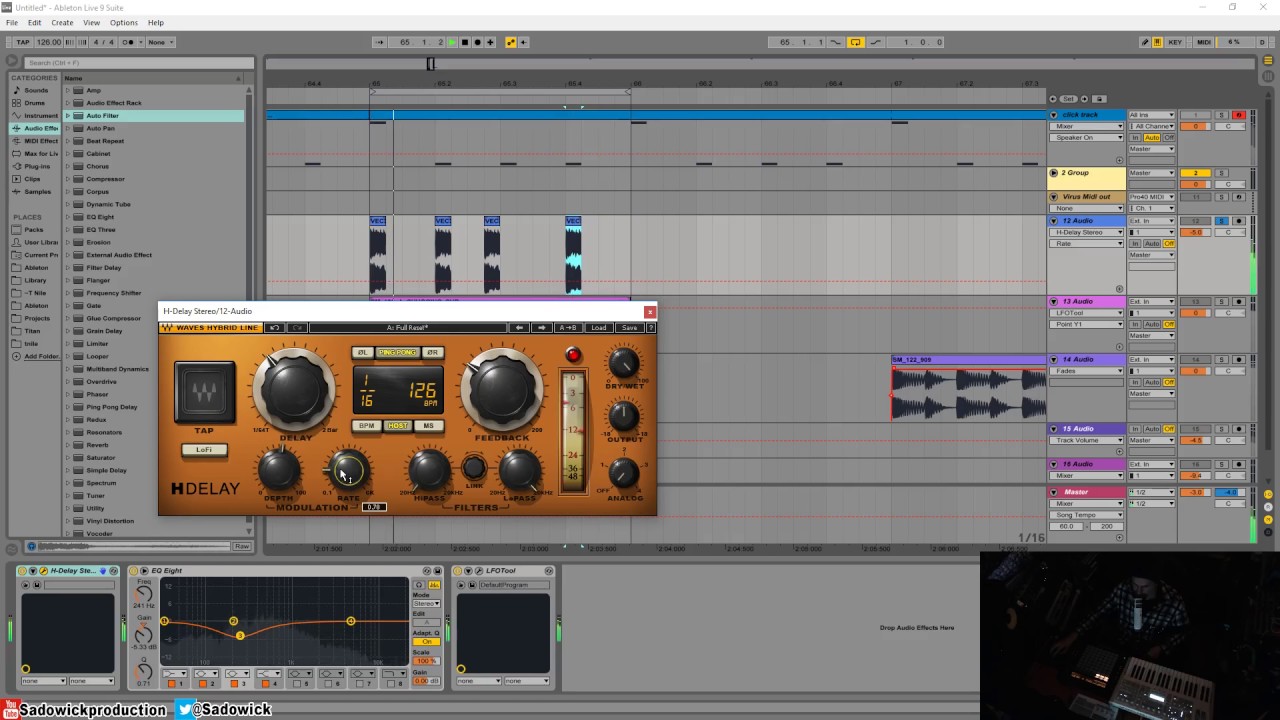
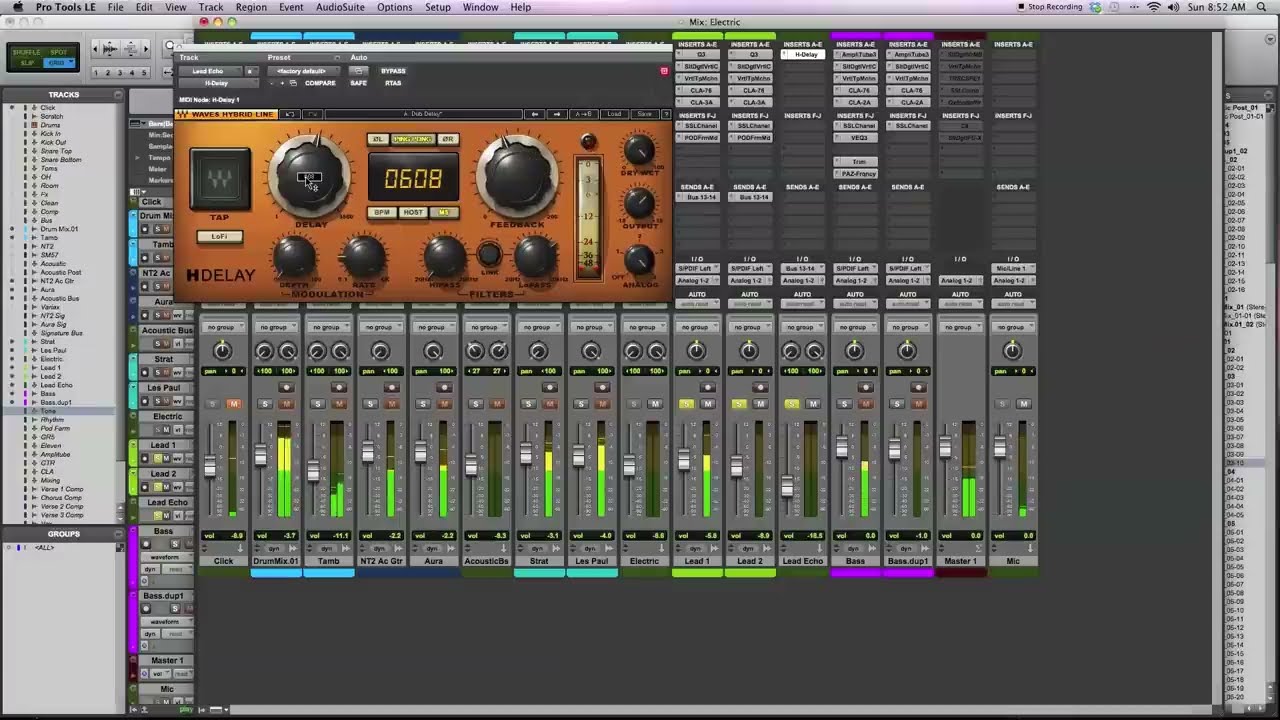
How to use the Waves H-Delay plugin on electric guitar.
---
About H-Delay:
From real old school PCM42-style effects like filtering, flanging, and phasing, to slap-back echo, ping-pong delay, and tempo-sync with modulation, H-Delay delivers the goods, controlled by a super intuitive interface that lets you get right down to business.
Tape Delay Effect -- Certain vintage tape delays offered an option to change the delay time by changing the tape's motor speed. This produced a pitch change, as the already recorded part was now played at a different speed. The pitch returns to normal when the recorded piece in the new speed reached the playback head. We have emulated this behavior in the Delay time control.
Delay Modulation -- Using a Low Frequency Oscillator (LFO) and triangle waveform to control the delay time, Delay Modulation produces effects ranging from flanging and chorus to frequency modulation. Oscillation time can be set using either an Hz value or a BPM multiple, a note value, e.g. 1/4 note, 1/8 note, 1/16 note, etc.
Ping Pong Delay -- A stereo effect that sounds like the input signal is bouncing between the left and right output channels, Ping Pong Delay is achieved by using two delay lines that feed one another, rather than feeding themselves as in normal stereo delay mode. This effect requires a Feedback value greater than 1.
LoFi -- In early digital delay devices, the sample rate was often reduced to allow greater delay values using the same memory chip, causing reduced frequency range. In LoFi mode, H-Delay emulates this behavior, while the delay time range remains the same.
Analog -- Choose between 4 Analog Modes which correspond to sound qualities which are usually associated with and perceived as analog sound.
MIDI Control -- H-Delay includes a MIDI node which opens upon instantiation of the plug-in. To enable MIDI control of H-Delay, assign a MIDI track to the node. All H-Delay controls (excluding Output Meter) support standard MIDI Learn procedures. (Apple Logic and Ableton Live each have their own MIDI functionality which is supported by H-Delay.)
---
Transcript excerpt:
This is a demonstration of a Waves H-Delay plugin.
I'm gonna be showing you the features, controls and sound of this plugin on an electric lead guitar track. The Waves Hybrid line of effects were designed to give you a classic analog sound but with a lot of the convenience, features, and controls that you normally only associate with digital effects. With the H-Delay plugin, Waves has modeled some of the classic delay sounds including Tape Delay and Lo-Fi Delay. But then gives you a lot of the controls like syncing the tempo of your delays to the host. That's, you know, typical of digital delays.
[electric guitars + delay]
Basically what the lo-fi button does — on old analog delays when they were first being implemented on chip, because the capacity of the chip to store information over time was limited, one thing that the processing would do is decrease the sampling rate of the delays because it meant the information that was stored on chip was reduced. So with the lo-fi delay, it kind of reduces the sampling rate going on of the delays. Then you have modulation. This is kind of characteristic of what people think of the memory man delay sound, where you have modulation and you can control the rate as well and change this. Let me play it back and you can hear it.
[electric guitars + modulated delay]
Hopefully by overemphasizing it you get a better idea of how it sounds. With this kind of effect on electric guitar, it might be something you want to mix ins subtly. In other cases you might want to turn it on and boost it up a lot. But I'm gonna, again, just turn it off for now. Get on to the filters.
So, with analog delay a lot of times what will happen as the signal is fed back through the unit, a lot of times, you know, tape or other kinds of analog delay the high frequencies would kind of — you'd roll off over time. You have a low pass filter that kind of does that. Then you can also use a high pass filter to kind of focus where the frequency range of the delays are going. So already, I've gone ahead and rolled off some of the high end around 2k. What I'll do is again crank up the feedback and stop the electric guitar sound so you can hear how it sounds separately.
[electric guitars + filtered delay]
Повторяем попытку...
Доступные форматы для скачивания:
Скачать видео
-
Информация по загрузке: