Adding my own library to Contiki OS
Автор: Learning Curve
Загружено: 2015-06-24
Просмотров: 3726
Описание:
Details:
-The library that i create is: libhello.a
-The library just prints the message "Hello everbody, library call"
-I included the library to the Contiki example "example-broadcast.c"
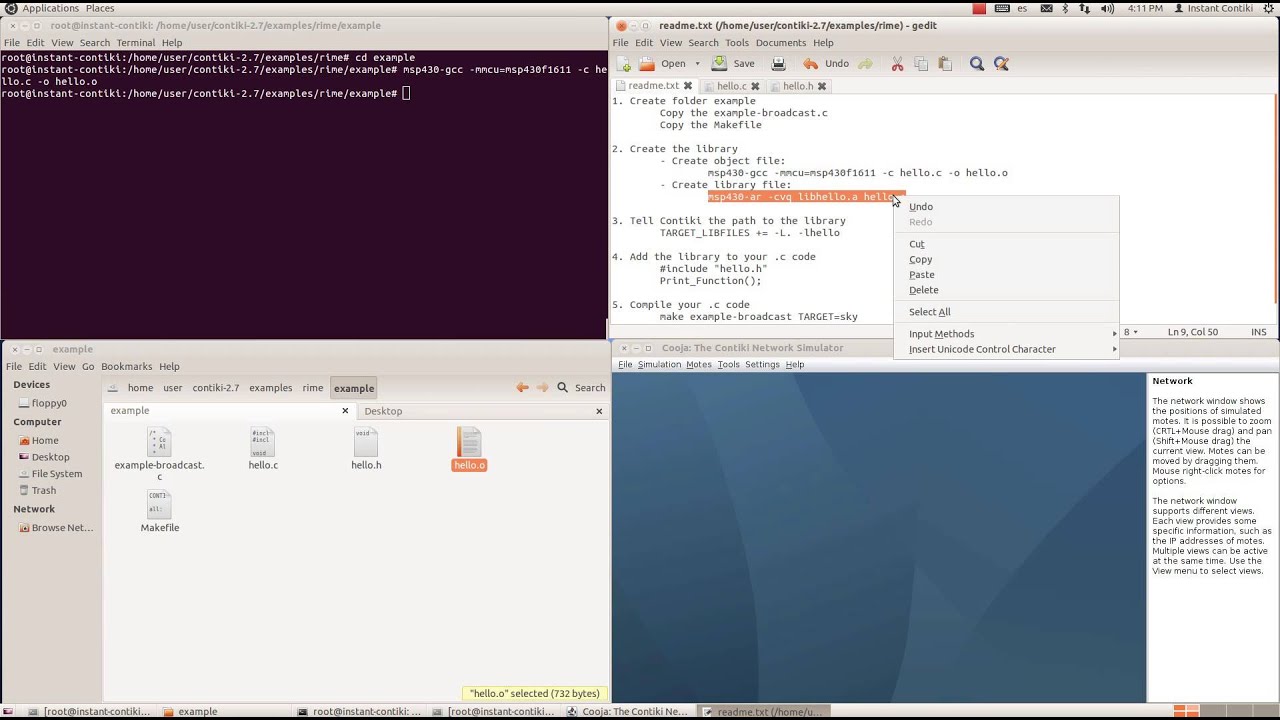
1. Create folder example:
Copy the example-broadcast.c
Copy the Makefile
2. Create the library:
Create object file:
msp430-gcc -mmcu=msp430f1611 -c hello.c -o hello.o
Create library file:
msp430-ar -cvq libhello.a hello.o
3. Tell Contiki the path to the library:
TARGET_LIBFILES += -L. -lhello
4. Add the library to your .c code:
#include "hello.h"
Print_Function();
5. Compile your .c code:
make example-broadcast TARGET=sky
Повторяем попытку...
Доступные форматы для скачивания:
Скачать видео
-
Информация по загрузке: