How to copy/cut and paste multiple YouTube tags
Автор: Anders Malmborg
Загружено: 2016-03-22
Просмотров: 2473
Описание:
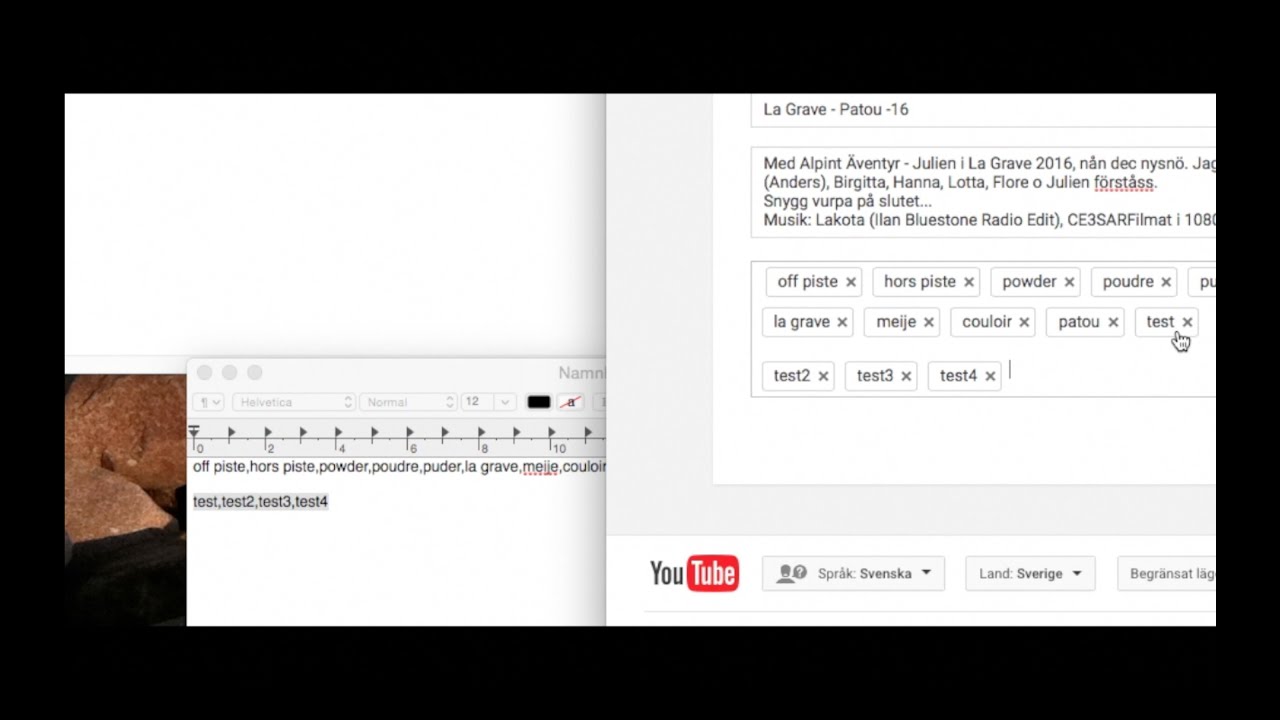
Sorry this does not work in the new YouTube Studio. The text handling is the same - comma delimited. So easiest is to keep your tags in a separate text dokument. It's possible to select by click-drag and copy but creates a lot of space between each tag. Classic Studio is also selectable in studio side panel and in Settings.
Shows how to copy/cut and paste multiple YouTube tags and also how to save them and reuse them in a text editor. Very simple and no bull shit. At 2 minutes all keystrokes are explained - stop to read!
The selection may sometimes not work - happened to me. Take screenshot of your tags if not saved elsewhere. Clear all tags and save. Quit browser (Safari, cmd+q). Open again and edit vid and enter your tags. Don't really know what made the tags non selectable, but the HTML code field (//less than symbol//meta name="keywords" content=...) seemed messed a bit up...? Here you also can find others users/vids tags.
New Studio and Safari couldn't find "keywords" but works in Firefox.
Повторяем попытку...
Доступные форматы для скачивания:
Скачать видео
-
Информация по загрузке:


![🔴 XTB KSW 114: MEDIA DAY [WSZYSTKIE WYWIADY] PARNASSE | HELD | WRZOSEK | CZYŻEWSKA i inni!](https://image.4k-video.ru/id-video/cNDZO_3vXMk)


![[SPARING] JAGIELLONIA BIAŁYSTOK - LASK LINZ | BELEK 2026](https://image.4k-video.ru/id-video/tRSB7suLb1A)