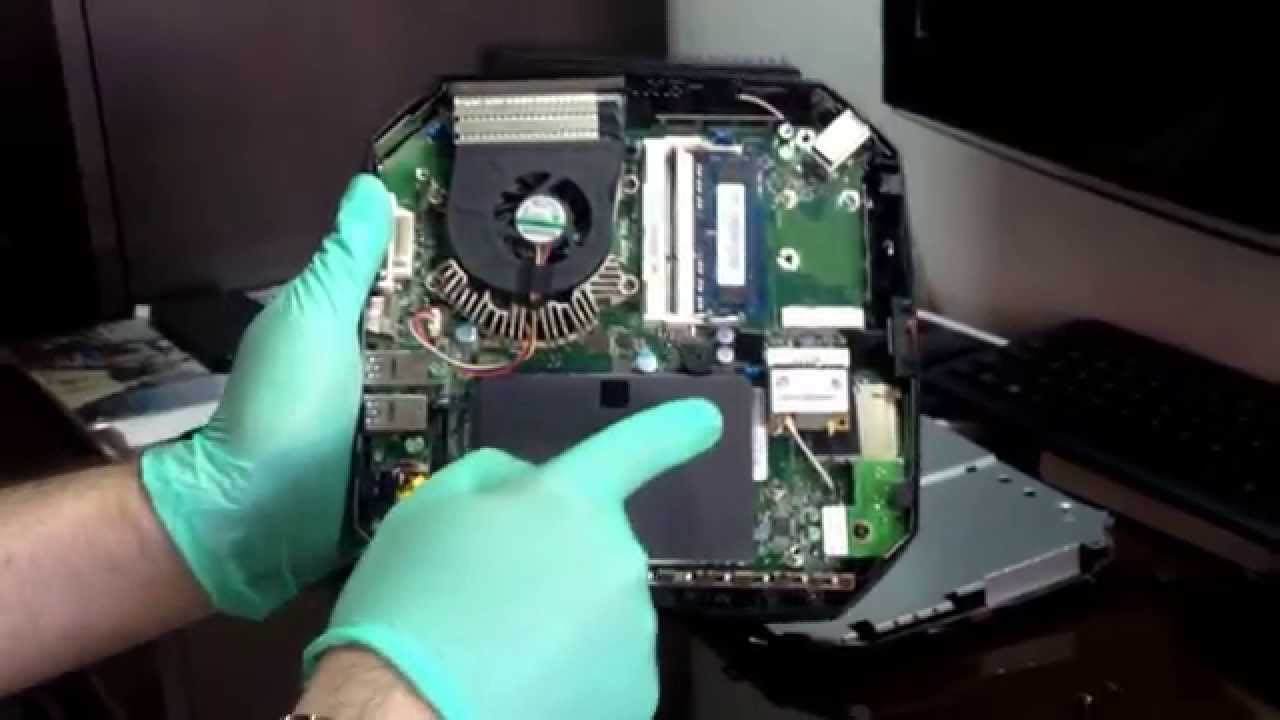
Acer Revo RL80-UR22 putting inside two drives: SSD & HHD at the same time... Enjoy...
Автор: Karel Martinez Bebert
Загружено: 2014-12-14
Просмотров: 21713
Описание:
Hi all, I wanted to tell you that with the right cable you can put two disks at the same time. I placed a SSD cloning the operating system with Acronis, and placing a different disc HHD in another internal port that has the motherboard, migrating libraries to disk HHD. This port is for the optical drive, but can be used with a special cable sold at amazon by StarTech. This way you can put the two hard drives inside this PC.
Explanation: I just placed one Drive upon another, that simple. It was not even necessary to place any screws or double-sided tapes. You do not need another bracket. Look at the pictures and the video I posted, space is very small and the width is accurate for two disks. In fact, I had to cut a hole in the protective sheet metal, and cut inner edges of the plastic cover to gain a few millimeters and to place the other hard drive.
1- First of all you must confirm that the motherboard has the other port to the optical drive, if it does you can not do it (I think it must have the same motherboard of the Acer Revo RL80-UR318 with optical drive, which is a slightly wider).
2- The software (Microsoft Windows) is tied to the hardware (HDD Seagate Momentus), which hinders the successful cloning process if you put the original HDD as a secondary, even without the operating system. So you have to place another HDD in my case I used a new HDD (Toshiba) and left the original as an external hard drive.
3- Clone the OS to SSD using Acronis (or the software that you work best) or install a new operative system, whatever.
4- Insert the SDD with the operative system, and then verify that it works correctly.
5- Turn off the PC and place the other disk HDD using the appropriate cable (Micro SATA Cables - 13 pin Slimline SATA Female to 22 Pin SATA Female Cable - sold at amazon by StarTech). You can restart the PC without having to assemble and check that recognizes the second hard drive, which surely will immediately without any driver.
6- Assemble your Acer Revo with two drives inside...
Best regards.
Повторяем попытку...
Доступные форматы для скачивания:
Скачать видео
-
Информация по загрузке:







![Acer Aspire Revo mini PC öffnen + Festplatte SSD ausbauen | Lüfter RAM CMOS - [4K]](https://image.4k-video.ru/id-video/UMzbuPiTAPU)


