How To Clean epson Dx5 Head || Head Cleaning || Nozzle Missing || Block Head Cleaning || Eco Solvent
Автор: Technical Dokan
Загружено: 2025-01-08
Просмотров: 1911
Описание:
#cleaninghacks #cleanhome #officecleaning #homecleaning #cleaningproducts #residentialcleaning #smallbusiness #cleaner #windowcleaning #housekeeping #pressurewashing #laundry #cleanhouse #covid #cleaningbusiness #beforeandafter #detailing #cleaners#cleaninghouse #carpet #bhfyp #springcleaning #mrshinch #ecofriendly #deepclean #hinching #washing #homedecor #cleaningaccount #hincharmy #satisfying #maidservice #sofacleaning #kitchen #homesweethome #cleaningday #love #cleaningcommunity #professionalcleaning #carwash #business #hygiene #professionalcleaners #powerwashing #service #pulizie #pulizia #instagram#viral #trending #explorepage #explore #instagram #fyp #instagood #love #like #reels #tiktok #follow #viralpost #foryou #viralvideos #likeforlikes #photography #fashion #followforfollowback #music #memes #instadaily #indonesia #india #likes #trend #photooftheday #model #lfl #reelsinstagram#insta #foryoupage #likesforlike #style #beauty #art #viralreels #cute #video #viralindonesia #beautiful #post #funny #k #instalike #exploremore #photo #meme #share #repost #life #youtube #happy #trendHow To Clean epson Dx5 Head || Head Cleaning || Nozzle Missing || Block Head Cleaning || Eco Solvent
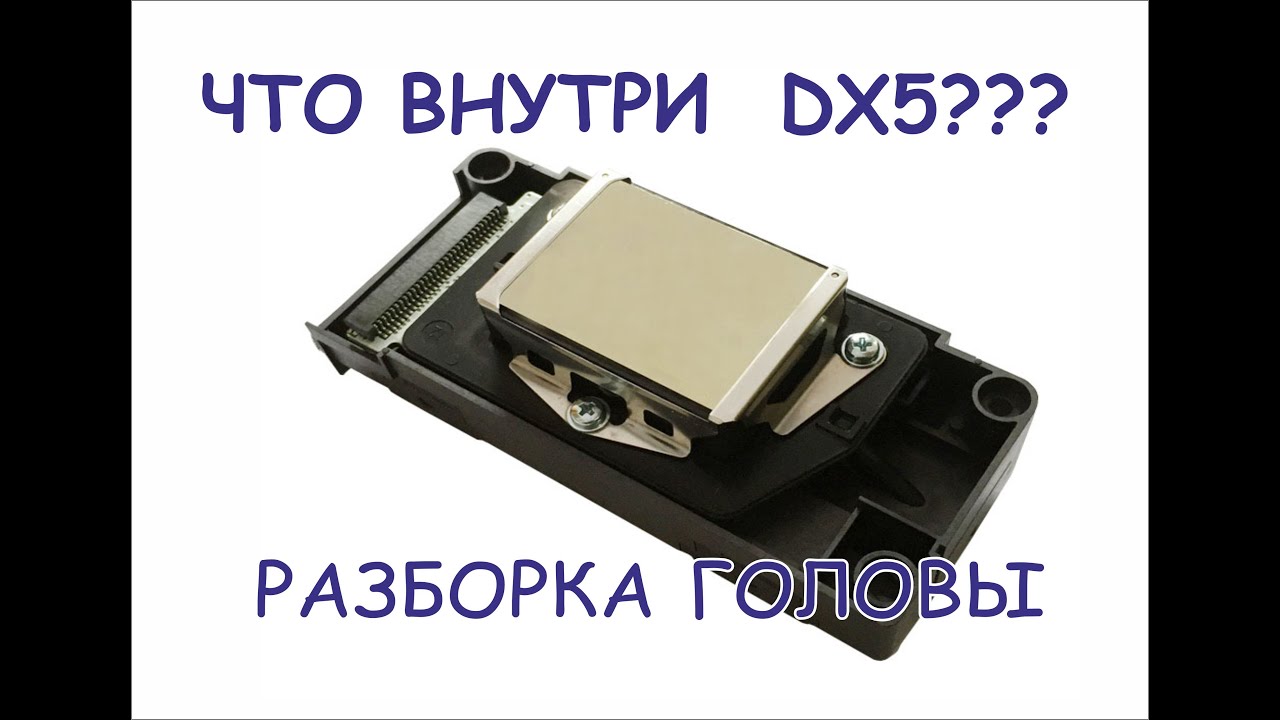
The Epson DX5 printhead is a high-performance printhead designed for industrial printing applications. Cleaning the DX5 printhead is essential to maintain its performance and prevent clogging. Here's a step-by-step guide on how to clean the Epson DX5 printhead:
Precautions
1. *Turn off the printer*: Ensure the printer is turned off before attempting to clean the printhead.
2. *Wear protective gear*: Wear gloves and protective eyewear to prevent ink stains and splashes.
3. *Use approved cleaning solutions*: Only use cleaning solutions recommended by Epson or specifically designed for the DX5 printhead.
Cleaning Methods
Automatic Cleaning Cycle
1. *Access the printer's control panel*: Navigate to the printer's control panel and select the "Maintenance" or "Service" menu.
2. *Initiate the cleaning cycle*: Choose the "Clean Printhead" or "Auto Head Cleaning" option.
3. *Follow on-screen instructions*: The printer will guide you through the cleaning process.
Manual Cleaning
1. *Remove the printhead*: Take out the DX5 printhead from the printer.
2. *Inspect the printhead*: Visually inspect the printhead for any debris, ink buildup, or clogs.
3. *Clean the printhead*: Use a soft-bristled brush or a cotton swab to gently remove any debris or ink buildup.
4. *Use a cleaning solution*: Apply a few drops of the recommended cleaning solution to the printhead and gently wipe it clean with a lint-free cloth.
5. *Reinstall the printhead*: Once cleaned, reinstall the printhead and ensure it is securely locked in place.
Tips and Recommendations
1. *Regular cleaning*: Clean the DX5 printhead regularly to prevent clogging and maintain optimal performance.
2. *Use genuine Epson ink*: Using genuine Epson ink can help reduce the risk of clogging and ensure optimal print quality.
3. *Consult the user manual*: Refer to the Epson DX5 user manual for specific cleaning instructions and recommendations.
By following these steps and tips, you can effectively clean the Epson DX5 printhead and maintain its performance
.The Epson DX5 printhead is a high-performance printhead designed for industrial printing applications, such as:
Key Features
1. *High-Resolution Printing*: The DX5 printhead offers high-resolution printing up to 1440 dpi, ensuring precise and detailed prints.
2. *High-Speed Printing*: The DX5 printhead supports high-speed printing, making it suitable for high-volume printing applications.
3. *Wide Print Width*: The DX5 printhead has a wide print width, allowing for large-format printing.
4. *Durable Design*: The DX5 printhead is designed for heavy-duty use and features a durable construction that resists wear and tear.
Applications
1. *Textile Printing*: The DX5 printhead is widely used in textile printing applications, such as printing on fabrics, garments, and textiles.
2. *Signage and Display*: The DX5 printhead is used in signage and display applications, such as printing on banners, posters, and display materials.
3. *Industrial Printing*: The DX5 printhead is used in various industrial printing applications, such as printing on plastics, metals, and other materials.
Technical Specifications
1. *Print Resolution*: Up to 1440 dpi
2. *Print Speed*: Up to 60 m/min
3. *Print Width*: Up to 42 inches
4. *Ink Compatibility*: Compatible with Epson's UltraChrome and other industrial inkjet inks
Maintenance and Repair
1. *Regular Cleaning*: Regular cleaning of the DX5 printhead is essential to maintain its performance and prevent clogging.
2. *Printhead Replacement*: The DX5 printhead can be replaced if damaged or worn out.
3. *Epson Support*: Epson provides technical support and maintenance services for the DX5 printhead.
Повторяем попытку...

Доступные форматы для скачивания:
Скачать видео
-
Информация по загрузке:






![[IBLOCK] HP Page Wide MFP 477 Printer 고속기 수리 Repair.](https://imager.clipsaver.ru/27YSRXel64U/max.jpg)