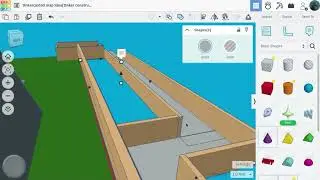
Slanted Roof with Skylight in Coohom | Coohom Tutorial
Автор: Jazari 3D
Загружено: 2024-01-19
Просмотров: 2137
Описание:
🌟🌟🌟🌟🌟If you do not have Custom Modelling tool with your Coohom subscription, you can use Material&Components tool instead to model this slanted roof. 🌟🌟🌟🌟🌟 You can find Material&Components tool at the left panel of the screen.
🎯Timestamps:
00:00 - New project and project's units
00:21 - 4 by 6 meters room
00:50 - Deleting the existing ceiling
01:18 - Changing Walls’ heights
02:12 - The slanted roof
06:00 - Adding the skylight
08:50 - Adding materials to the walls and the floor
11:07 - Materials of the skylight
12:14 - The Final Result
🔑In this video i will show you how to make this slanted roof with skylight in Coohom. First, I deleted the existing ceiling that Coohom generates automatically when drawing any room. After that I changed wall heights, then I used the Custom Modeling tool to model the slanted roof. Finally, I added a skylight from the Coohom Public Library.
✨Please Like This Tutorial
🧲Subscribe for more Coohom!
-------------------------------------------------------------
Jazari 3D on social media:
/ jazari3d
-------------------------------------------------------------
#coohom #archviz #architecture #interiordesign #3dmodeling #3d
-------------------------------------------------------------
📜 Hope you have found what you were searching for. If you have a specific topic or tutorial you want to be covered here, please write a comment.
-------------------------------------------------------------
Tags:
skylight in Coohom . Slanted roof . Pitched roof . Sloped roof . Sloping roof . Multiple wall heights in Coohom . Deleting ceiling in Coohom . Coohom . Modify Wall type in Coohom . Modify Room Type in Coohom . Terrace room type in Coohom . Walls with various heights .
Повторяем попытку...

Доступные форматы для скачивания:
Скачать видео
-
Информация по загрузке: