DIY Personalized Candles - How to Transfer Images & Photos to Wax Candles!
Автор: Jennifer Maker
Загружено: 2020-12-17
Просмотров: 165282
Описание:
Get the free designs for these personalized candles at https://jennifermaker.com/personalize...
Custom candle decorating is a really fun project, and a great way to create a personalized gift for someone! I actually know of two different ways to decorate and personalize candles, and I'm going to show you how to do both today in our tutorial video!
I appreciate every subscriber. It's free and easy to subscribe -- just click here: http://bit.ly/sub2jennifer
MATERIALS LIST (contains my affiliate links):
View my Amazon shopping list with the exact items we used to make this project at https://www.amazon.com/ideas/amzn1.ac...
White Pillar Wax Candles - https://amzn.to/31BomWu
Wax Paper - https://amzn.to/30DsCWu
Decorative Tissue Paper (2 sheets) - https://amzn.to/2XHrrTM
White Tissue Paper (1 sheet) - https://amzn.to/3gG7R21
Tape - https://amzn.to/2DPYuOp
Heat Gun - https://amzn.to/3koJgkl - or hair dryer
Oven mitt
Scissors
Tape Measure
A way to print your image (I used the HP Envy 7155 inkjet printer - https://amzn.to/37rQYpq )
Design # 268 - My free image files (available in my free resource library at https://jennifermaker.com/library )
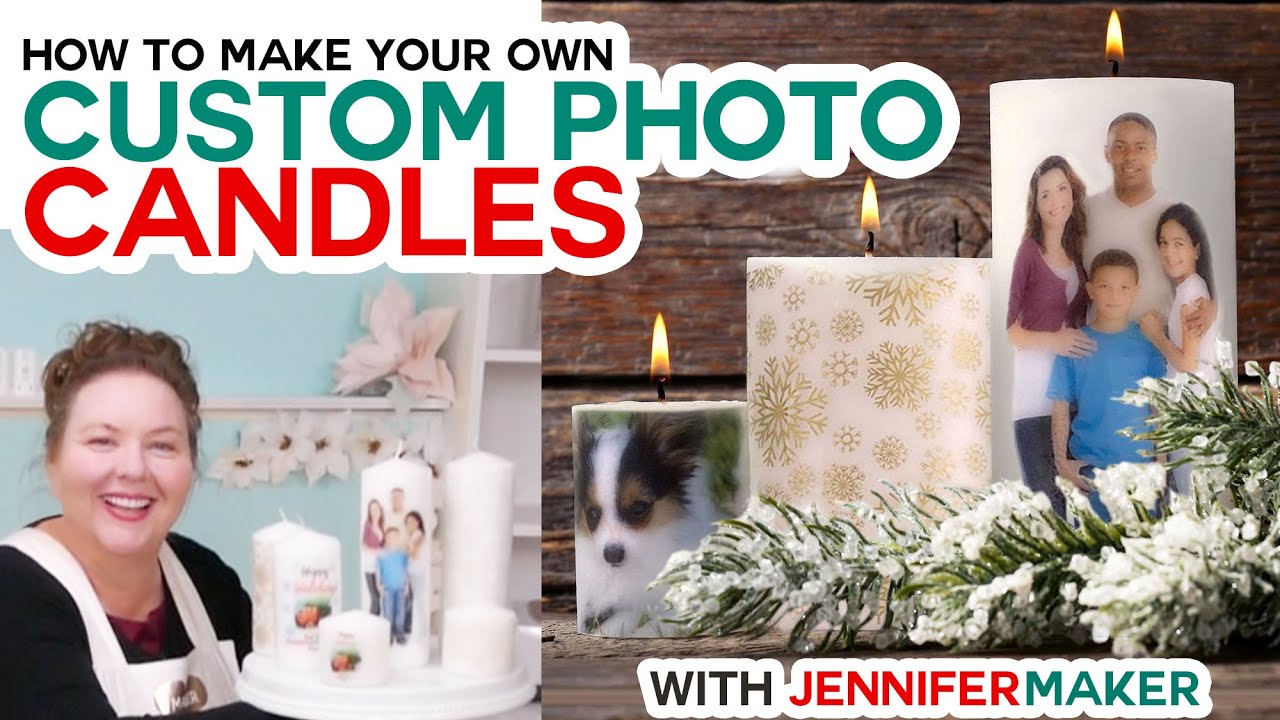
The first way to make a personalized candle is to transfer an image you print onto a candle, like this family photo or this holiday message. So for this type of candle, you need an inkjet printer. I'm using an HP Envy 7155, but any good inkjet printer will work. You'll also need a sheet of regular white copy paper, some plain white tissue paper, and some wax paper.
The second way to personalize a candle is with decorative tissue paper, like these pretty gold snowflake and geometric patterned candles. For this candle, you need the patterned tissue paper and some wax paper. If you cannot find a decorative tissue paper you like, you can always print your own just like you would print a photo or message!
So by now you're probably wondering how in the world you get the image or pattern onto the candle. Well, the trick is HEAT. So you also need a heat gun -- the one I have here is a three hundred watt heat gun that can go up to three hundred degrees C. I got it for under $15 on Amazon, so if you don't have one, it's a worthy investment. But if you don't have or want to get a heat gun, you should be able to use a hair dryer instead.
I also recommend a flexible tape measure for measuring your candle and a pair of scissors for cutting your paper!
You can use pretty much any candle for this project, but you do want it to be made of actual wax. This technique would not work with LED candles unless they were made of wax also. I think these pillar candles work the best for showing off your design -- these are three inch diameter pillars in various heights. The link to these candles is in the supply list beneath this video!
Now, I know it's not always easy to find patterned tissue paper, so I've created some designs for you to experiment with, and they fit the candles I've linked in my supply list perfectly. So let me show you where to find the designs, and then I'll show you how to transfer the designs to your candles!
Topics covered in this video:
00:00 - DIY Personalized Photo Candles
00:16 - Supplies & Tools
02:42 - Prepare Your Image
02:52 - Get Free Designs for Personalized Candles
03:17 - Measure Your Candle and Resize Your Image
04:34 - Print Your Image on Tissue Paper
06:10 - Apply the Image to the Candle
08:12 - Personalize Candles with Decorative Tissue Paper
09:09 - Show it Off!
09:28 - Important Safety Tips
10:01 - Closing Notes and Link to More Information
#cricut #cricutmade #designspace
============
Follow me at:
Blog: https://jennifermaker.com
Facebook Page: / jennifermakercrafts
Facebook Group: / cricutcraftersandmakers
Instagram: / jennifer.maker
Pinterest: / jenuinemom
Please subscribe to my channel at / jennifermaker for more video tutorials to craft a live you love!
Credits:
Introduction: PixelBytes (my child!)
Music: Cute by Bensound (licensed, royalty and copyright free)
Videography: Jennifer Marx on a Panasonic Lumix FZ-1000 DSLR 4K camera
Design: A Jennifer Maker original!
Повторяем попытку...
Доступные форматы для скачивания:
Скачать видео
-
Информация по загрузке: