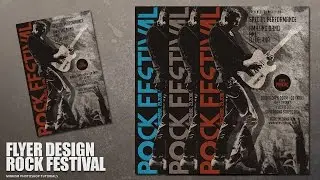
Create a Fashion Flyer Style Bright Texture In Photoshop
Автор: Mir Rom
Загружено: 2016-04-25
Просмотров: 17743
Описание:
Today's tutorial, I'll show you how create a fashion flyer style bright texture in Photoshop. Here we'll learn to use some kind of brush to create the impression of a beautiful abstract, Filter zigzag, mix colors, masks and more. Enjoy and thanks for watching!
Stock Images :
Women : https://goo.gl/mc1UoC
Wall Texture : https://goo.gl/Hn9L4F
Brushes :
Wg Soaked Stains : http://goo.gl/jsVG3i
Wg Dynamic Light : http://bit.ly/1VTbVz3
---------------------------------------------------------------------
Flyer Collection PSD : https://bit.ly/3pvITXn | https://bit.ly/3rpwH08
---------------------------------------------------------------------
Follow Us :
Google+ : https://goo.gl/PMkAPN
Web : http://goo.gl/E4vwh4
Twitter : http://bit.ly/1RlY5Qn
Facebook : https://goo.gl/H5m598
Music Credits:
Is That You or Are You You by Chris Zabriskie is licensed under a Creative Commons Attribution license (https://creativecommons.org/licenses/...)
Source: http://chriszabriskie.com/reappear/
Artist: http://chriszabriskie.com/
Photohop Tutorials Movie Poster : http://bit.ly/1phkZQc
Photoshop Tutorials Poster : http://bit.ly/1Q7bQTb
Photoshop Tutorials Flyer CMYK : http://bit.ly/1WVQjOH
Повторяем попытку...

Доступные форматы для скачивания:
Скачать видео
-
Информация по загрузке: