How To Check Computer Power Supply working Or Not??|How To Check computer SMPS Working Or Not
Автор: Birju Infosys
Загружено: 2024-09-21
Просмотров: 2333
Описание:
How To Check Computer Power Supply working Or Not??How To Check computer SMPS Working Or Not#repair
How to Check if Your Computer Power Supply is Working
To determine whether your computer’s power supply unit (PSU) is functioning properly, you can follow several methods. Here’s a detailed step-by-step guide on how to check your PSU using different techniques.
1. Paperclip Test
This method allows you to see if the PSU can turn on without being connected to a motherboard.
Shut Down and Unplug: First, ensure that your computer is completely powered off and unplugged from the wall outlet.
Open the Case: Remove the side panel of your computer case to access the internal components.
Disconnect Cables: Unplug all cables from the PSU except for the main AC cable and the 24-pin connector that connects to the motherboard.
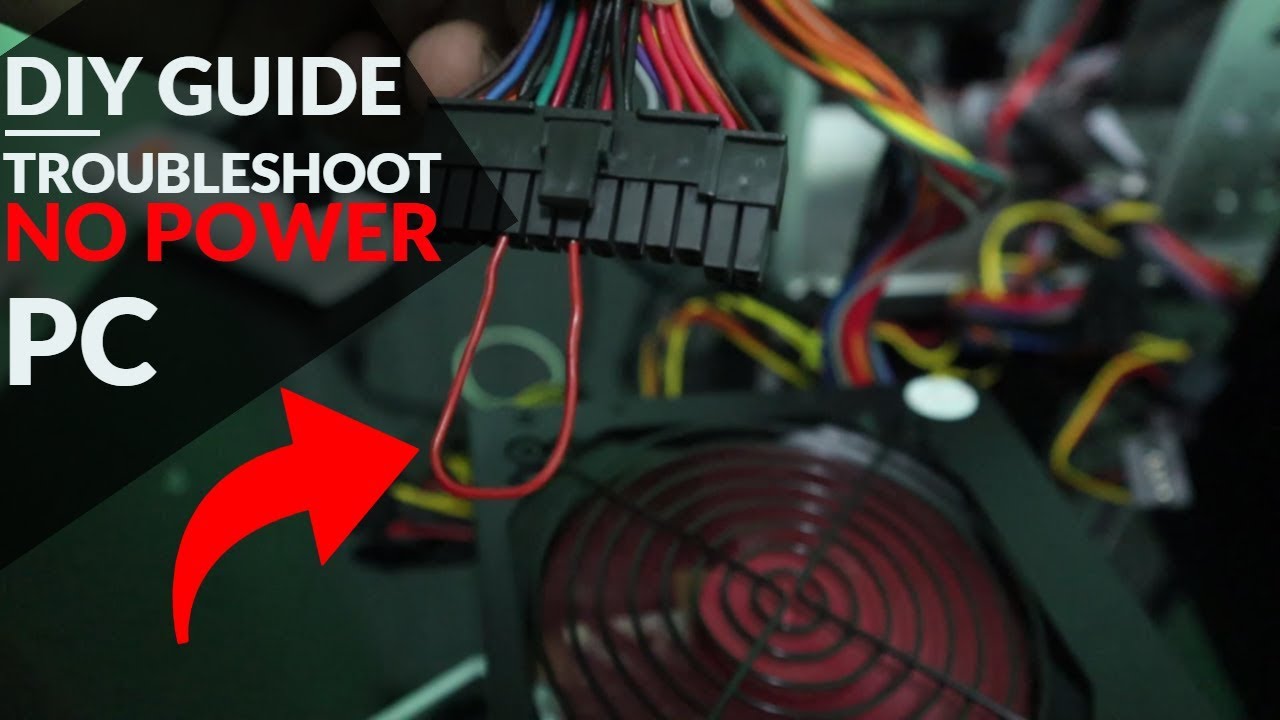
Identify Pins: Locate pin 16 (green wire) and pin 17 (black wire) on the 24-pin connector. Pin 16 is typically green, which serves as the power-on signal, while pin 17 is one of the ground pins.
Prepare Paperclip: Take a paperclip and bend it into a U-shape so that it can bridge these two pins.
Insert Paperclip: Insert one end of the paperclip into pin 16 and the other end into pin 17.
Power On: Plug in your PSU back into an outlet and switch it on.
Check Fan Activity: Observe if the fan inside the PSU spins. If it does, this indicates that at least some part of your PSU is functioning. Note that some PSUs have a zero-RPM feature where fans may not spin continuously; they might only spin briefly upon startup, which is normal.
2. Using a Power Supply Tester
If you want a more comprehensive test, consider using a dedicated power supply tester.
Acquire a Tester: Purchase or borrow a power supply tester from an electronics store or online retailer.
Disconnect Components: As with the paperclip test, ensure all components are disconnected from the PSU except for its own cables.
Connect Tester: Plug in both the 24-pin connector and any additional connectors required by your tester (like CPU power connectors).
Power On Tester: Connect your PSU to an outlet and turn on both the PSU and tester.
Read Outputs: The tester will display voltage readings for each rail. Normal voltages should be within ±5% of standard values:
+3.3V: between 3.135V and 3.465V
+5V: between 4.75V and 5.25V
+12V: between 11.4V and 12.6V If any readings fall outside these ranges, it’s likely time to replace your PSU.
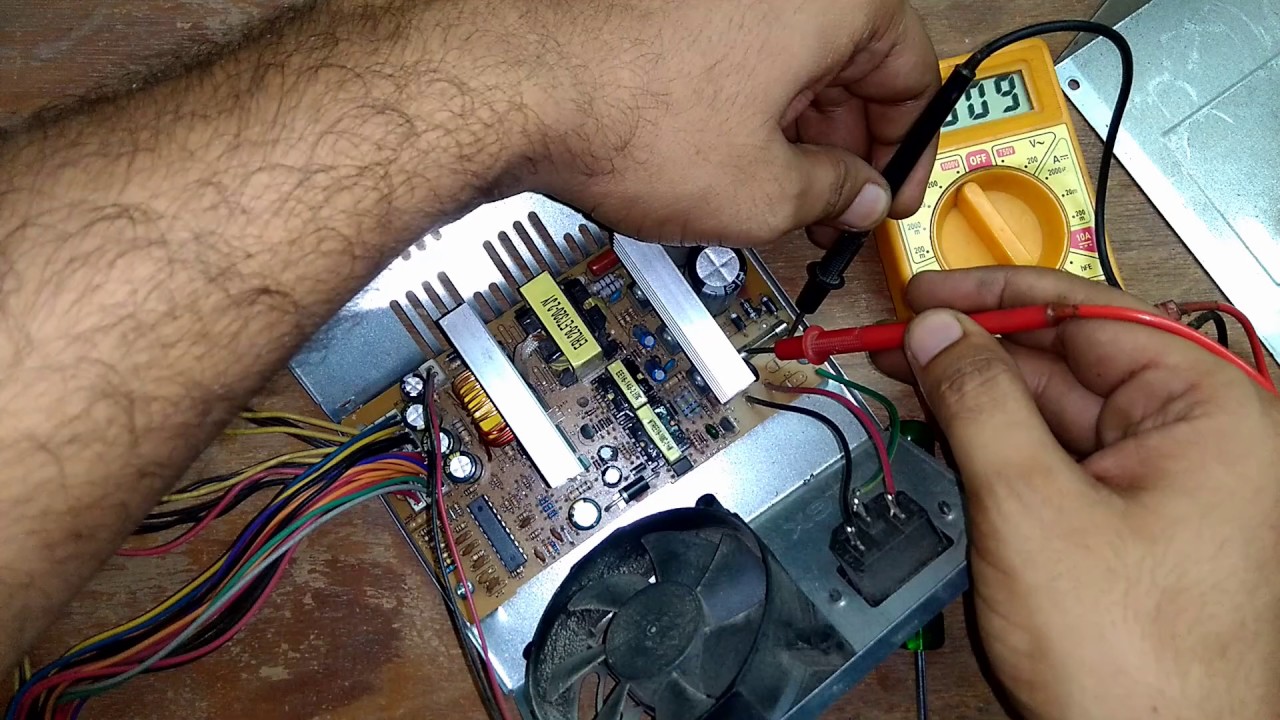
3. Testing with a Multimeter
For those familiar with multimeters, this method provides precise voltage readings under load conditions.
Set Up Multimeter: Turn on your multimeter and set it to measure DC voltage (VDC).
Connect Probes: Attach the black probe to any ground pin (usually black wires) on your PSU’s connector, then use the red probe to test each voltage output pin individually (pins like +3.3V, +5V, +12V).
Record Readings: Check if each voltage reading falls within acceptable limits as mentioned above for proper functionality under load conditions.
Conclusion
If after performing these tests you find that your power supply does not turn on or outputs incorrect voltages consistently across multiple tests, it is likely that your power supply unit has failed and needs replacement.
Top Authoritative Sources Used:
Corsair Support - This source provides detailed instructions on how to test PSUs safely using various methods including paperclips and testers specific to their products.
wikiHow - A comprehensive guide that outlines multiple ways to check if a power supply is working effectively along with safety precautions during testing procedures.
Computer Repair Guides - Offers expert advice from professionals in computer repair regarding troubleshooting steps for diagnosing power supply issues effectively.
how to test computer power supply unit,how to test computer power supply without multimeter,how to test computer power supply with multimeter,how to test computer power supply 24pin,how to test computer power supply voltage,how to test computer power supply without motherboard,how to test computer power supply watts,how to test computer power supply,how to check computer power supply working or not,how to jump a computer power supply,Computer power supply how to testing,how to check computer power supply,how to test a power supply unit using a multimeter,how to test a power supply unit with a multimeter,test a computer power supply,How to check computer power supply worm in or not,How to test a pc power supply with a paperclip,computer power supply checking,Test computer power supply,Repair a computer power supply,How to check smps/power supply unit is working or not simple hack,how to check smps power supply,how to test power supply with multimeter,Computer power supply how to check,computer power supply,pc power supply tester,How do I test my PC power supply with a multimeter?,power supply testing in pc,desktop power supply tester,dc power supply testing #dellcomputer
Повторяем попытку...

Доступные форматы для скачивания:
Скачать видео
-
Информация по загрузке: