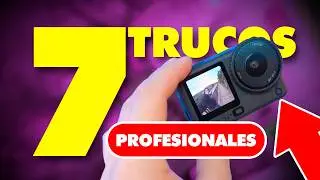
DJI Osmo Action 6 Mejor Configuración de video (NO la uses sin ver esto) Best settings
Загружено: 2025-12-17
Просмотров: 477
Описание:
En este video te muestro la MEJOR configuración cinematográfica para la DJI Osmo Action 6, usada por creadores que quieren imagen profesional, movimiento fluido y colores de cine sin perder calidad.
No es teoría ni ajustes genéricos: aquí verás configuraciones reales, ejemplos prácticos y por qué cada ajuste cambia por completo tu video.
Si grabas vlogs, contenido urbano, viajes, acción o reels cinematográficos, este video puede transformar la forma en que grabas desde hoy.
⚠️ Muchos están usando mal esta cámara y perdiendo calidad sin saberlo.
Mira el video completo y asegúrate de sacarle el 100% del potencial a tu Osmo Action 6 🎥🔥
👉 Suscríbete para más configuraciones PRO, comparaciones reales y tips de cámara. @chrispaphotography
djı osmo action 6 configuración, mejor configuración osmo action 6, configuración cinematica osmo action 6, dji osmo action 6 cinematic settings, osmo action 6 settings, best cinematic settings osmo action 6, dji osmo action 6 video settings, osmo action 6 vlog settings, acción camera cinematic, dji action camera settings, osmo action 6 4k settings, osmo action 6 color profile, dji osmo action 6 tips, action camera cinematic look, osmo action 6 stabilization settings
#djiosmoaction6 #actioncamera #tutorial #dji #camerasetting
This video provides a comprehensive guide to achieving a cinematic look with the DJI Osmo Action 6, focusing on optimal video settings for professional-looking footage (0:43).
Here's a summary of the recommended configurations:
• Capture Mode and Resolution (1:13):
• Select "Video" as the capture mode (1:24).
• Utilize the "Custom" setting for resolution (2:49), which allows the camera to record with the full sensor, offering flexibility for both horizontal and vertical video editing (2:34).
• Record in 4K at 24 frames per second (fps) for a cinematic look that provides motion blur similar to movies (3:04).
• Lens and Stabilization (3:26):
• Choose "Ancho natural" (Natural Wide) to avoid the fish-eye effect and achieve a more traditional camera look (3:32).
• For stabilization, select "Rocky Steady" for general movement (4:02) or "Horizon Balancing" for activities like motorcycling or biking (4:07). If recording podcasts or static shots, turn stabilization "off" (3:45).
• Pro Settings (Exposure, ISO, Color Profile) (4:13):
• Set exposure to "Manual" (4:31).
• Adjust Shutter Speed to double your frame rate; for 24fps, set it to 1/50 (4:36).
• Set ISO to 100-800 (4:48) to allow the camera to automatically adjust within this range, preventing noise in your footage (5:14).
• For color profile, choose "D-Log M 10-bit" (5:38) if you plan to edit your videos, as it provides the highest quality and dynamic range for color grading (5:55). If you don't edit, use "Normal 10-bit" (5:25).
• Leave White Balance on "Automatic" (6:18) for optimal color adjustment by the camera.
• Image Adjustments (6:38):
• Set "Textura" (Sharpness) to -2 (6:51) to avoid an over-processed, "computerized" look. You can add sharpness in post-production (7:01).
• Set Noise Reduction to -1 (7:18).
• Variable Aperture (7:23):
• The DJI Osmo Action 6 features a variable aperture (7:31) with three options:
• f/2.6: Ideal for low-light conditions, as it lets in more light (7:54).
• f/2.8: The classic aperture for sufficient light conditions like a studio or sunlight (8:08).
• f/4: Best for very bright, sunny conditions to reduce light entering the sensor and maintain correct exposure (8:21).
• Bit Rate (9:39):
• Change the "Bit Rate" from "Standard" to "Alto" (High) (9:51) in the camera settings to ensure the highest possible video quality.
• Saving Custom Settings (10:06):
• Save your chosen configuration as a custom preset (10:10) so you don't have to adjust settings every time you record.
Повторяем попытку...

Доступные форматы для скачивания:
Скачать видео
-
Информация по загрузке:


![🔥 [ ACTUALIZACIÓN ] 👉🏻 DJI Action 6 ❌ CAMBIA ESTO](https://image.4k-video.ru/id-video/thc6hylcvPQ)


![☀ Киношная картинка с экшн-камеры? Тест МАКРО, боке и 8K. [Action 6 Macro Lens]](https://image.4k-video.ru/id-video/fOQstVJpT7s)