HOW TO CREATE A WHATSAPP CLICKABLE LINK IN EXCEL USING HYPERLINK FUNCTION
Автор: Jojo Tech Man
Загружено: 2026-01-10
Просмотров: 13
Описание:
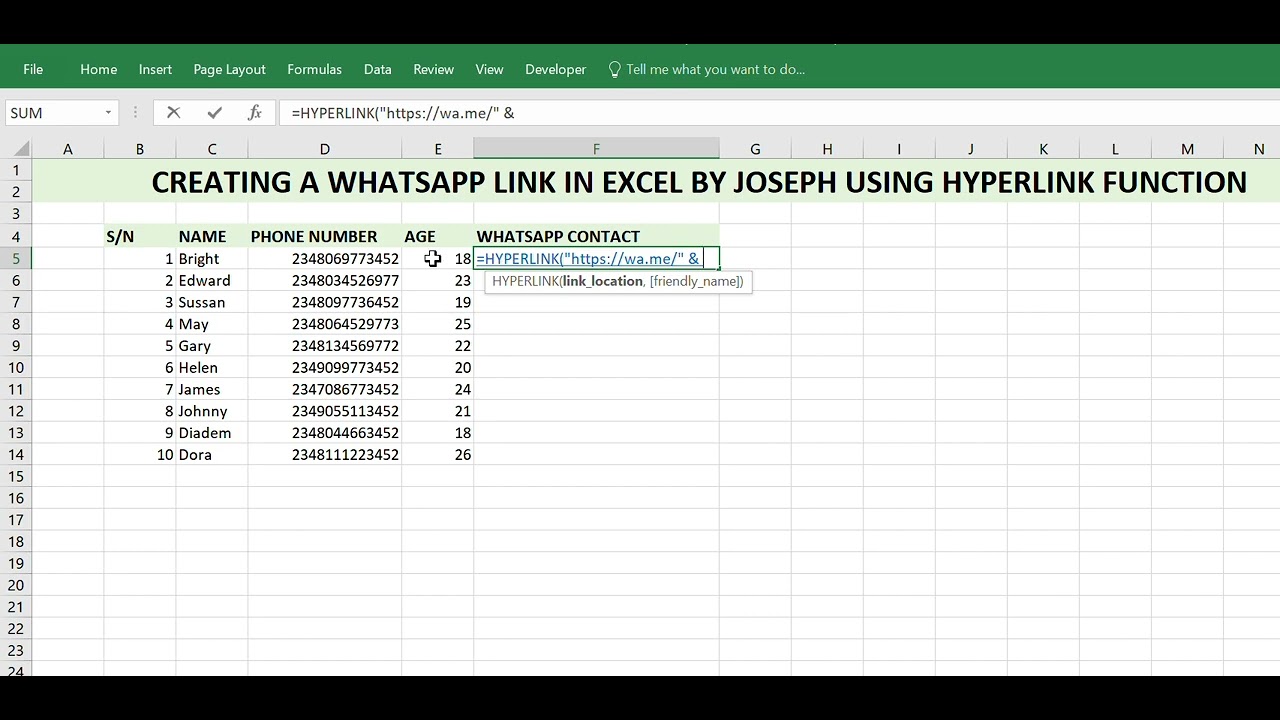
In this video, I taught how to create WhatsApp clickable links in Excel using the HYPERLINK function.
This Excel technique allows you to message any phone number on WhatsApp directly from Excel without saving the number as a contact.
By applying this simple Excel formula, phone numbers automatically become clickable WhatsApp links that open a chat instantly.
The exact formula used in this tutorial is:
=HYPERLINK("https://wa.me/" & D5)
Once you click the link, WhatsApp opens immediately and starts a conversation with that number.
This tutorial is especially useful for Excel users working in sales, customer service, marketing, business record keeping, and anyone who manages phone numbers in Excel.
If you want to master practical Excel skills that save time, improve productivity, and help you work smarter, make sure you subscribe to this channel.
On this channel, I teach clear and practical Excel tutorials that you can apply immediately in real life and business situations.
Повторяем попытку...
Доступные форматы для скачивания:
Скачать видео
-
Информация по загрузке:





![[2026] Feeling Good Mix - English Deep House, Vocal House, Nu Disco | Emotional / Intimate Mood](https://image.4k-video.ru/id-video/cxLdtvzf2sI)


![[4K FULL HD] Relaxing Water Background | 1 HOUR | Calm Water Wallpaper (No Sound)](https://image.4k-video.ru/id-video/y9PTNTSpGJs)


