SAMSUNG Galaxy S25+ – How to Turn Off Ram Plus
Автор: HardReset_Pro
Загружено: 2026-01-22
Просмотров: 4
Описание:
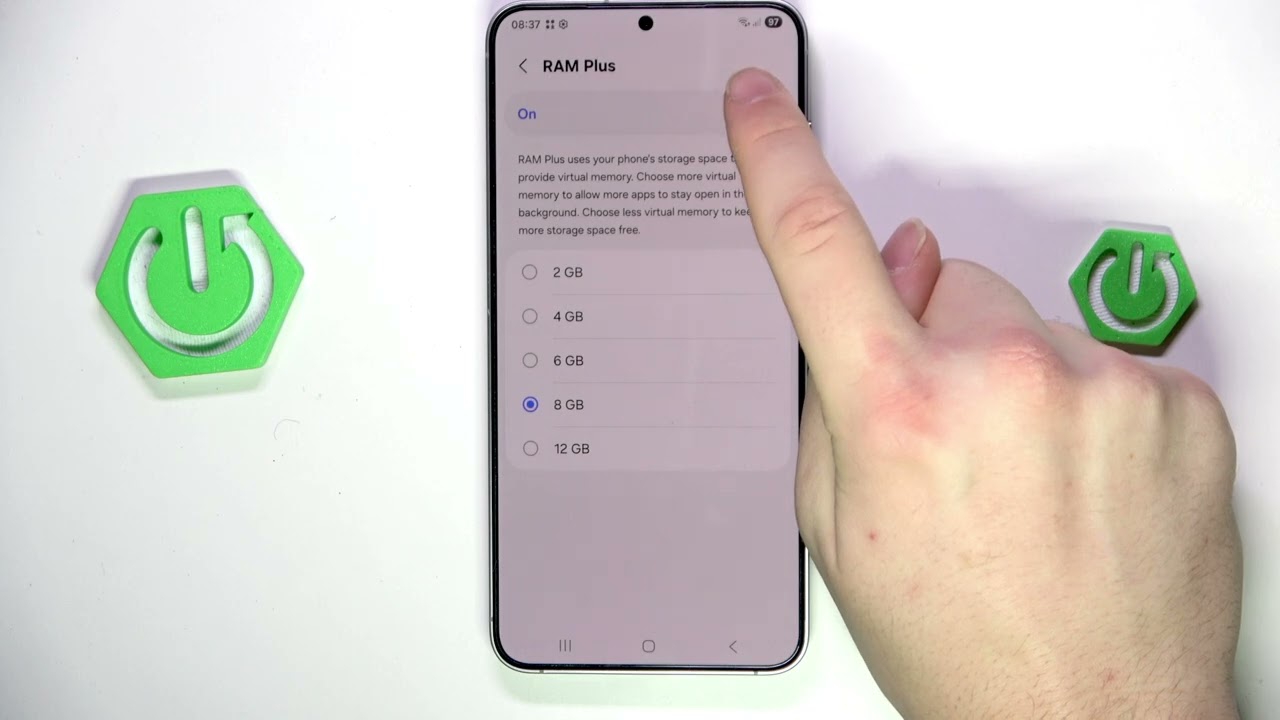
In this short video we show how to turn off Ram Plus on the SAMSUNG Galaxy S25+. Ram Plus is Samsung’s virtual RAM (memory expansion) feature that uses storage to add extra gigabytes. We walk you through Settings → Device Care → Memory, show how to disable Ram Plus, explain why turning it off can make a low-memory phone feel faster, and demonstrate a quick restart to apply the change. Follow these simple steps to safely disable Ram Plus and verify the setting after reboot.
How to turn off Ram Plus on SAMSUNG Galaxy S25+?
How to disable Ram Plus on SAMSUNG Galaxy S25+?
Where is the Ram Plus setting on SAMSUNG Galaxy S25+?
0:00 Introduction
0:05 Open Settings
0:10 Go to Device Care → Memory
0:28 Find Ram Plus and disable it
0:46 Restart the phone
1:00 Verify Ram Plus is off
1:06 Outro
#Samsung #GalaxyS25Plus #RamPlus #AndroidTips
Find out more:
https://www.hardreset.info/devices/sa...
Follow us on Instagram ► / hardreset.info
Like us on Facebook ► / hardresetinfo
Tweet us on Twitter ► / hardreseti
Support us on TikTok ► / hardreset.info
Use Reset Guides for many popular Apps ► https://www.hardreset.info/apps/apps/
Повторяем попытку...
Доступные форматы для скачивания:
Скачать видео
-
Информация по загрузке:


