Session 2: Google Classroom Deep Dive
Автор: PSJA ISD Instructional Technology
Загружено: 2026-01-14
Просмотров: 42
Описание:
Activity 2: https://docs.google.com/document/d/1d...
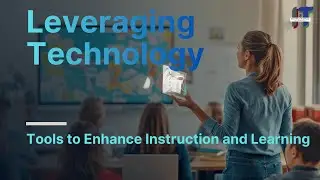
Welcome to the second video in our course, "Leveraging Technology: Tools to Enhance Instruction and Learning." In this session, Instructional Technology Specialist Valentin Guerra takes you on a step-by-step "Deep Dive" into @GoogleforEducation's #googleclassroom —your new mission control for the digital classroom.
Designed for new educators and alternative certification candidates, this tutorial moves fast to get you set up from Day 1. You will learn how to build your class in under a minute, master the "Magic Button" for student assignments, and streamline your grading workflow using rubrics and originality reports.
Key Learning Objectives
1. Mission Control Setup: Learn to create a class, organize settings, and invite students via link or code.
2. The 4 Main Tabs: Master the Stream (announcements), Classwork (assignments), People (roster), and Grades (progress tracking).
3. The "Magic Button": Understand the crucial difference between "View File," "Edit File," and "Make a Copy for Each Student."
4. Advanced Features: Utilize scheduling for future posts, academic integrity tools, and time-saving comment banks for feedback.
Chapters
00:00:00 Introduction & Mission Control Concept
00:00:37 Step 1: Building Your First Class
00:01:52 Tour of the 4 Main Tabs (Stream, Classwork, People, Grades)
00:02:18 Step 2: Inviting Students (Link vs. Code)
00:02:40 Step 3: Mastering the Stream & Announcements
00:03:44 Step 4: The Classwork Engine & Assignment Anatomy
00:04:37 The "Magic Button" (File Sharing Options)
00:05:46 Step 5: Grading with Rubrics & Originality Reports
00:06:31 Step 6: The Feedback Loop & Comment Banks
00:07:08 Integration: Google Meet & Calendar
00:07:30 Core Workflow Recap & Conclusion
Resources
Google Teacher Center: Visit for deep dives on specific Google tools. https://edu.google.com/intl/ALL_us/le...
How to Use Google Classroom- Tutorial for Beginners • How to Use Google Classroom - Tutorial for...
Connect with Us
Instructional Technology Department
Facebook: / psjatech
Instagram: / psjatech
YouTube: / psjatech @psjatech
Pharr-San Juan-Alamo ISD
Facebook: / psjaisd
Instagram: / psjaisd
YouTube: / @psjaisd @PSJAISD
#GoogleClassroom #NewTeachers #EdTech #ClassroomManagement #DigitalLearning @PSJAISD @psjatech #TeacherTips #GoogleEdu #InstructionalTech #remotelearning
Повторяем попытку...

Доступные форматы для скачивания:
Скачать видео
-
Информация по загрузке:


![[4K FULL HD] Relaxing Water Background | 1 HOUR | Calm Water Wallpaper (No Sound)](https://image.4k-video.ru/id-video/y9PTNTSpGJs)