How to replace iPod Classic Hard Drive to SD Card
Автор: Freelancer Gamer
Загружено: 2016-10-24
Просмотров: 216446
Описание:
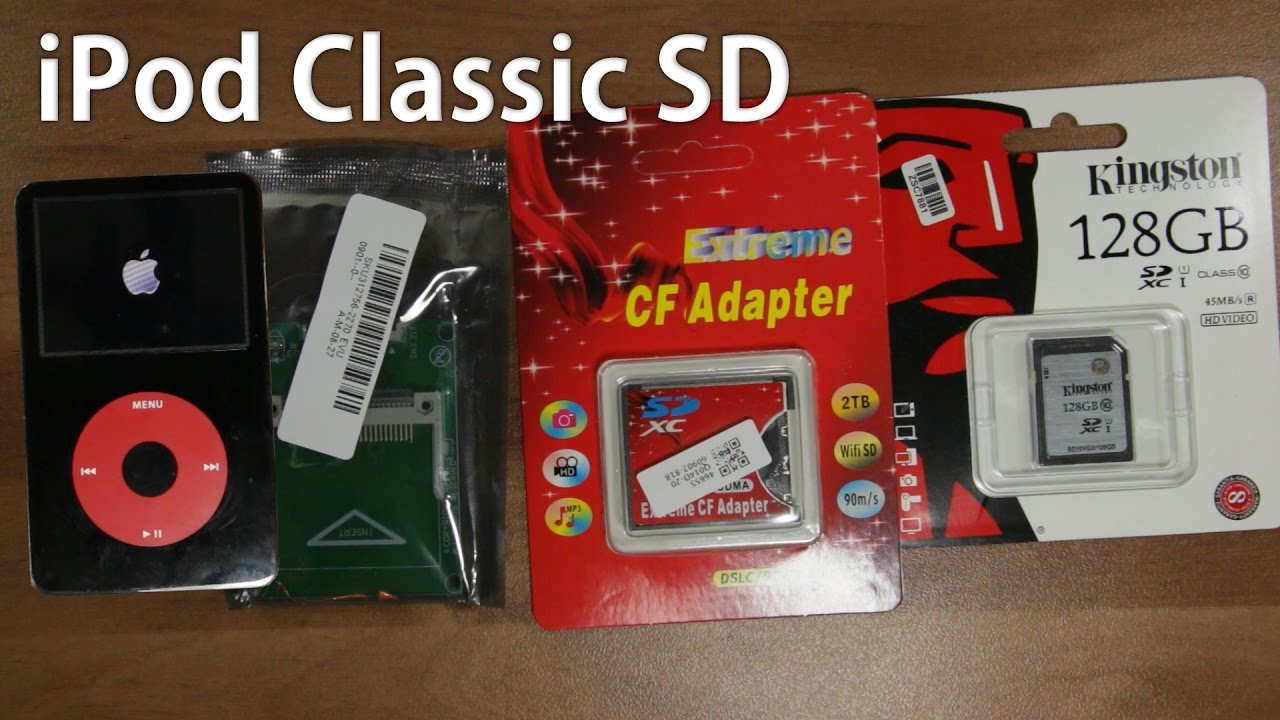
How to replace iPod Classic Hard Drive to SD Card
This fix will work for iPod Classic 5th Gen, 6th Gen and 7th Gen
If you want to make this change to your iPod Classic 4th Gen you will need to buy an extra adapter iPod to iFlash
This is the cheapest way to replace iPod Classic Hard Drive to SD Card
Before you start you will need:
CF Card Adapter to ZIF Connector:
http://amzn.to/2dDGnh0
https://ebay.to/3rtqquU
CF Card Adapter to SD card:
http://amzn.to/2e4YtEx
https://ebay.to/3sqRgVH
128 GB SD card:
https://amzn.to/3tWs0a0
https://ebay.to/3lZcYxs
Repair tools to open your iPod (only if you don't have basic tools):
https://amzn.to/3rvdRPM
https://ebay.to/3rtqKtC
00:28 Remove the rear panel
01:00 Disconnect the battery
01:18 Disconnect the hard drive from Ipod motherboard
01:29 Disconnect the hard drive ribbon cable
01:40 Unboxing CF Card Adapter to ZIF Connector
02:03 Unboxing CF Card Adapter to SD card
02:32 Unboxing 128 GB SD Card
02:52 Insert SD to CF card Adapter
03:09 Connect the "CF with SD" to "CF Card Adapter to ZIF"
03:30 Connect the hard drive ribbon cable to "CF Card Adapter to ZIF"
03:44 Connect the 2nd side of the hard drive ribbon cable to ZIF connector on the iPod motherboard
04:05 Connect the battery
04:16 Close the rear panel
04:26 Connect your iPod to the PC
04:40 Restore iPod with iTunes
05:54 Eject your iPod from iTunes
Enjoy your new upgraded iPod
I upgraded my 30GB iPod Classic 5th Gen U2 Special Edition to 116 GB
iPod Classic with MicroSD:
• iPod Classic MicroSD
👍 Subscribe to Freelancer Gamer Channel for more Gaming Videos:
http://bit.ly/FreelancerGamerYouTube
🎧 Music:
Relapse (Original Mix) by ThisNameIsAFail is licensed under a Creative Commons Licence.
http://bit.ly/RelapseThisNameIsAFail
• Видео
Повторяем попытку...
Доступные форматы для скачивания:
Скачать видео
-
Информация по загрузке:


