How to Scan Telegram QR Code | Login Telegram on PC
Автор: How To Geek
Загружено: 2022-04-18
Просмотров: 5700
Описание:
In this tutorial video, I will quickly guide you on how you can easily log in to Telegram from a Desktop or any other personal computer.
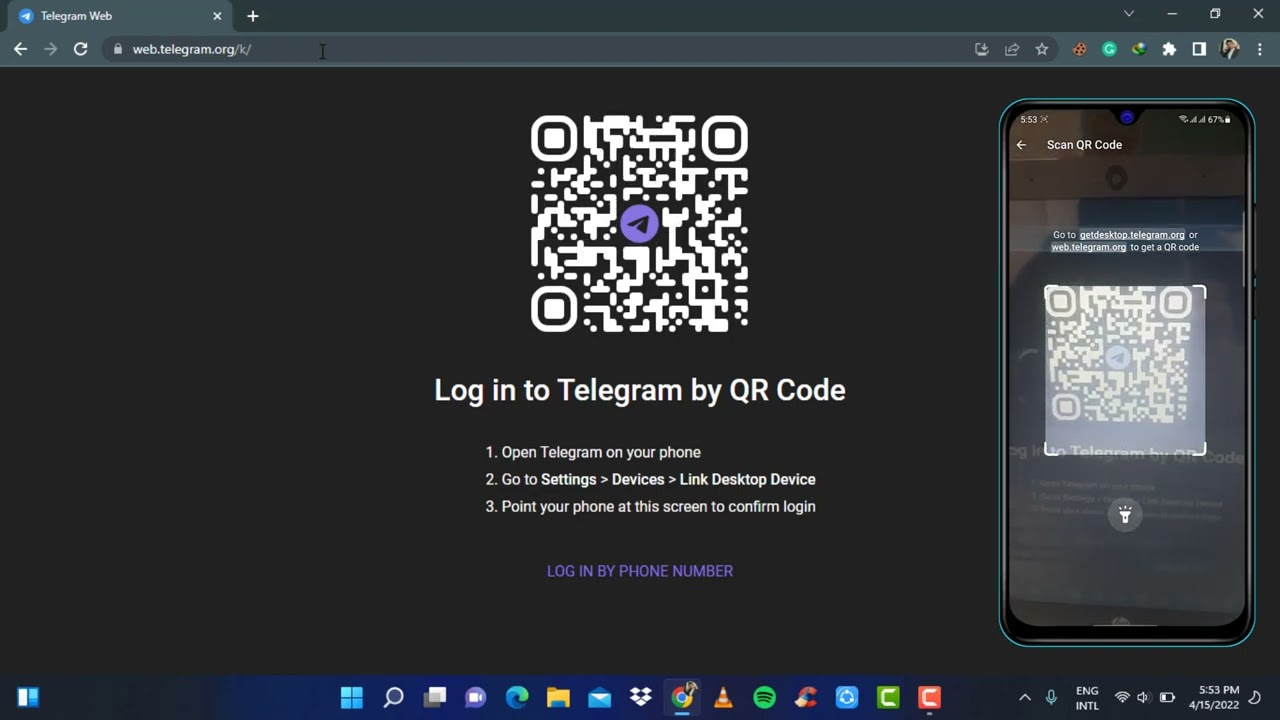
Once you type in web.telegram.org, your user interface will somehow look like this. As you can see here it says to LOG IN TO TELEGRAM BY USING THE QR CODE. So now what you want to do is open your telegram app on your phone. You want to make sure that you are logged into your telegram app on your phone. Here you can see on the top left of the screen the three navigation icons. Here, you can go to settings. Once you go to settings, look for the option DEVICES. And once you find devices, you can see the option over here LINK A DESKTOP DEVICE. So simply click on the blue button which says LINK DESKTOP DEVICE and wait for the QR scanner to load. Once the QR scanner has successfully loaded, simply open it and then scan the QR code on your desktop. Wait for the scan process to complete. If it doesn't work then simply try it again. Click on the desktop device again and then try to scan the QR code again. Once the QR code has been successfully completed, you can see you have been successfully logged into telegram from your desktop browser.
0:00 Intro
0:10 Log in to Telegram from the Desktop
0:35 Scanning QR Code
1:52 Outro
How to Geek Social Links:
Facebook - / ssktechin
Instagram - / geekhowto
Email - [email protected]
DISCLAIMER: This Channel "How to Geek" is not the Official Support of the content provided & Does Not Promote Any illegal content, all content provided by This Channel is meant for EDUCATIONAL purposes only. The Channel doesn't own any logos or websites displayed on videos and thumbnails. The content is based on individual research and does not intend to give any financial advice. The content on this channel does not intend to mislead the viewers. We are not liable for the content and services provided on external websites.
Повторяем попытку...
Доступные форматы для скачивания:
Скачать видео
-
Информация по загрузке: