Get Ear Candy with Cataract 2 by Glitchmachines | Quick Tip Tutorial
Автор: Plugin Boutique
Загружено: 2022-04-06
Просмотров: 9370
Описание:
Check out Cataract 2 | https://bit.ly/3r7URt3
Check out Plugin Deals | https://bit.ly/3x7ypnG
Access 4 million sounds w/ Loopcloud Free Trial | http://bit.ly/2MGW4Um
In this quick tip tutorial, Joshua Casper shows you how to use the brand new VST Plugin Cataract 2 by Glitchmachines to easily and quickly generate ear candy for your next project.
This is done by Cataract 2's mind bending sound design functionality combined with a Volume envelope shaper in Ableton Live.
Trust me, you don't want to miss this tutorial!
Cataract 2 - Segment Multiplexer
Cataract 2.0 is a Segment Multiplexer for Electronic Music Production and Experimental Sound Design
Important Note: This is the full version of Cataract. An upgrade for users that already own Cataract Version 1 is also available.
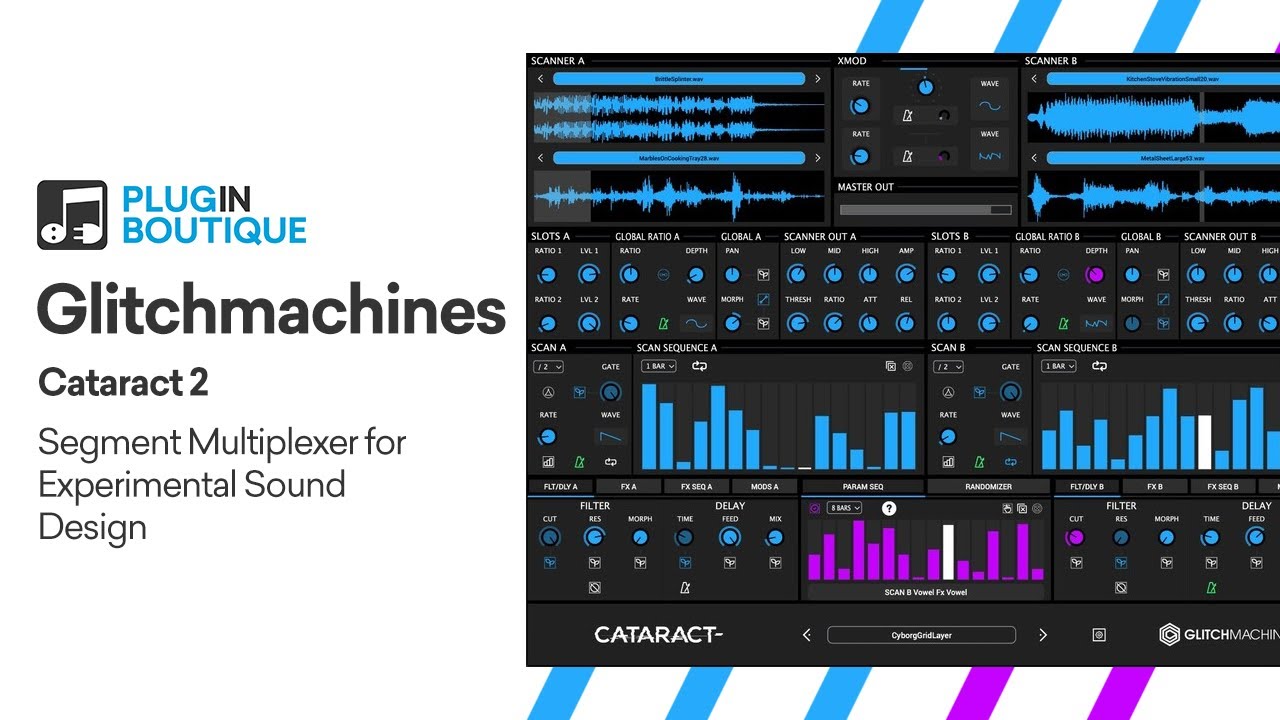
Cataract features an arsenal of sample scanners with various integrated effects and a global parameter sequencer that allows you to step sequence nearly every parameter of the plugin. Version 2.0 gives Cataract a total overhaul, integrating countless refinements while significantly streamlining the redesigned interface and adding exciting new features such as the FX module and its dedicated sequencer.
With its two dual Sample Scanners, X-MOD Morpher, Global Parameter Sequencer, Scan Sequencers, Effects Sequencers, Effects & Dynamics Processors, LFOs, Global Randomizer, specially curated Factory Sample Bank and 100 Factory Presets, Cataract 2.0 constructs architecturally complex patterns ranging from nuanced percussive articulations to intricate particle sound effects and all out generative hyper glitch chaos.
Cataract is similar to a traditional “sample slicer” with a few key differences. Unlike slicers that typically deal with recalling markers placed within a single audio file, Cataract is driven by your DAW’s clock and dynamically scans over segments of up to four separate audio files, loaded across two “Scanners”. Segments are then distributed in time and sonically manipulated in various creative ways (hence multiplexing) by the plugin’s numerous modulation sources, sequencers and effects. The final stage of the plugin allows you to crossfade/morph/mix between the two audio signals emanating from the Scanners.
This crossfade knob can itself be modulated via its dedicated LFO, or sequenced via the Parameter Sequencer or DAW Automation. While this analogy dramatically oversimplifies the concept of the plugin, sonically speaking it may be helpful to think of the two sides (A/B) as decks in a traditional DJ setup. In this context, the XMOD module represents the mixer that allows you to crossfade between the signals coming from the two decks. We like to refer to this as morphing because, thanks to the flexibility of the cross-modulated XMOD LFO and Global Parameter Sequencer, it yields much more complex results than a linear 1:1 crossfade.
Features
Dual Sample Scanner Modules
XMOD Crossfade Module
Global Parameter Sequencer
Scan Sequencers
Multi-Mode Filter & Delay
FX Module & Dedicated Sequencer
Extensive Randomization Tools
Redesigned Scalable Interface
Sample Bank & 100 Presets
Apple Silicon Native
Win/Mac VST3/AU 64bit
#PluginBoutique
#Cataract2
#Glitchmachines
Повторяем попытку...
Доступные форматы для скачивания:
Скачать видео
-
Информация по загрузке: