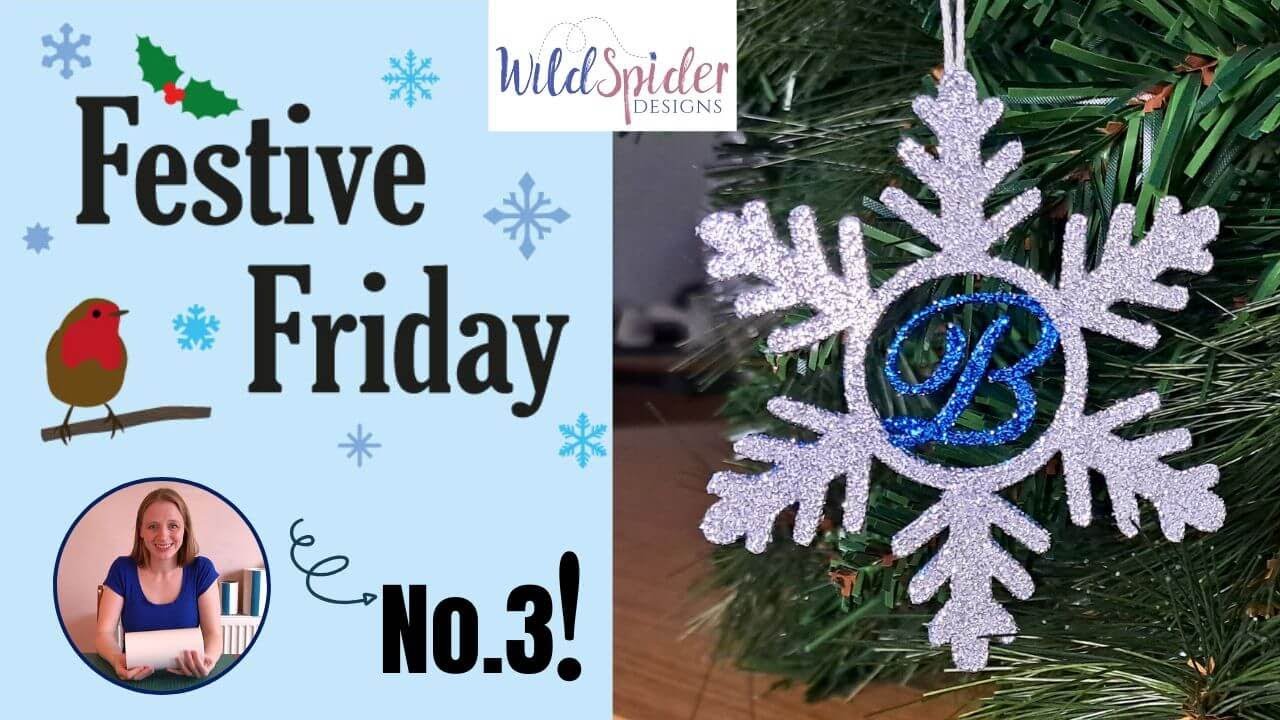
Festive Friday 3 - Monogram Snowflake Ornament
Автор: Wild Spider Designs
Загружено: 2024-12-06
Просмотров: 452
Описание:
Welcome to Festive Friday No. 3! In this tutorial we are going to create a gorgeous personalised hanging snowflake. We'll also cover adding the initial in to the centre of the snowflake using Cricut and Brother Scan and Cut software, so just skip to the part that's applicable to you :)
And although I have made this decoration on an electronic cutting machine, this can be easily done with dies, and I'll be showing you how to do that very soon!
In this tutorial I have used;
Sticky Roll - https://bit.ly/2SEkRKE
Snowflake Monogram Frames Cut Files/SVG Files - https://bit.ly/2VJUiZz
Silver and Sapphire Blue Ultra Fine Glitter - https://bit.ly/41kEFYi
Glitter Brushes - https://bit.ly/3tVsGSi
Craft Knife - https://bit.ly/3Be8Upm
White Card
Digital Cutting machine - Any brand can be used to make this.
As mentioned in the tutorial - How to convert an old Scan n Cut/Silhouette/Cricut mat - • How to convert an old Scan n Cut/Silhouett...
Want to see how more about how Sticky Roll works? Then have a snoop at;
How to Die Cut with Double Sided Adhesive Sticky Roll - • How to Die Cut with Double Sided Adhesive ...
How to use double sided adhesive Sticky Roll with your electronic cutting machine - • How to use double sided adhesive Sticky Ro...
Find more crafty goodness at:
Website: https://www.wildspiderdesigns.com
Facebook: / wildspiderdesigns
Instagram: / wildspiderdesigns
#craft #diecutting #cardmaking #crafttutorials #christmascrafts
Повторяем попытку...
Доступные форматы для скачивания:
Скачать видео
-
Информация по загрузке: