ycliper

Популярное

Музыка Кино и Анимация Автомобили Животные Спорт Путешествия Игры Юмор

Интересные видео

2025 Сериалы Трейлеры Новости Как сделать Видеоуроки Diy своими руками

Топ запросов

смотреть а4 schoolboy runaway турецкий сериал смотреть мультфильмы эдисон
Скачать

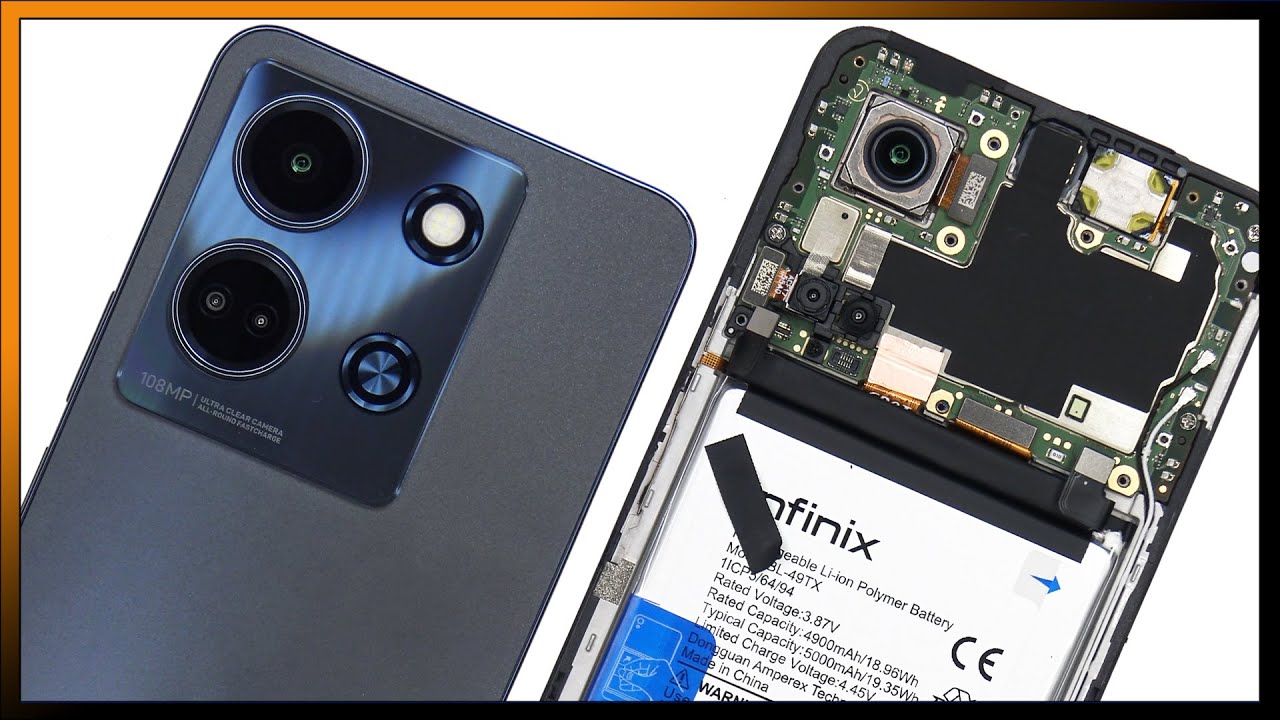
INFINIX NOTE 12 5G BACK PANEL REPLACEMENT | HOW TO CHANGE INFINIX NOTE 12 5G BACK PANEL

Автор: Hello Phones

Загружено: 2025-02-28

Просмотров: 999

Описание: How to Change Infinix Note 12 5G Back Panel

Replacing the back panel of your Infinix Note 12 5G requires careful handling to avoid damaging internal components. Follow these steps to safely replace it.

Tools Required:

✔ New Infinix Note 12 5G back panel
✔ Suction cup
✔ Plastic pry tool or guitar pick
✔ Heat gun or hairdryer
✔ Adhesive glue/tape (for reassembly)
✔ Microfiber cloth & isopropyl alcohol (for cleaning)

Step-by-Step Guide

1. Power Off Your Device

Turn off your Infinix Note 12 5G completely.

Remove the SIM tray using a SIM ejector tool.

2. Apply Heat to Loosen the Adhesive

Use a heat gun or hairdryer to warm the edges of the back panel for about 1-2 minutes at 60-80°C.

This softens the adhesive, making removal easier.

3. Remove the Back Panel

Place a suction cup on the back panel and pull gently to create a small gap.

Insert a plastic pry tool or guitar pick into the gap and carefully slide it along the edges to separate the adhesive.

Work slowly to avoid damaging internal components.

4. Clean the Surface

Remove any leftover adhesive using isopropyl alcohol and a microfiber cloth.

Ensure the surface is clean and smooth before installing the new panel.

5. Install the New Back Panel

Apply adhesive glue (B-7000) or double-sided adhesive tape around the edges.

Align the new back panel properly and press it firmly into place.

Hold the panel down for a few minutes to ensure proper adhesion.

6. Let the Adhesive Set

If using glue, let the phone sit for 30-60 minutes to allow the adhesive to bond securely.

7. Final Checks

Reinsert the SIM tray and power on the phone.

Check for proper fitting and ensure the panel is securely attached.

Additional Tips:

✔ Use an original or high-quality replacement panel for the best fit and durability.
✔ Avoid using metal tools to prevent scratches or internal damage.
✔ If your phone has a fingerprint sensor on the back, make sure it is properly connected before sealing the panel.

Would you like help finding a replacement back panel online?

Не удается загрузить Youtube-плеер. Проверьте блокировку Youtube в вашей сети.
Повторяем попытку...
INFINIX NOTE 12 5G BACK PANEL REPLACEMENT | HOW TO CHANGE INFINIX NOTE 12 5G BACK PANEL

Поделиться в:

Доступные форматы для скачивания:

Скачать видео

  • Информация по загрузке:
Скачать аудио

Похожие видео

Infinix Note 12 5g||Lcd Replacement ||How To Replace Lcd Infinix Note 12 5g ||

Infinix Note 12 5g||Lcd Replacement ||How To Replace Lcd Infinix Note 12 5g ||

Проблема аккумуляторов в смартфонах

Проблема аккумуляторов в смартфонах

Почему Ядерная война уже началась (А вы не заметили)

Почему Ядерная война уже началась (А вы не заметили)

Как из обычного принтера сделать WiFi принтер? Принтер к телефону через WiFi

Как из обычного принтера сделать WiFi принтер? Принтер к телефону через WiFi

Xiaomi QIN F25: новое возвращение кнопочного короля!

Xiaomi QIN F25: новое возвращение кнопочного короля!

Телефон вместо персонального компьютера ПК

Телефон вместо персонального компьютера ПК

Infinix Note 10 Pro Disassembly | Infinix Note 10 Pro Teardown | Infinix Note 10 Pro Back Panel Open

Infinix Note 10 Pro Disassembly | Infinix Note 10 Pro Teardown | Infinix Note 10 Pro Back Panel Open

Мне 73. Я жалею, что понял это только сейчас.

Мне 73. Я жалею, что понял это только сейчас.

Infinix Hot 40i Teardown and Battery Replacement video

Infinix Hot 40i Teardown and Battery Replacement video

РОУТЕР С VPN за 1200₽ | OpenWRT + Podkop + Amnezia | Полный Гайд на Xiaomi 4С

РОУТЕР С VPN за 1200₽ | OpenWRT + Podkop + Amnezia | Полный Гайд на Xiaomi 4С

Infinix Note 12 5G disassembly //How to open Infinix Note 12 5G // Infinix Note 12 5G teardown

Infinix Note 12 5G disassembly //How to open Infinix Note 12 5G // Infinix Note 12 5G teardown

20 КРУТЕЙШИХ ГАДЖЕТОВ С АМАЗОНА, КОТОРЫЕ ВЫ ЗАХОТИТЕ КУПИТЬ

20 КРУТЕЙШИХ ГАДЖЕТОВ С АМАЗОНА, КОТОРЫЕ ВЫ ЗАХОТИТЕ КУПИТЬ

Aesthetic background | White coquette bow wallpaper | Art screensaver for TV | Frame PRO TV painting

Aesthetic background | White coquette bow wallpaper | Art screensaver for TV | Frame PRO TV painting

ТЫ МЕЧТАЛ О ТАКОМ XIAOMI! Смартфон с ДВУМЯ СЪЁМНЫМИ Аккумуляторами ТОП НОВИНКА RugOne Xever 7 Pro

ТЫ МЕЧТАЛ О ТАКОМ XIAOMI! Смартфон с ДВУМЯ СЪЁМНЫМИ Аккумуляторами ТОП НОВИНКА RugOne Xever 7 Pro

Обзор AGM M11 || Уникальный Ударопрочный Телефон - Powerbank с возможностью зарядки других устройств

Обзор AGM M11 || Уникальный Ударопрочный Телефон - Powerbank с возможностью зарядки других устройств

Infinix Note 30 5G Teardown Disassembly Repair Video Review

Infinix Note 30 5G Teardown Disassembly Repair Video Review

Почему БЫСТРАЯ ЗАРЯДКА быстро заряжает?

Почему БЫСТРАЯ ЗАРЯДКА быстро заряжает?

Vintage Floral TV Art Screensaver Tv Wallpaper Home Decor Oil Painting Digital Wall Art

Vintage Floral TV Art Screensaver Tv Wallpaper Home Decor Oil Painting Digital Wall Art

HOW TO MAKE MINI-EGG INCUBATOR SOLAR POWERED

HOW TO MAKE MINI-EGG INCUBATOR SOLAR POWERED

Infinix Note 50s 5g vs Poco X7 5g vs Realme P3 5g - Flipkart sale Discount 🔥| Gaming processor 🎮

Infinix Note 50s 5g vs Poco X7 5g vs Realme P3 5g - Flipkart sale Discount 🔥| Gaming processor 🎮

© 2025 ycliper. Все права защищены.


  • Контакты
  • О нас
  • Политика конфиденциальности


Контакты для правообладателей: [email protected]