How to Pin or Unpin Program Icons to the Taskbar on Windows 10?
Автор: TechMeSpot
Загружено: 2018-06-23
Просмотров: 61591
Описание:
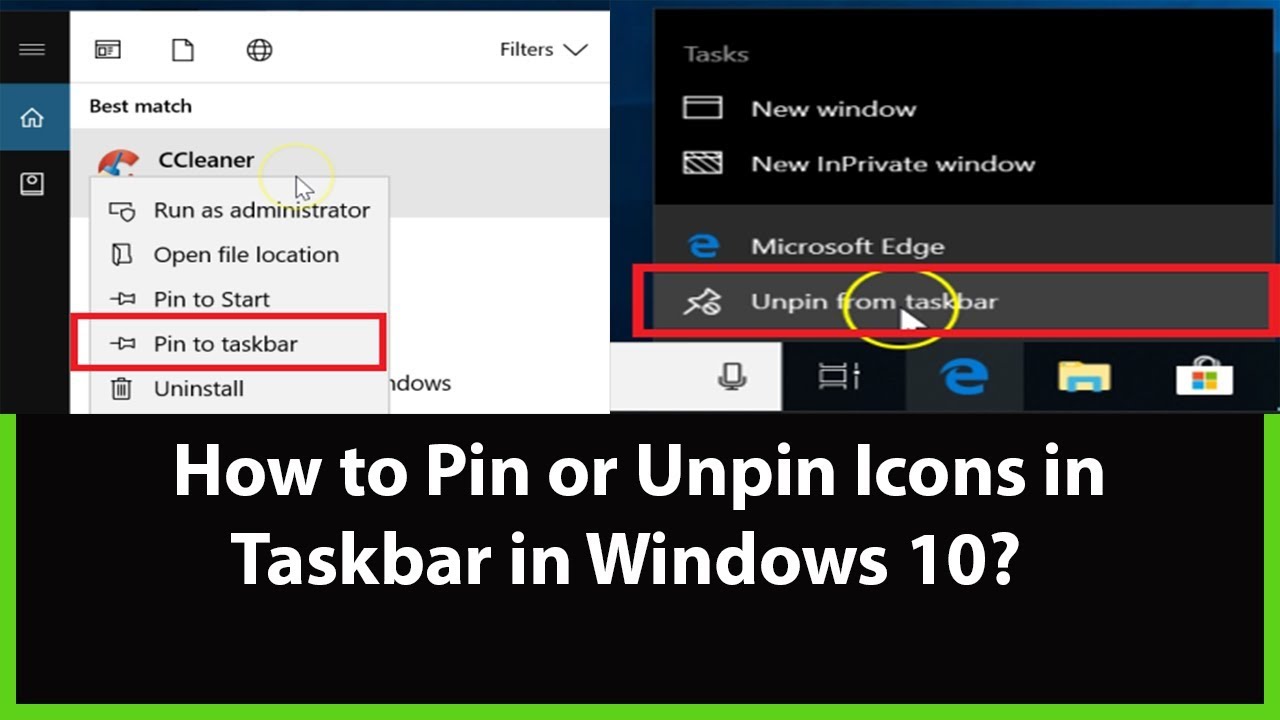
How to Pin or Unpin Program Icons to the taskbar on Windows 10?
To Pin:
Step 1: Type your Application name that you want to Pin in the Taskbar in search box.
Step 2: Right click on the program.
Step 3: Click on 'Pin to Taskbar.'
To Unpin:
Step 1: Right click on the Application that you want to Unpin in Taskbar.
Step 2: Click on 'Unpin from taskbar.'
It's Done
Thanks for watching, please like and subscribe
==============================================
YouTube Subscribe: https://goo.gl/4lCCN8
Patreon: / techmespot
Facebook: / techmespot
Twitter: / techmespot
Website: http://techmespot.com
Повторяем попытку...
Доступные форматы для скачивания:
Скачать видео
-
Информация по загрузке: