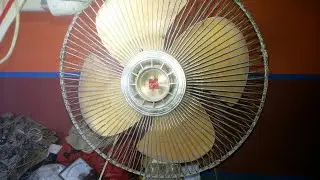
How to clean the inside of a KDK table fan
Автор: Recommend dot my
Загружено: 2020-05-04
Просмотров: 19762
Описание:
Any old electrical appliance will gather dust after a while. The same goes for table fans.
You may clean the fan blades regularly, but have you ever cleaned the inside of the fan casing? It’s not difficult to do!
Cleaning the inside every few months will help to reduce dust build up, which can cause overheating and noise.
Here are the steps to clean the inside of a table, or desk fan. In this case, we will be cleaning a KDK 16 inch table fan. Other brands may have slightly different steps
Vacuum the dust every 3 months to prevent overheating and noise.
Steps:
1) Remove front fan cage
2) Remove fan blade
3) Remove rear fan cage
4) Unscrew casing
5) Pop out oscillation knob
6) Vacuum insides
7) Reattach casing and screws
8) Pop in oscillation knob
9) Reattach rear fan cage
10) Reattach fan blade (make sure it aligns with shaft pins)
11) Reattach front fan cage
12) Test
Need TV, fridge, cooker, or washing machine repair in Malaysia? Visit Recommend.my!
Повторяем попытку...

Доступные форматы для скачивания:
Скачать видео
-
Информация по загрузке: