How to align, overlay & export transformed images from BigDataViewer via BigStitcher in FIJI/ImageJ
Автор: Image Analysis
Загружено: 2023-02-09
Просмотров: 1185
Описание:
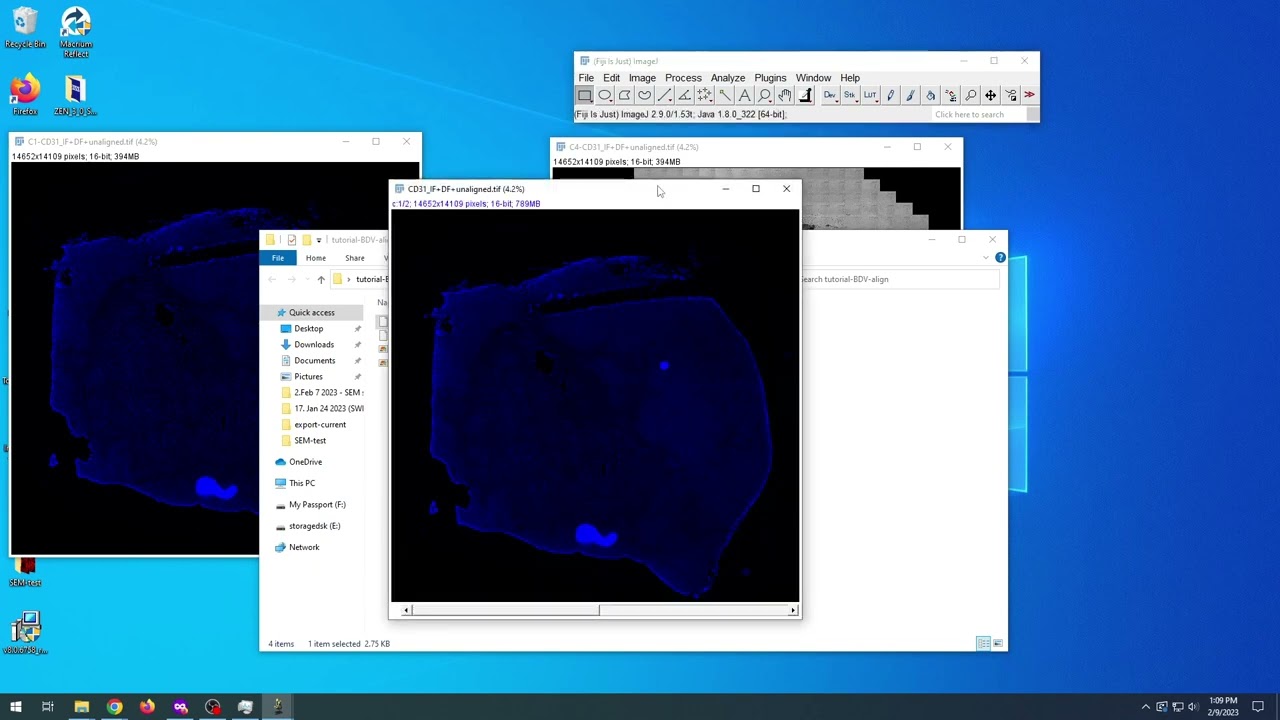
How to align, overlay & export transformed images from BigDataViewer via BigStitcher in FIJI/ImageJ.
1. Open two images to align in Fiji
2. Open images in BigDataViewer
2.1. Press 'T' to transform images to align
2.2. Export the settings from BigDataViewer by File ~ Save Settings.
3. Merge your two images in Fiji to overlap/overlay them by Image ~ Color ~ Merge Channels
4. Export the overlaid/overlapped images via BigDataViewer by Plugins ~ BigDataViewer ~ Export Current Image as XML/HDF5.
4.1. Choose a save directory and save
5. Copy the transformation data from XML created by BigDataViewer in step 2.2. into the XML created by BigDataViewer in step 4.1. Resave this modified XML file with a new title.
6. Open the saved BigDataViewer dataset in BigStitcher by Plugin ~ BigStitcher ~ BigStitcher
6.1. In BigStitcher, apply the transformations (not sure if this step is necessary).
6.1.1. Define as: Interactively using the BigDataViewer
6.1.2. Press Apply Transformation on the dialog box that appears
6.2. Export the transformed data from BigStitcher by selecting both datasets then right-clicking and pressing Image Fusion ...
6.3. Select the pixel type that matches your data (16-bit unsigned integer for my dataset). Then OK and press OK again and OK again. The translated dataset will be saved.
7. Change the brightness/contrast by going Image ~ Adjust ~ Brightness/Contrast (or ctrl+shift+c)
7.1. Adjust the brightness and contrast for each of the two images.
7.2. Also change the LUT of at least one of the images so that you can tell them apart using color.
8. Merge the two images (see step 3 for how to do this)
9. Check that the images are properly aligned.
10. You can now export the aligned images.
This video was created in response to this Image.Sc thread: https://forum.image.sc/t/manual-subpixel-r...
Повторяем попытку...
Доступные форматы для скачивания:
Скачать видео
-
Информация по загрузке:










![Divine Music - The Year Mix Vol.10 [Chill & Ethnic Deep 2025]](https://imager.clipsaver.ru/Q3XBH_FhuKY/max.jpg)

![Как сжимаются изображения? [46 МБ ↘↘ 4,07 МБ] JPEG в деталях](https://imager.clipsaver.ru/Kv1Hiv3ox8I/max.jpg)