How to Enable Equation Editor | Word 2007, 2010, 2013.Ms Word Expert.
Автор: Its Alee
Загружено: 2023-05-18
Просмотров: 2319
Описание:
Like share and subscribe for more informative vedioes.
How to enable equation tools in the Microsoft Word 2007, 2010, or 2013 and you’ll be able to make math equations within Word documents.
Windows 8, 7, & Vista
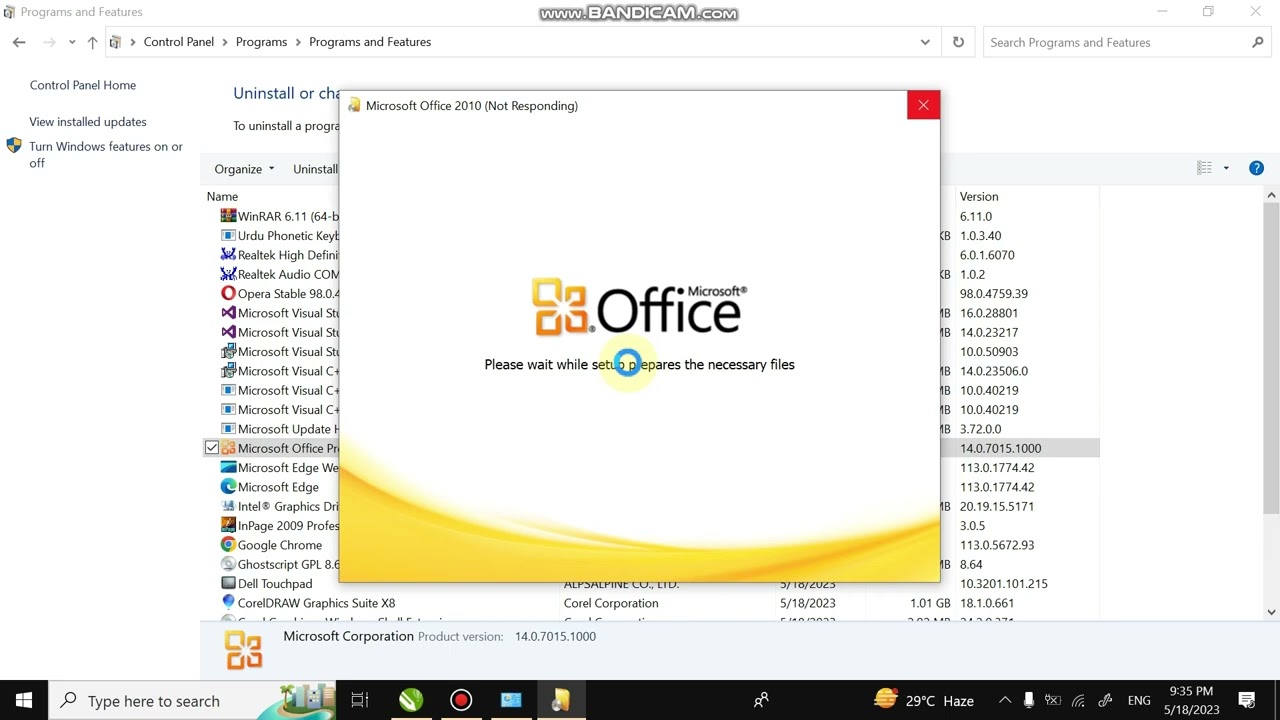
1. Open “Control Panel“.
2. Select “Uninstall a program” in the “Programs” section. (Don’t worry, we’re not going to uninstall anything.)
3. Select your installation of Microsoft Word or Microsoft Office in the list and select the “Change” button.
4. Choose “Add or Remove Features” and select “Continue“
5. Select the plus sign next to “Office Tools“, then select “Equation Editor” Run from My Computer“.
6.Select “Continue” and the Equation Editor will be take a few minutes to install. When complete, select “Close” and it will be available under the “Insert” menu.
Повторяем попытку...
Доступные форматы для скачивания:
Скачать видео
-
Информация по загрузке:








![[4K FULL HD] Relaxing Water Background | 1 HOUR | Calm Water Wallpaper (No Sound)](https://imager.clipsaver.ru/y9PTNTSpGJs/max.jpg)