TUTORIAL ⚙️ New OKM Gepard GPR | PART 3: How to evaluate your scan
Автор: OKM Detectors
Загружено: 2020-07-01
Просмотров: 5832
Описание:
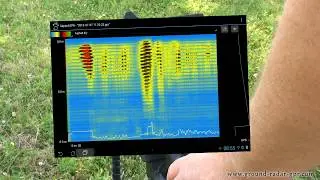
Learn how to analyze your scans performed with Gepard GPR 3D: Determine the size, position and depth of detected objects and structures.
In this tutorial we take a look at one of our measurements that we performed with the Gepard GPR. Since we saved our last measurements, we can analyze these quite easily at home in detail.
Learn how to:
check if you have chosen the right scan properties
choose the correct soil type
change contrast and saturation
rotate the scan image
use the 3 coordinate axes for orientation
use the 4 quick views
determine position and depth of the detected object
read the information in the status bar
switch between 2D and 3D view
export the scan into various formats
TIP: The better you determine the soil type, the better and more precise is the determination of the depth.
Subscribe to the channel for continually new information and videos:
💡 INTROs | ⚙️ TUTORIALs | 🏺 TREASURE HUNTING stories
by treasure hunters for treasure hunters.
Learn about new technologies and techniques that support treasure hunters, archaeologists and professionals. If you have questions, feel free to contact us: [email protected]
Get more information on our Website https://www.okmdetectors.com
Follow us:
OKM @ Facebook: / okmmetaldetectors
OKM @ Twitter: / okmdetectors
OKM @ Instagram: / okmdetectors
OKM @ Pinterest: / okmdetectors
Повторяем попытку...

Доступные форматы для скачивания:
Скачать видео
-
Информация по загрузке:
![UNBOXING ⚙️ Metal Detector and Ground Scanner [eXp 4500 Pro]](https://image.4k-video.ru/id-video/mc-WWiewPnI)


![DETECTION SOFTWARE 💡 TUTORIAL [Optimize your Scan Image with Modifiers] Visualizer 3D Studio](https://image.4k-video.ru/id-video/Ozr12JsxCVQ)


