MS Project Tutorial - 1
Автор: Aljaž Purg
Загружено: 2013-01-07
Просмотров: 4460
Описание:
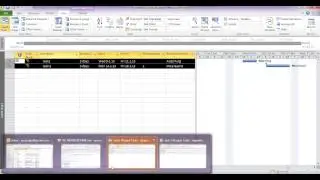
Insert VBA Code to MS Project. The code transforms Project task, creates and opens the appointment. All you have to do is to press the "send" button and it will be sent to the recipient (Resource in MS Project) by Outlook. Then you can move appointment in Outlook and the Resource will be automatically informed about the update.
To open VBA editor in Project press Alt+F11 and insert this code:
Option Explicit
Public myOLApp As Outlook.Application
Sub Export_Selection_To_OL_Appointments_AutoEMail()
Dim myTask As Task
Dim myDelegate As Object
Dim myItem As Outlook.AppointmentItem
On Error Resume Next
Set myOLApp = CreateObject("Outlook.Application")
For Each myTask In ActiveSelection.Tasks
Set myItem = myOLApp.CreateItem(olAppointmentItem)
myItem.Assign
With myItem
Set myDelegate = myItem.Recipients.Add(myTask.Resources(1). _
EMailAddress)
myDelegate.Resolve
.Start = myTask.Start
.End = myTask.Finish
.Subject = myTask.Name & " (Project Task)"
.Location = "Informatika v GM"
.Categories = myTask.Project
.Body = myTask.Notes
.Display
.Send
End With
Next myTask
End Sub
Повторяем попытку...

Доступные форматы для скачивания:
Скачать видео
-
Информация по загрузке:





![Группа КИНО - ЛУЧШИЕ ПЕСНИ 2024 [СБОРНИК] @ХитЗаХитом](https://image.4k-video.ru/id-video/b40ZmyQ-8OE)



