IBC 2024: THE BRAVO STUDIO SUITE BY EVERTZ
Автор: DIGITAL PRODUCTION
Загружено: 2024-10-06
Просмотров: 266
Описание:
Introduction to Bravo Studios and Its Dashboard
This document presents an overview of Bravo Studios, the featured product at Eitz. The new product line operates on the Dreamcatcher platform and offers a robust production dashboard.
Dashboard Overview
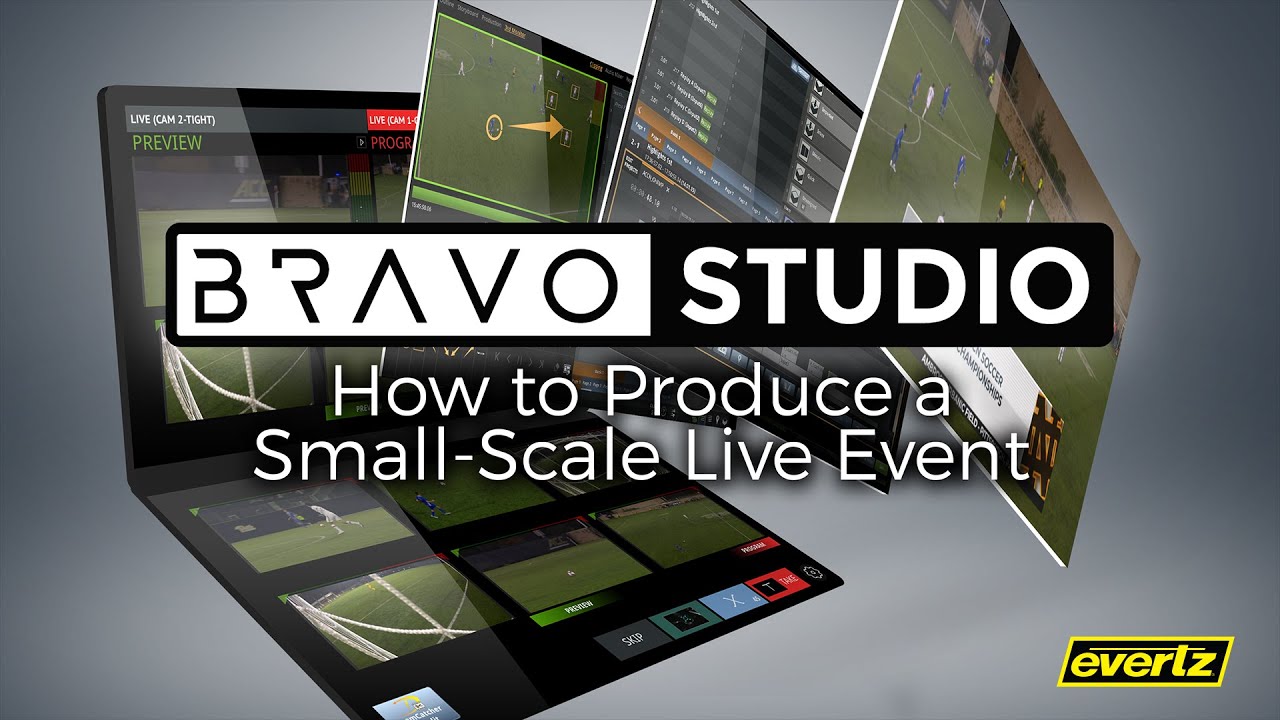
The production dashboard is designed for intuitive navigation and user interaction. It features a multi-view interface that supports touch recognition, allowing users to select inputs for preview and program modes seamlessly. On the left side of the dashboard, the preview and program outputs can be triggered directly, providing a clear overview of the production workflow.
Traditional widgets are also incorporated within the interface, enabling control via a conventional switcher layout. For tactile operation, an external panel is available, allowing users to engage with preview and program functionalities through dedicated buttons.
Production Navigation
The navigation pane comprises a comprehensive production tab, which consolidates all elements pertinent to the production process. Users can access a bin structure for organizing assets such as music, rundowns, and graphics layers.
Within the audio mixer tab, audio levels for the internal Bravo audio can be adjusted, with configuration options available prior to the show. Inputs are ingested through the Dreamcatcher platform, and clips can be managed effectively using drag-and-drop functionality.
Show Setup and Content Management
The show setup process begins in the content collections section, where users can import assets and assign metadata for easy recall. Following import, content can be organized into bins visible in the production tab. For example, graphics can be assigned specific layering attributes, such as a full-page graphic designated to loop on key layer 2.
Audio Management
The audio tab features input management, allowing for the monitoring of audio levels and the creation of audio groups. Specific channels can be assigned for announcers and audio-follow-video functionalities can be implemented.
Smart Sources and Graphics Handling
Smart sources are managed through a configurable interface that allows for up to four sources to be displayed simultaneously. Metadata and customization options are readily available, enhancing user experience.
A storyboard element serves as a rundown tool, detailing the producer's vision and the director's execution strategy. This includes transitions between video segments and live shots, ensuring a smooth production flow.
Live Production Capabilities
Bravo Studios enables live-to-live and live-to-tape functionalities. Users can initiate recordings, clear the program, and queue sequences with minimal button presses. All decisions made during the production process are reflected in the edit decision list (EDL), allowing for post-production editing.
Graphics Management
Graphics can be managed in three distinct ways within show setup: through live key fill connections to external graphics machines, through direct imports, or via HTML5 sources. These options are accessible on the production tab.
The interface supports seamless integration of graphics into both preview and program outputs. Users can manipulate sources within the big screen display and transition them to program mode as needed.
Conclusion
Bravo Studios provides a comprehensive and intuitive production environment, integrating advanced features for effective show management and execution. The combination of touch capabilities, external controls, and robust asset management facilitates a streamlined production workflow.
Повторяем попытку...
Доступные форматы для скачивания:
Скачать видео
-
Информация по загрузке:









![Best of Deep House [2026] | Melodic House & Progressive Flow](https://imager.clipsaver.ru/Il-ZpBuC8tA/max.jpg)
