Sensei Project Dashboard App for Microsoft Project 2013
Автор: SenseiPPM
Загружено: 2013-05-04
Просмотров: 5765
Описание:
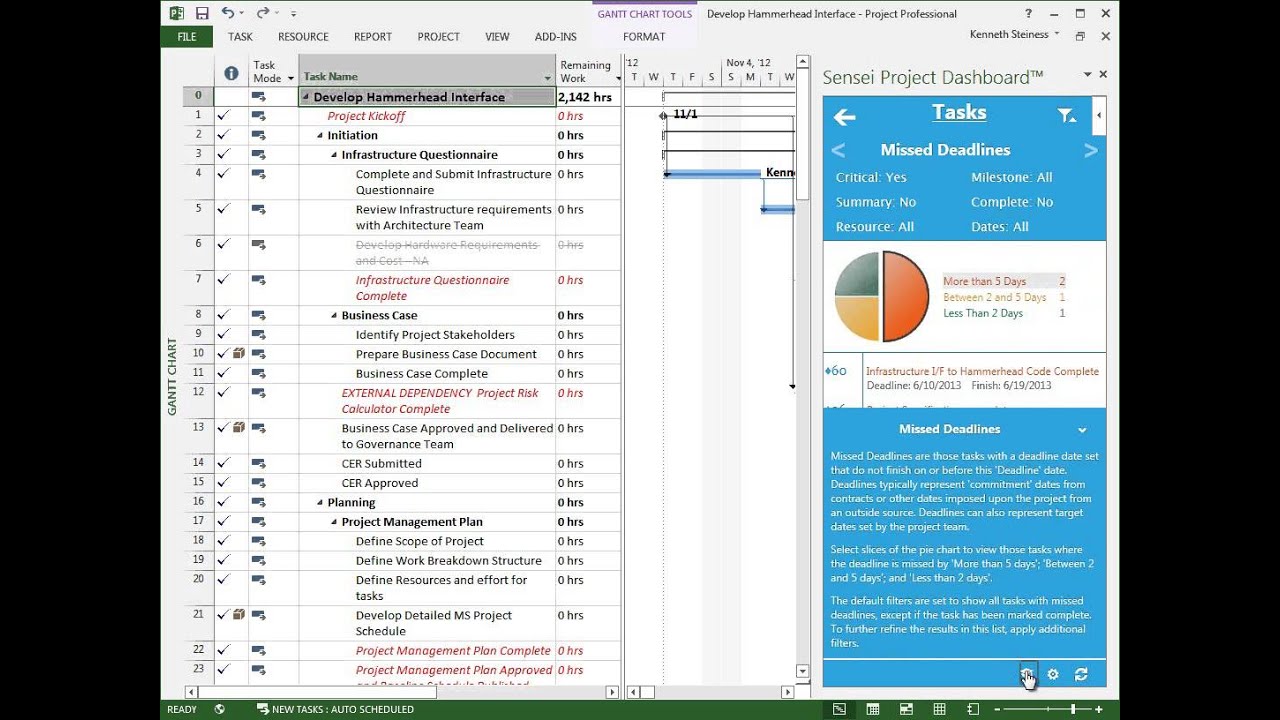
The Sensei Project Dashboard™ pulls together Microsoft Project schedule information and SharePoint data to provide a comprehensive and interactive status dashboard. The project manager can access this dashboard directly from within Microsoft Project Professional 2013 and monitor schedule and collaboration activities.
The Sensei Project Dashboard™ works with Microsoft Project Professional 2013 connected to Project Server 2013. It pulls 'Published' schedule data, so project managers should make sure to publish frequently for the most up-to-date information.
The Sensei Project Dashboard™ uses live tiles to summarize key information from the project schedule and the supporting SharePoint Project Site.
• The 'Project' tile shows high level project information about the Finish, Cost, % Work complete, Issues and Risks.
• The 'Tasks' tile shows detailed information about Slipping Tasks, Missed Deadlines, tasks that are Due Soon and Starting Soon as well as Overallocations.
• The 'Documents' tile shows the SharePoint Document Library for the project.
• The 'Issues' tile shows the SharePoint Issues list for the project.
• The 'Risks' tile shows the SharePoint Risks list for the project.
• The 'Deliverables' tile shows the SharePoint Deliverables list for the project.
The project manager can access detailed information behind each live tile.
Повторяем попытку...
Доступные форматы для скачивания:
Скачать видео
-
Информация по загрузке: