How to Build: Your own Custom Arcade Machine Cabinet! (with links to plans and everything you need)
Автор: Meet the Tings
Загружено: 2015-05-26
Просмотров: 47709
Описание:
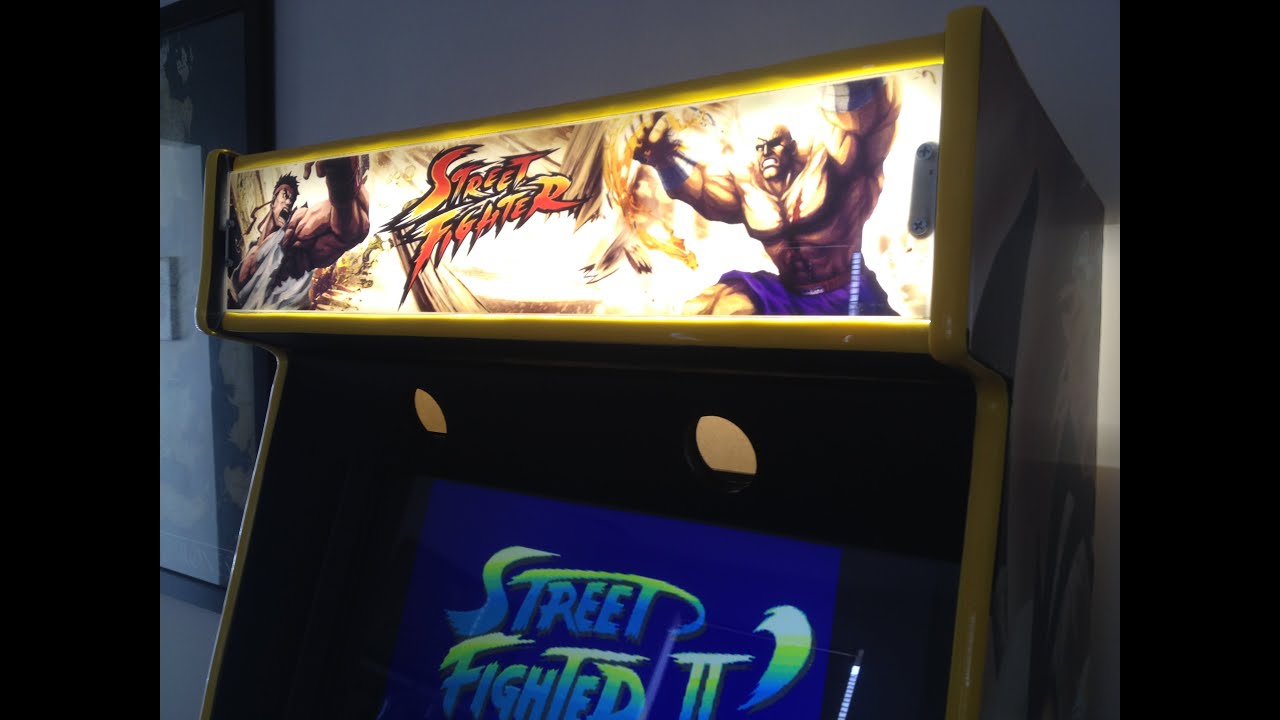
Full details, blueprints and places to buy material in description of how I put it together (with DIY videos and pictures showing the process of how a total woodworking beginner, who knew very little electronics built an arcade machine from scratch).
What you'll need:
Building material -
3 pieces of 16mm 600x1800 MDF
http://www.bunnings.com.au/customwood...
About 60 angle brackets (you can use pine to screw and glue too, it's actually cheaper)
http://www.bunnings.com.au/carinya-20...
MDF appropriate self drilling screws (15mm screws)
http://www.bunnings.com.au/zenith-8g-...
Perspex - Clark rubber
https://www.clarkrubber.com.au/acryli...
1 pack of 62cm Poster Hanger - It's not in the video but for the edging to the part just above the control panel, I've used black poster hangers and slipped it to the perspex. I bought them from kmart.
They look like this: http://www.ebay.com.au/itm/Poster-Han...
Electronics -
Classic Dimpletop Push Buttons with microswitches (2 LED, 3 black, 6 yellow, 6 blue, player 1 and player 2)
Coin Door and coin mechanism
2 Red ball zippy joystick
I-PAC2 Keyboard Encoder
PCB Mounting Feet (can get form ozstick)
7-8feet Yellow 16mm T-moulding
Wiring (I bought the wiring kit from ozstick too)
Arlec 30cm 12W LED strip light 4 pack
Computer -
24 inch monitor
Computer
Speakers
Female Molex connector to wire 12v LEDs. If you don't know how to wire it, just leave a comment and I'll try my best to help out.
• How to wire and attach 12V coin slot to co...
Decor -
Black paint
Yellow paint (if you don't want to put side panel stickers)
Adhesive vinyl
Lightbox film
If you decide to print at sydney print media, make sure you call or email them asking them how to send the files. I had some trouble with them with sizes and the website uploading doesn't work very well. They are really friendly however and print delivery was very fast.
Blueprints:
Cabinet - http://www.koenigs.dk/mame/model.pdf
Coutrol Panel Layout - http://slagcoin.com/joystick/layout.html
Places to shop:
http://www.bunnings.com.au (australia)
http://www.diyarcade.com.au/
http://www.ozstick.com.au/
http://www.sydneyprint.com.au/shop/st...
NB: the monitor stand was one of the hardest part of the build process and I suggest that you put a plank across the part of the arcade which fits you best. Once you have the outer frames, the rest is really up to you so don't worry if you feel lost in this part. It's a matter to making a "shelf" for it.
For the control panel, put in 4 brackets (2 on each side) to hold it up, and 2 temp screws to hold them in. I can unscrew them from the bottom any time I want to open it. Some people put in hinges but I was too lazy.
Ibuki side panel: http://www.sydneyprint.com.au/shop/st...
https://www.google.com.au/search?q=ib...
Ken side panel (you might need to upscale the picture in photoshop if you can't find a bigger version - print in 300dpi at least):
https://www.google.com.au/search?q=ib...
Control Panel:
https://www.google.com.au/search?q=ib...
When using these pictures, try to use 300dpi or more. If you upscaling from 72dpi, make sure you use photoshop as it has a resampling function which will 'fill in' the missing pixels when you expand. For more info on how to do this, google photoshop+upscale
https://helpx.adobe.com/photoshop/usi...
For Hyperspin:
https://hyperspin-fe.com/
Повторяем попытку...
Доступные форматы для скачивания:
Скачать видео
-
Информация по загрузке:


