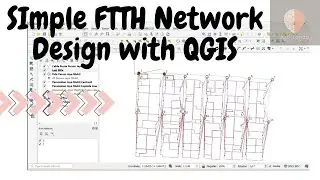
QGIS Tutorial: Find Nearest Fiber Optic Hub & Automate Tower Connections
Автор: Reko Artondo
Загружено: 2025-06-12
Просмотров: 480
Описание:
Struggling with the tedious task of planning fiber optic connections for dozens or even hundreds of new towers or sites? In this powerful QGIS tutorial, we show you how to automate the entire process! Learn how to instantly identify the closest fiber optic hub (Joint Box, POP, PDI) for every single tower and then automatically generate the optimal connection route and calculate the required cable length.
This method will save you countless hours of manual work and is a game-changer for any telecom or network planning professional.
✅ In this video, you will learn to:
Use the "Distance to Nearest Hub" tool to find the closest connection point for all your sites at once.
Filter potential sites based on a maximum connection distance (e.g., within 500 meters).
Master the ORS Tools plugin for powerful, real-world batch routing.
Automatically generate the shortest driving/laying route from each tower to its designated fiber joint box.
Export a complete plan with precise cable lengths for budgeting and construction.
This tutorial is perfect for GIS Analysts, Network Planners, Telecom Engineers, and anyone involved in infrastructure design and deployment.
0:00 - The #1 Challenge in Fiber Network Planning
0:05 - Our Goal: Connecting Multiple Towers to a Fiber Backbone
0:28 - Step 1: Finding the Nearest Connection Point (Hub)
0:30 - Using the "Distance to Nearest Hub" Geo-algorithm
1:00 - Analyzing the Results & Filtering by Distance
1:15 - Step 2: Planning the Actual Cable Route Automatically
1:20 - Preparing Your Start (Towers) and End (Hubs) Layers
2:02 - Batch Routing with the ORS Tools Plugin
2:08 - Final Result: The Completed Fiber Optic Route Plan!
2:10 - Reviewing the Final Data & Total Cable Lengths
#QGIS #FiberOptic #NetworkPlanning #GIS #Telecom #Automation #Geospatial #cfot #foa
Повторяем попытку...

Доступные форматы для скачивания:
Скачать видео
-
Информация по загрузке: