ASUS VivoBook S15 - How to Factory Reset
Автор: HardReset.Info
Загружено: 2026-02-11
Просмотров: 100
Описание:
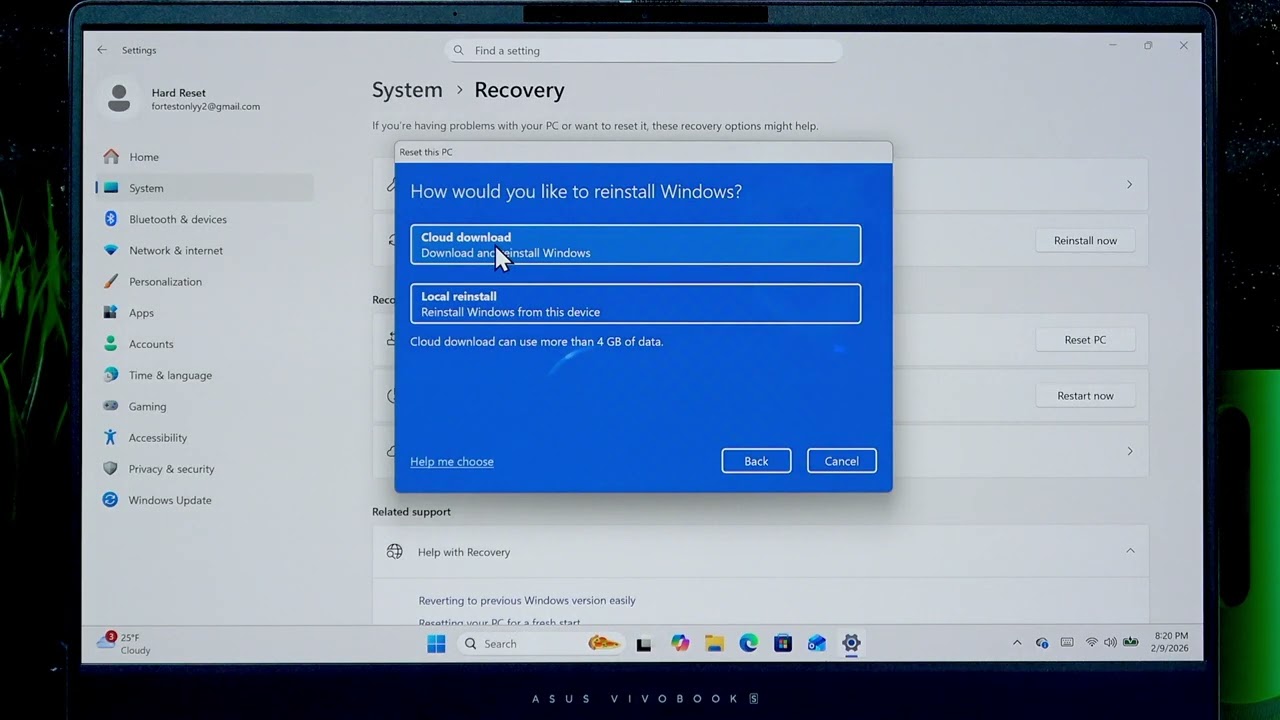
This video shows how to perform a factory reset on your ASUS VivoBook S15 laptop step by step. A factory reset will erase all data stored locally and return the device to a clean Windows state. You will learn how to back up important files first, open Settings, navigate to System → Recovery, use Reset this PC, choose between Keep my files or Remove everything, pick Cloud download or Local reinstall, enable the Clean data (secure wipe) option, and decide whether to delete all drives or only the system drive. Follow these steps carefully and make sure the laptop is plugged in before you start.
How to factory reset ASUS VivoBook S15?
How to reset ASUS VivoBook S15 and remove everything?
How to reinstall Windows on ASUS VivoBook S15 using Cloud Download?
0:00 Welcome and overview
0:06 Warning — factory reset erases local data
0:30 Back up files (USB, SD card, cloud)
0:41 Open Start → Settings → System → Recovery
0:58 Select Reset this PC and choose option
1:21 Keep my files vs Remove everything explained
1:46 Cloud download vs Local reinstall (pros/cons)
2:31 Change settings — Clean data (secure wipe)
3:36 Delete all drives or only the system drive
4:27 Confirm, click Reset and wait
4:44 Wait for reset to finish and see first setup screen
#ASUS #VivoBookS15 #FactoryReset #WindowsReset
Find out more:
https://www.hardreset.info/devices/as...
Follow us on Instagram ► / hardreset.info
Like us on Facebook ► / hardresetinfo
Tweet us on Twitter ► / hardreseti
Support us on TikTok ► / hardreset.info
Use Reset Guides for many popular Apps ► https://www.hardreset.info/apps/apps/
Повторяем попытку...
Доступные форматы для скачивания:
Скачать видео
-
Информация по загрузке:














![🔴 EXPRESS BIEDRZYCKIEJ | JAKUB STEFANIAK, GRZEGORZ RZECZKOWSKI [NA ŻYWO]](https://imager.clipsaver.ru/VsWukpP8bQo/max.jpg)


