Using Date and Time Variables on your Split Flap TV Boards
Автор: Split-Flap TV
Загружено: 2026-01-04
Просмотров: 4
Описание:
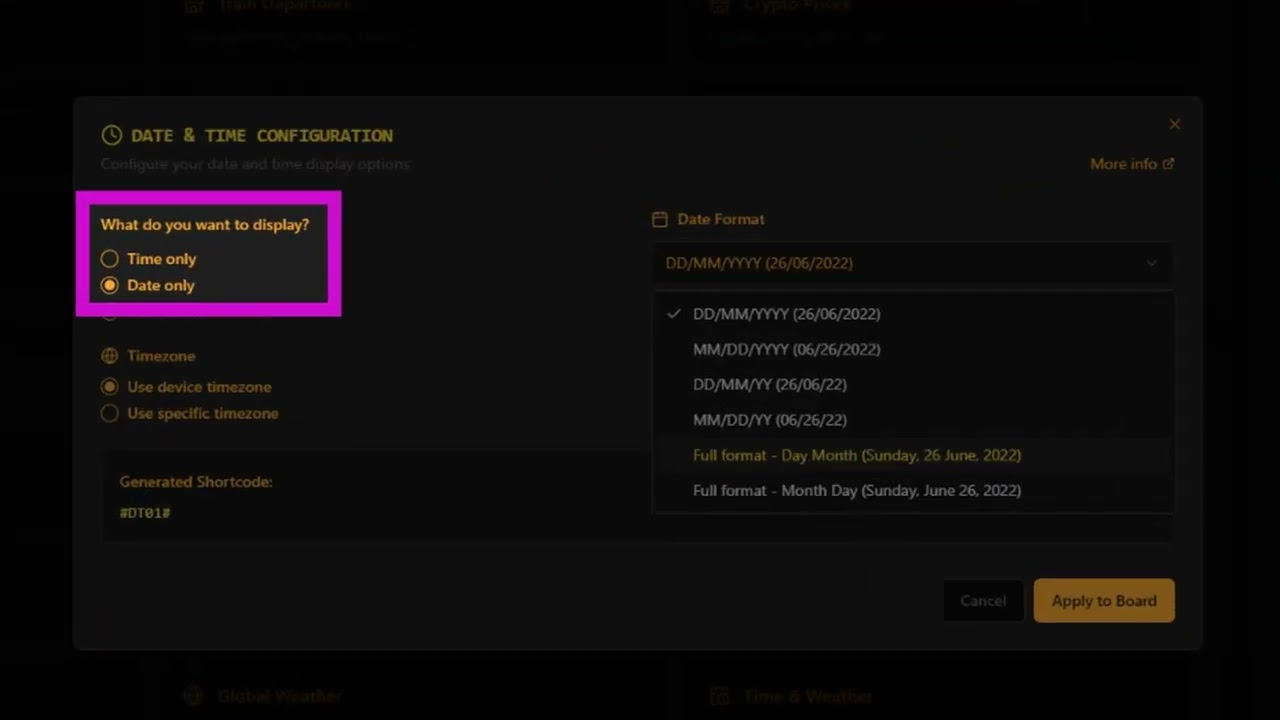
This video shows you how to add real-time date and time variables to your Split-Flap TV boards — perfect for countdowns, clocks, daily greetings, and dynamic schedules that update automatically.
Whether you're managing a café menu, event display, or airport-themed venue, this feature lets you inject live time and date elements into your flipping messages with ease and precision.
🔧 *What’s Covered in This Video:*
How to insert date and time variables into your messages
Formatting options for hours, minutes, weekdays, and more
Tips for combining static and dynamic content
Real-time preview of your board with live variables
Use cases for countdowns, rotating clocks, and daily greetings
🎯 *Why This Matters:*
Split-Flap TV isn’t just about retro charm — it’s about smart, flexible control. With date and time variables, your signage becomes more responsive, personalized, and engaging for your audience.
📺 *Watch the full video to learn:*
How to format time and date variables correctly
How to preview your board with live data
How to schedule time-based messages for different parts of the day
How to combine variables with your branding and layout
📚 *Explore more guides and tutorials:*
Visit https://splitflaptv.com/guides/ for a full library of how-to videos and tips.
💬 *Need help or want to share your setup?*
Drop us a comment below or reach out via https://splitflaptv.com/contact. We love seeing how you use Split-Flap TV in your venue!
🔔 *Don’t forget to like, subscribe, and hit the bell* to stay updated on new features, creative ideas, and community showcases.
*Split-Flap TV* – Retro vibes. Modern control. Real flipping magic.
#SplitFlapTV #DigitalSignage #TimeVariables #CountdownClock #CafeSignage #EventDisplay #FlippingMessages #SignageTech #VisualStorytelling
Повторяем попытку...
Доступные форматы для скачивания:
Скачать видео
-
Информация по загрузке:







![[4K FULL HD] Relaxing Water Background | 1 HOUR | Calm Water Wallpaper (No Sound)](https://image.4k-video.ru/id-video/y9PTNTSpGJs)