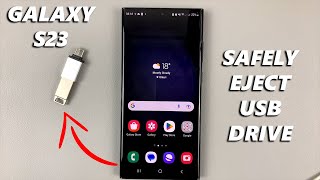
How to Safely Eject USB Storage Devices on Android part 2
Автор: ION HowTo
Загружено: 2024-09-26
Просмотров: 4962
Описание:
How to Safely Eject USB Storage Devices on Android: Step-by-Step Guide
How to safely eject USB on Android. Android USB storage removal and safely unmount USB drive Android.
Amazon:*
Android phone case https://rex.red/Android-phone-case
Newest android phone https://rex.red/newest-android-phone
SIM card removal tool https://rex.red/sim-card-removal-tool
SIM card holder https://rex.red/SIM-card-holder
SIM card adapter https://rex.red/SIM-card-adapter
iPhone case https://rex.red/iPhone-case
Newest iPhone https://rex.red/newest-iphone
Newest iPad https://rex.red/newest-ipad
Newest android tablet https://rex.red/newest-android-tablet
In this video, I will show you how to safely eject USB storage devices from your Android phone. Properly ejecting USB drives is crucial to prevent data loss and avoid potential damage to your files. This guide will cover the steps to safely remove USB storage, ensuring your data remains intact and your device functions smoothly.
First, I will demonstrate how to safely eject a USB storage device using the built-in settings on your Android phone. Start by going to the Settings app, then navigate to Storage. Here, you will see a list of all connected storage devices. Find your USB storage device and tap on it. You will see an option to Eject or Unmount. Tap on this option and wait for the confirmation message that it is safe to remove the device. This method ensures that all data transfers are complete and the device is properly unmounted.
Next, I will explain how to use the Files app to safely eject your USB storage. Open the Files app, usually found in the app drawer or under the Google folder. Navigate to the USB storage device listed under Storage devices. Tap on the three-dot menu icon next to the USB device and select Eject. Wait for the notification that it is safe to remove the device before unplugging it.
For those using third-party file manager apps, I will show you how to safely eject USB storage using these apps. Open your preferred file manager app and locate the USB storage device. Tap on the options menu (usually represented by three dots or lines) and select Eject or Unmount. Confirm the action and wait for the safe removal notification.
Understanding how to safely eject USB storage devices on your Android phone is important because it helps prevent data corruption and ensures the longevity of your storage devices. Improperly removing USB drives can lead to incomplete data transfers and potential file system errors, which can be frustrating and time-consuming to fix.
By the end of this video, you will have a clear understanding of how to safely eject USB storage devices from your Android phone using different methods, ensuring your data remains secure and your device operates efficiently.
Watch the video carefully without skipping to see all the steps needed in this video.
Subscribe and click the Bell to watch more videos.
IONHowTo / @ionhowto
RedNumberONE / @rednumberone1
Buy merch https://store.ionhowto.com/
Check it, buy it, post it and tag it #ionhowto or #rednumberone
Join this channel to get access to perks:
/ @ionhowto
Contact for business enquiries Only diyrno (at) gmail.com
Any questions?
Feel free to ask in the comments section below.
Subscribe, Like and SHARE this video with your friends!
We earn money from qualifying purchases using our affiliate links.
Affiliate links are marked with a star. *
When you use our * links, you support this channel.
As an Amazon Associate I earn from qualifying purchases.
Website https://www.ionhowto.com/
Food Recipes: https://www.rednumberone.com/
Повторяем попытку...

Доступные форматы для скачивания:
Скачать видео
-
Информация по загрузке:


![Как сжимаются изображения? [46 МБ ↘↘ 4,07 МБ] JPEG в деталях](https://ricktube.ru/thumbnail/Kv1Hiv3ox8I/mqdefault.jpg)