Carbonite Availability: full server protection
Автор: OpenText Cybersecurity
Загружено: 2018-11-14
Просмотров: 8125
Описание:
Get an in-depth look at the Carbonite Replication Engine console, and see the steps for protecting an entire server – including all files, folders and system state – with Carbonite Availability.
Carbonite offers a data protection solution, where you can view, manage, protect and recover data, all with one single vendor. Learn more at Carbonite.com.
Subscribe to Carbonite on YouTube:
/ @opentextsec
Follow Carbonite on Vimeo: https://vimeo.com/user37523286
Follow Carbonite on Twitter: / carbonite
Like Carbonite on Facebook: / carboniteonlinebackup
Follow Carbonite on LinkedIn: / carbonite
_________________________________________________
Carbonite Availability enables you to maintain a perfectly synchronized copy of any server or application – that you can immediately fail over to in the event of an interruption on the source. Here’s how that works.
Working in the Carbonite Replication Engine Console, start by adding the source and target servers .
You can add them by host name or IP address.
Enter the administrative credentials to add the source server .
Then add the target server .
Next, with the source and target servers added to the console, install the replication engine on both machines .
There are two options for installing the replication engine. The first is to push the agent out to the source and target through the console.
To do that, highlight the server and select ‘Install’ .
Then choose your license key from the license inventory.
The configuration wizard lets you specify where you want the agent installed and how much RAM and disk space to allocate to the queue.
This determines how much RAM will be used before it starts spilling over to disk.
The second option for installing the agent on either the source or the target is to do it locally.
First, download the agent to the desktop and run the installation file.
Next, choose which product you’re using.
Then choose which components to install on the server, client and server, client only or server only.
Note that the target-side installation does not require a license.
As with the push-install, the installation wizard creates a couple of local groups, one for being able to administer the solution and one for strictly monitoring it.
With the agent installed on both the source and target servers, you can now begin replicating.
To create a protection job, highlight the source server in the console and select Protect.
Since this is a SQL server, you can choose just SQL – provided it’s already installed on the target server – or you can choose to protect the entire server.
Next, determine if there are any files, folders or volumes you wish to exclude from the job.
This helps you minimize replication traffic.
Since SQL has not yet been installed on the target, choose full server protection to include it as part of the protection job .
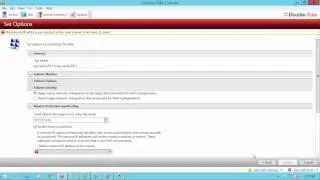
Next, there are several configuration options that allow you to control the behavior of both the replication engine and failing over to the target.
The failover Monitor allows you to set parameters for when a failover threshold has been reached .
The console also gives you the option to perform a test failover on an alternative target without affecting the replication job .
Under Failover Options, you can choose to trigger failover manually or automate it so it happens once the failover threshold has been met.
Under Failover Identity, you can have the target assume the IP address of the source, or retain the target network configuration and trigger a DNS update , which is useful for working across different Subnets.
Reverse Protection enables you to fail back to the original source server when you’re ready without having to configure a separate job .
Mirror, Verify & orphaned files determines how the software inspects data on the target and determines differences
Snapshots enable you to recover from a specific point in time rather than the most recent replica
Compression lets you adjust the size of replication data that you’re transmitting over the network
Повторяем попытку...
Доступные форматы для скачивания:
Скачать видео
-
Информация по загрузке: