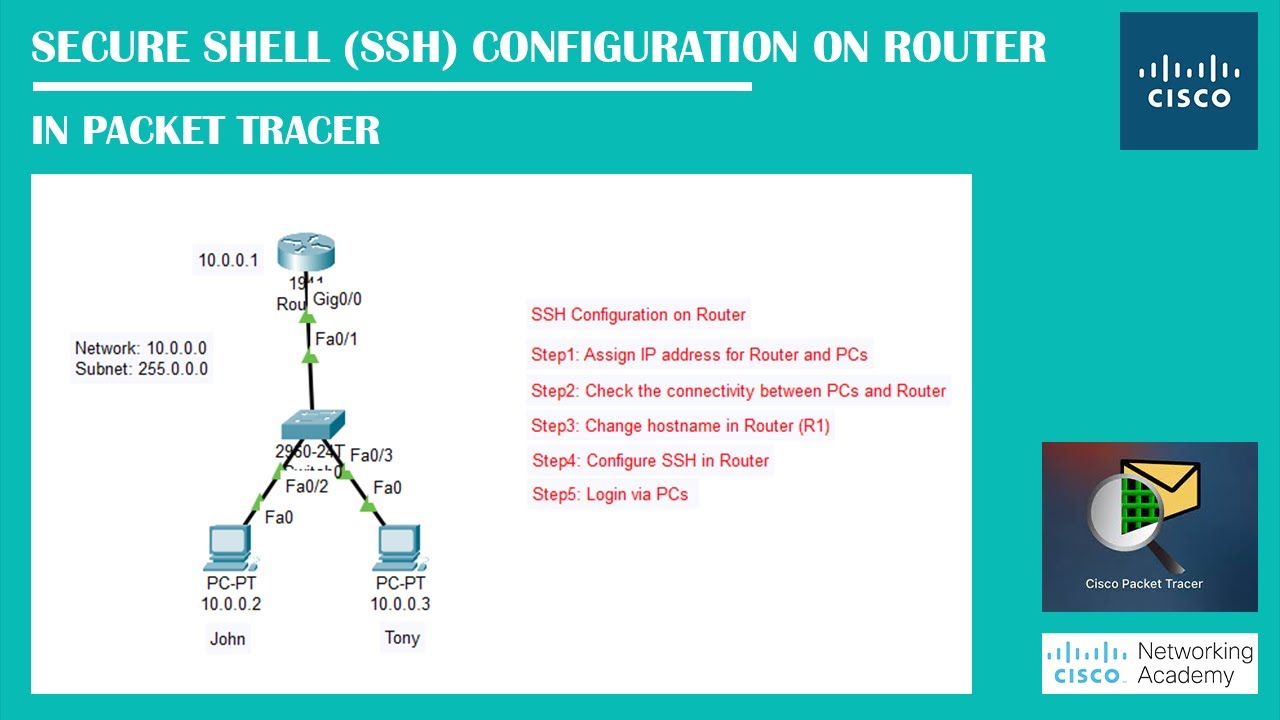
Secure Shell (SSH) Configuration On Router In PacketTracer | Networking Academy |
Автор: Networking Academy
Загружено: 2022-08-25
Просмотров: 1523
Описание:
The SSH protocol (also referred to as Secure Shell) is a method for secure remote login from one computer to another. It provides several alternative options for strong authentication, and it protects the communications security and integrity with strong encryption.
It is a secure alternative to the non-protected login protocols (such as telnet, rlogin) and insecure file transfer methods (such as FTP).
SSH Configuration:
________________________________________________________
(Changeing Hostname)
#hostname R1
________________________________________________________
(Assigning Domain name)
#ip domain-name NetworkingAcademy
________________________________________________________
(Generating crypto keys: default 512)
#crypto key generate rsa: 1024
________________________________________________________
(Configuration of SSH in line vty 0 4)
#line vty 0 4 (Login portal)
#transport input SSH (Transporting configuration)
#login local (Assigning to use local credentials)
#ip ssh version 2 (Using ssh version 2)
________________________________________________________
(Local credentials)
#username John password abc123
#username Tony password abc456
________________________________________________________
(Enabling the router device password)
#enable secret cisco
________________________________________________________
Background Music Credits: Unknown - SergePavkinMusic
#Networking #NetworkAcademy #Academy #CCNA #CCNP #CCIE #Cisco #NetworkeNgineers #Ciscopackettracer #PacketTracer #CLICommands
#Basiccommands #CiscoIOSCommands #DHCP #DHCPConfiguration #Packetrtracer #CiscoRouter #CiscoServer #PacketTracer #CCNA #CCNP #Ciscocommands #Network #Codings #SSH #ssh #secureshell #Login #Telnet
Повторяем попытку...
Доступные форматы для скачивания:
Скачать видео
-
Информация по загрузке:


