EAF
Автор: ExcelTricksforSports
Загружено: 2016-09-29
Просмотров: 32862
Описание:
If you would like to support me in making more videos then you can buy me a coffee
https://www.buymeacoffee.com/CkiIh7tJ5
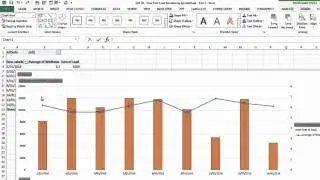
Part 3 of a video series looking at the collection of basic training load data, how to calculate rolling loads, acute and chronic loads, monotony and strain etc. This video also demonstrates how you can plan future training using the data you have collected.
Here are some approximate video timings:
9:00 Rolling Load, Acute and Chronic Load Calculations
21:00 Weekly Summary Statistics
27:00 Monotony and Strain
36:30 Planning the next week of training
48:00 Individual Reports
This video was made using Excel 2016 for PC and uses Tables, Pivot Tables, Dynamic Charts, Data Validation and multiple formula (AVERAGEIFS, SUMIFS, INDEX, MATCH, LARGE, AGGREGATE)
This channel was made to help future and current sport scientists. If you like these tutorials then check out the Vimeo links below.
Vimeo Course (Excel for S&Cs): https://vimeo.com/ondemand/excelforst...
Vimeo Course (Strength Template): https://vimeo.com/ondemand/strengthte...
Vimeo Course (Athlete Monitoring): https://vimeo.com/ondemand/athletemon...
Повторяем попытку...

Доступные форматы для скачивания:
Скачать видео
-
Информация по загрузке: