OMSI 2 on LOW-END LAPTOP || Intel Celeron N2840, Intel HD Graphics (Bay Trail), 4 GB RAM
Автор: TheBigBoat Gaming
Загружено: 2022-05-15
Просмотров: 8368
Описание:
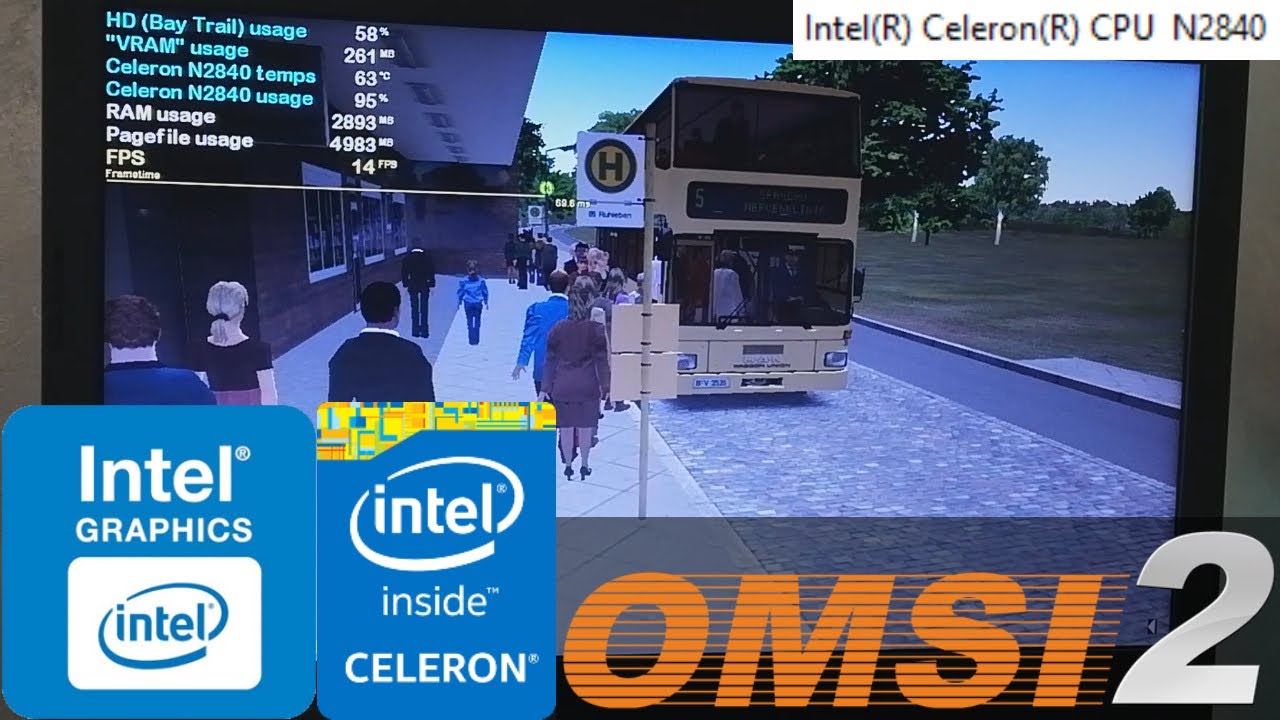
Ah yes, OMSI 2, literally my favorite bus simulator out there. If you have played OMSI 2 like me, then you will also know, however, that it's an extremely poorly optimized game. People have been experiencing issues running this game even on very high-end systems! And that's not even a graphically impressive game! Knowing this, you may be surprised that this game actually runs, albeit with low enough settings, with a double-digit framerate on the Celeron N2840 and it's Intel HD Graphics. Heck, even in the Berlin-Spandau map that comes with the game, which is also a very demanding map, the framerate wasn't that bad, only dropping to 10-9 FPS in the most demanding parts of the map. The only issues that I experienced, as you can see in the video, are of course the stuttering and the occasional 1 minute freezes, which then again are traditional for OMSI 2 on any system, but as long as the game doesn't run at below 9 FPS average (which introduces a very nasty physics bug that causes your bus to jump like crazy), and considering that this game is worse optimized than the PC port of GTA IV, this is still a win for my Celeron N2840 laptop in my book. Even more crazy is that, fun fact, I actually USED TO PLAY THIS GAME as a child on THE SAME LAPTOP FEATURED IN MY VIDEO! Yes, I'm serious! Despite all of the issues, I still had quite a lot of fun driving my bus around.
If you want to download some mods, which of course you will want to do, then I recommend you to just stay away from huge maps and stick to downloading smaller maps. I could have also included a gameplay with mods, but for the sake of the video and the time needed to render the video not becoming too long, I only tested the Grundorf and Berlin-Spandau maps that come with a fresh installation of OMSI 2.
For good measure, I also used this patch: https://omsiuk.com/4gbpatch.php
Program that I use to monitor the FPS and the CPU, "GPU" and RAM usage: MSI Afterburner. Download link: https://www.msi.com/Landing/afterburn...
My N2840 laptop: Lenovo IdeaPad 100-15IBY 80MJ:
Intel(R) Celeron(R) CPU N2840 - 2.16 GHz, up to 2.58 GHz, 1 MB L2 Cache, TDP: 7 W, Silvermont microarchitecture;
Intel(R) HD Graphics (Bay Trail) - 4 pipelines, burst frequency: 792 MHz (for the N2840), 1728 MB of shared memory;
4 GB Single-Channel DDR3 1333 MHz RAM;
500 GB 5400 RPM Seagate SATA HDD, however the game is stored on an external HDD;
OS: Windows 10 Pro 1903.
The video is edited using Sony Vegas Pro 14.
Intro music: • Видео
Specs part music: • Видео
Other music that I used in this video: • OMSI Bus Simulator: Official Theme Song
Credits to Aerial Drone Horizon, TOP-DRONE 82, lu and Zunic0 for the drone footages featured in the intro.
Повторяем попытку...
Доступные форматы для скачивания:
Скачать видео
-
Информация по загрузке: