How to Change Font Size on OPPO Reno15 FS
Автор: TUTORIAL_info
Загружено: 2026-01-28
Просмотров: 39
Описание:
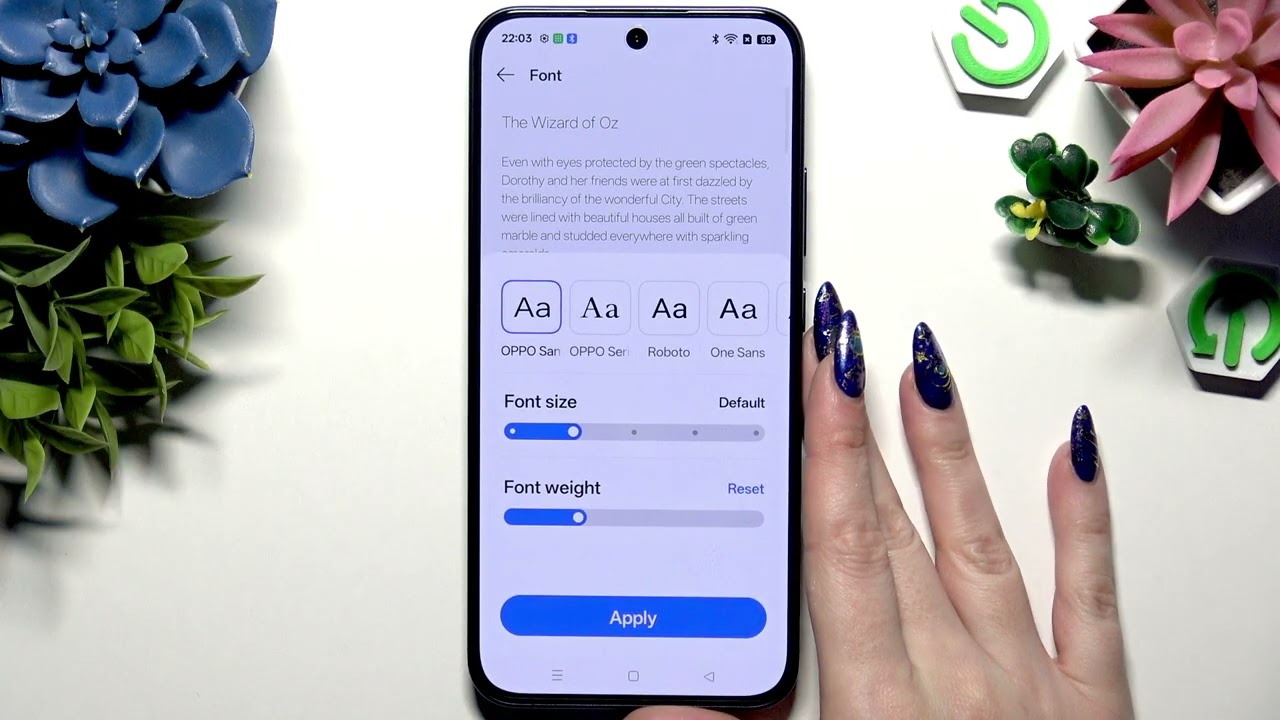
In this short video I show how to change the font size on the OPPO Reno15 FS. You will learn where to find the font settings, how to use the font size slider and preview, and how to adjust font weight. Follow Settings → Display & Brightness → Font, move the slider, check the preview at the top and tap Apply to save your changes. This quick tweak improves readability and helps you personalize the look of your phone.
How to change font size on OPPO Reno15 FS?
How to adjust font weight on OPPO Reno15 FS?
Where is the font setting in OPPO Reno15 FS?
0:00 Intro
0:08 Open Settings → Display & Brightness
0:24 Select the Font section
0:30 Adjust the font size slider and check preview
0:46 Change font weight if needed
0:54 Tap Apply to save your changes
1:02 Outro
#OPPOReno15FS #ChangeFontSize #OPPO #DisplaySettings
Find out more:
https://www.hardreset.info/devices/op...
Follow us on Instagram ► / hardreset.info
Like us on Facebook ► / hardresetinfo
Tweet us on Twitter ► / hardreseti
Support us on TikTok ► / hardreset.info
Use Reset Guides for many popular Apps ► https://www.hardreset.info/apps/apps/
Повторяем попытку...
Доступные форматы для скачивания:
Скачать видео
-
Информация по загрузке: