OpenCart development setup on VS Code, Git, Hostinger
Автор: HuntBee OpenCart Services
Загружено: 2024-09-13
Просмотров: 690
Описание:
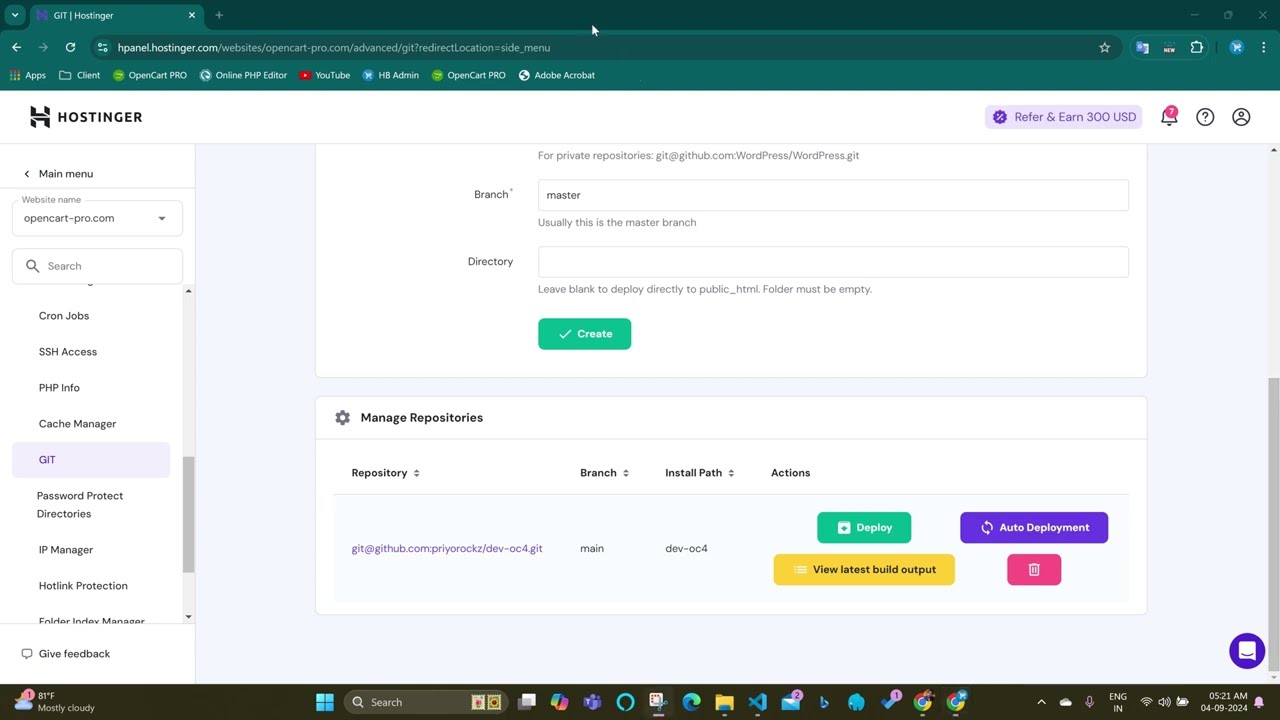
In this video, I’ll guide you through the complete process of setting up an OpenCart development environment on localhost, GitHub, and a Hostinger server. We’ll cover everything from creating a private GitHub repository, setting up Git on Hostinger, and cloning the repository locally with VS Code, to installing OpenCart on both localhost and the server. You’ll also learn how to implement auto-deployment, ensuring any code changes are automatically pushed to your live server.
Whether you're a developer looking to streamline your OpenCart workflow or someone interested in managing version control and deployments more efficiently, this video has you covered!
Key Topics Covered:
Creating a private GitHub repository for OpenCart development
Setting up Git on Hostinger server
Cloning repositories locally with VS Code
Installing OpenCart on both localhost and Hostinger
Setting up auto-deployment from GitHub to the server
Managing version control for OpenCart development
If you have any questions or need further assistance, feel free to leave a comment or reach out!
Created by Priyabrata Ghorai, OpenCart Developer and Founder of Huntbee
____________________________________
How to Set Up Git with Visual Studio Code & Hostinger for Seamless GitHub Integration (Private Repo) - • How to Set Up Git with Visual Studio Code ...
Повторяем попытку...

Доступные форматы для скачивания:
Скачать видео
-
Информация по загрузке:



![Best of Deep House [2026] | Melodic House & Progressive Flow](https://imager.clipsaver.ru/Il-ZpBuC8tA/max.jpg)