How to Make Multiples of a single Design in Embrilliance Ess
Автор: Sheila Ryan
Загружено: 2018-07-07
Просмотров: 1452
Описание:
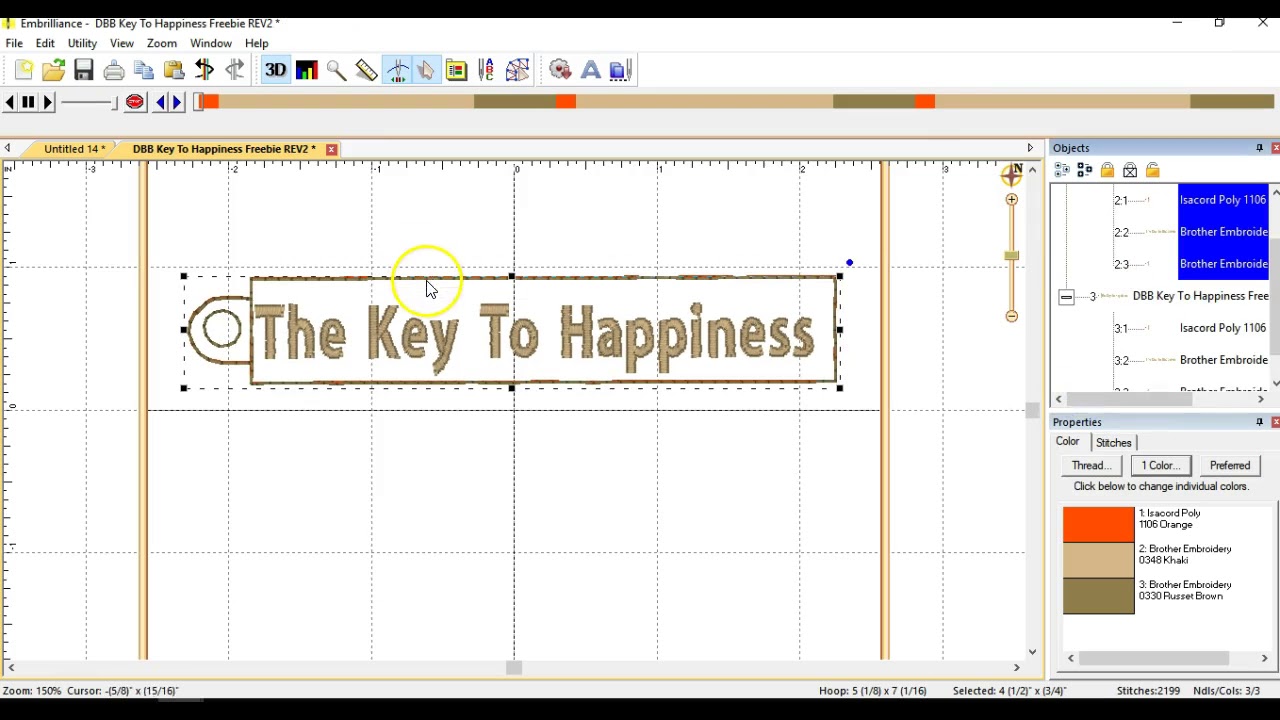
A video from Designs By Babymoon showing you how to use Embrilliance Essentials Embroidery Software to make multiples of a single design in one hoop for fast and easy stitching! Perfect for taking the designs you love to sew over and over and maximizing your time and materials! Those of you who sell your creations online or in craft shows will appreciate this simple technique! Get the free "Key to Happiness" at www.designsbybabymoon.com and get the software to make the multiples happen at www.Embrilliance.com
Chapters:
0:00- Introduction to the tutorial on how to make multiples of a single design using Embrilliance Essentials software
0:31- Explanation of using Embrilliance Essentials software for editing, changing colors, and adding lettering to design files
1:01- Selecting a 5 by 7 hoop size for the embroidery machine and explaining the design's steps: placement stitch, lettering, and final stitch
2:00- Selecting the entire design and straightening it within the hoop
2:30- Adjusting the design's width within the hoop to leave space for cutting around the edges
3:01- Copying and pasting the design to create multiple instances within the hoop
4:01- Adding a third design to the hoop
4:27- Adding a fourth design to the hoop
5:01- Demonstrating how sewing the designs one by one may not save much time
5:32- Explaining the Color Sort feature in Embrilliance Essentials software to combine the steps of multiple designs for efficient sewing
★Follow me! ★
Website: www.designsbybabymoon.com
Etsy: www.designsbybabymoon.etsy.com
Instagram: Instagram.com/designsbybabymoon
Повторяем попытку...
Доступные форматы для скачивания:
Скачать видео
-
Информация по загрузке: