(2025-2026) Deep Dive into Working with Audio
Автор: Technical Director
Загружено: 2026-01-11
Просмотров: 10
Описание:
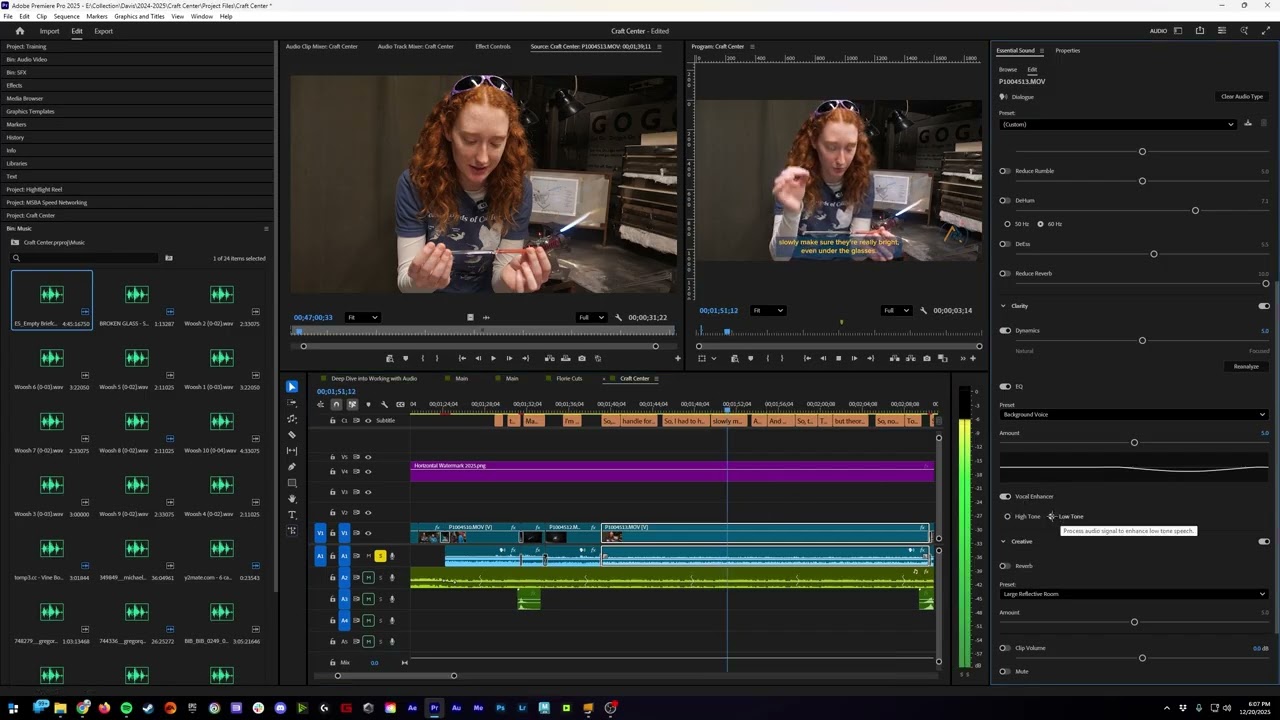
Deep Dive into Working with Audio | Premiere Pro Tutorial
In this video, I provide a comprehensive deep dive into the audio post-production workflow within Adobe Premiere Pro, specifically tailored for the Aggie Studios environment. We explore the Essential Sound panel to categorize clips, utilize AI-driven tools like Adobe Podcast to clean up noisy dialogue, and master various audio transitions and effects to ensure a professional balance. Additionally, I demonstrate how to synchronize external audio sources and efficiently navigate Epidemic Sound to find the perfect track for your project’s vibe.
Covered in this breakdown:
Navigating the Essential Sound Panel: How to assign audio types like Dialogue or Music and use presets to automatically adjust clips to professional decibel levels.
Audio Ducking and Level Balancing: Best practices for setting target levels, such as keeping dialogue around -9dB and background music below -20dB for a clear mix.
The Remix Tool: How to use AI to automatically loop and stretch a single music track to match the exact duration of your video.
Dialogue Repair Tools: Using Premiere’s built-in functions like DeHum, DeEss, and Reduce Rumble to eliminate electrical interference or low-frequency background noise.
Mastering Audio Transitions: Comparing Exponential Fade, Constant Gain, and Constant Power to create seamless links between different music tracks.
Fixing Mono Audio: Utilizing the Channel Mixer and "Fill Right with Left" effects to fix recordings where audio only appears in one channel.
AI Enhancement with Adobe Podcast: A walkthrough of using AI to isolate speech from heavy background noise and re-integrating it into your timeline.
Synchronizing Audio: Step-by-step instructions for using the Synchronize function to align external high-quality audio files with your video tracks.
Epidemic Sound Strategy: How to efficiently find instrumental music by mood and submit music requests through the Aggie Studios workflow.
Timestamps:
00:00 – Intro & Audio Deep Dive Overview
00:55 – Essential Sound: Assigning Audio Types
01:41 – Balancing Background Music Presets
02:13 – Target Decibel Ranges (Dialogue vs. Music)
03:14 – Using the Remix Tool to Loop Music
04:31 – Dialogue Presets: Telephone, Intercom, & Podcast
06:33 – Auto-Matching Target Loudness
07:17 – Repair Tools: Reduce Noise & Rumble
08:25 – DeEssing and Reverb Controls
09:39 – Overview of Audio Transitions & Effects
11:03 – Exponential Fade vs. Constant Gain
12:54 – Amplify & Common Audio Effects
13:10 – Fixing Mono Audio with the Channel Mixer
14:30 – Filling Audio Channels (Right with Left)
15:49 – Cleaning Noisy Dialogue with Adobe Podcast AI
17:07 – Adjusting Speech Enhancement Strength
19:02 – Exporting MP3s for External AI Processing
20:10 – Synchronizing External Audio Sources
21:36 – Navigating Epidemic Sound for Music
22:48 – Aggie Studios Music Request Workflow
Повторяем попытку...
Доступные форматы для скачивания:
Скачать видео
-
Информация по загрузке: