How to Enable/Disable Security Device Support on MSI Pro B760-P | Guide to Security Device Settings
Автор: HardReset.Info
Загружено: 2024-10-18
Просмотров: 168
Описание:
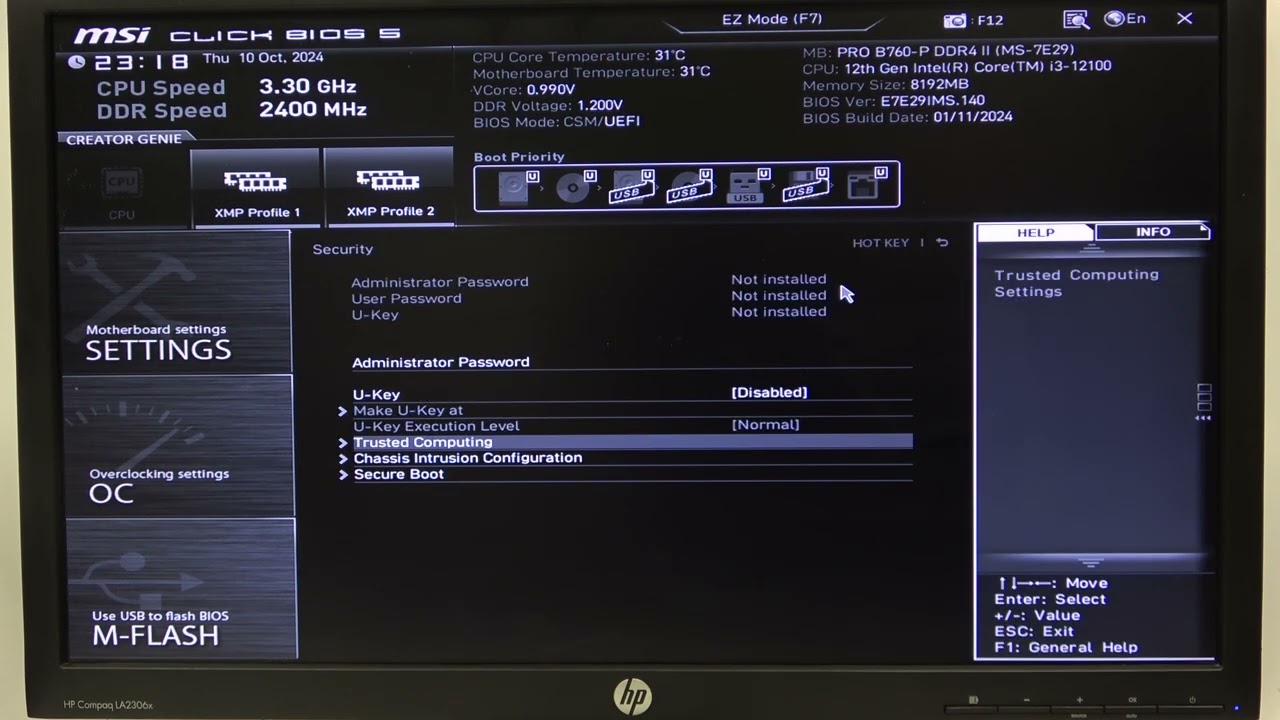
In this video tutorial, we’ll show you how to enable and disable Security Device Support on your MSI Pro B760-P motherboard. Our complete guide provides step-by-step instructions on accessing the BIOS settings to manage security devices, which are crucial for ensuring system integrity and protecting sensitive data. Whether you're setting up a new security device or troubleshooting issues related to system security, this tutorial will help you navigate the Security Device settings effectively.
How to enable Security Device Support on MSI Pro B760-P?
How to disable Security Device Support on MSI Pro B760-P?
What is Security Device Support, and why is it important for system security?
#MSIProB760P #SecurityDeviceSupport #SystemSecurity
Find out more info about MSI Pro B760-P:
https://www.hardreset.info/
Follow us on Instagram ► / hardreset.info
Like us on Facebook ► / hardresetinfo
Tweet us on Twitter ► / hardreseti
Support us on TikTok ► / hardreset.info
Use Reset Guides for many popular Apps ► https://www.hardreset.info/apps/apps/
Повторяем попытку...
Доступные форматы для скачивания:
Скачать видео
-
Информация по загрузке: