Puppet2D Monster FFD Fast Tutorial
Автор: Puppet2D
Загружено: 2014-09-04
Просмотров: 17764
Описание:
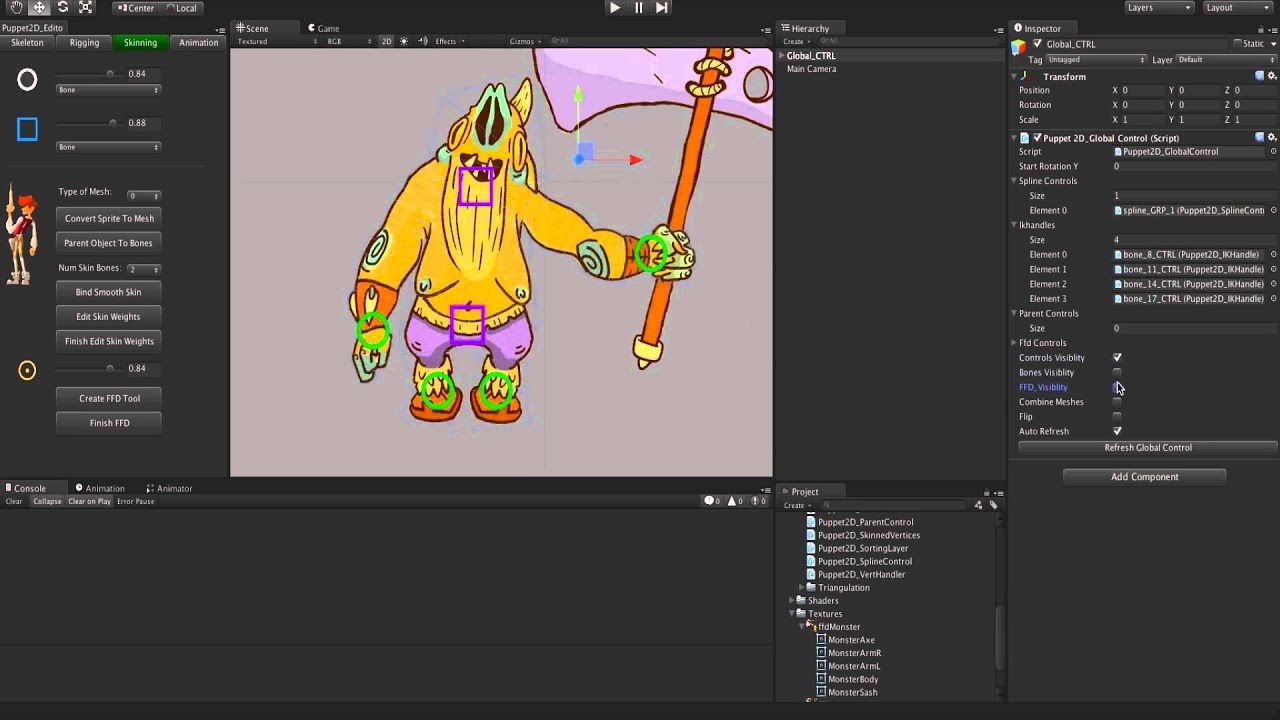
This is a fast Tutorial of some of the new features for Puppet2D v2.0.
Here are the steps again, with a brief explanation:
1. Create Spine
Using the "Spline Control" tool you can make the spine bones. This is done by drawing the controls, and the bones get made in a curve between the controls. You can choose how many bones between each control using the slider.
2. Create the bones.
Use the "Create Bone Tool" to quickly draw your bones
3. Create The IK Controls
Switch to the Rigging tab, select the end bones for each of the hands and feet and click IK Control
4. Make the body a FFD
Switch to Skinning Tab. Select the body Sprite and click Create FFD Tool. Now start drawing the FFD controls points around the body. Right click to start a new chain of points inside the mesh for the flabby bits :-)
5. Skin the FFD to the bones
Select the FFD points and the bones, and click Bind Smooth Skin. (Skin settings should be 2, the "4" setting is for embedding other mesh in the FFD controls)
6. Convert the arm to meshes
Select the arm sprites and click "Convert Sprite To Mesh"
7. Skin the arms to the bones
Select the arm meshes and the arm bones and click "Bind Smooth Skin"
8. Tweak the FFD weighting
Each FFD control has all its bone weighting on it. Tweak the values to get the best results
9. Parent the Axe to the bone.
Select the hand bone and the axe and click "parent sprites to bones"
10. Store Selections for easy animating
Switch to animation tab. You can store specific selections to make animating easier. Select the desired controls and click save selection. Click load to reselect it.
11. Animate
Create an animator component on the global_CTRL and start animating your character.
12. Render & Composite
If you want to use your animation in an external film, or make a png sequence, use the Render animation and Render Alpha button. The alpha can be used in your compositing program to remove the background from the render. In this example I use After Effects.
Повторяем попытку...
Доступные форматы для скачивания:
Скачать видео
-
Информация по загрузке: