Create Full AI Music Videos: DomoAI & Suno Workflow (Lip Sync Tutorial)
Автор: Vladimir Chopine [GeekatPlay]
Загружено: 2026-01-15
Просмотров: 269
Описание:
In this video, I show my full workflow for creating a complete AI music video from scratch: the character, the lyrics, the song, the camera motion, and the lip-synced performance.
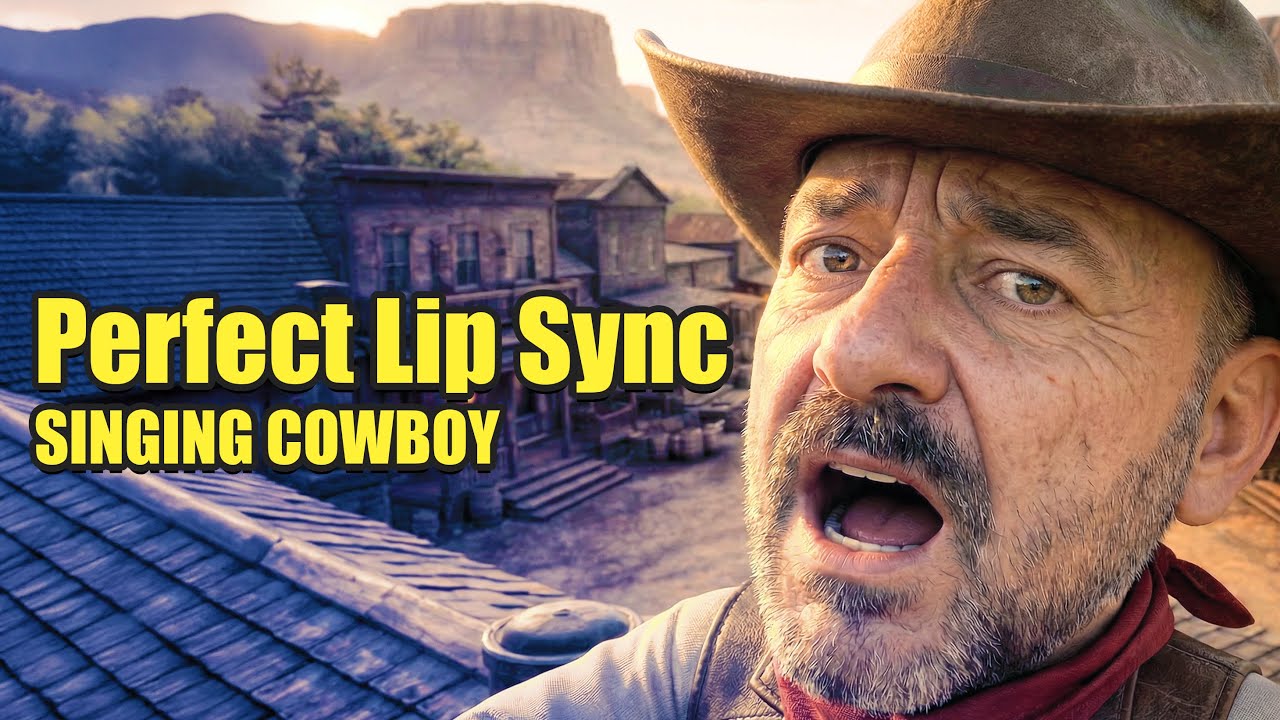
The concept is simple and funny: a cowboy is so angry at the whole town that even his own shadow runs away. But the production is where it gets interesting, because everything you see was generated with AI and stitched together into a polished final clip.
What you will learn in this tutorial
1) Write lyrics fast with ChatGPT (keep them structured with [verse] and [chorus])
2) Generate the song in Suno using Custom Mode and the right style settings (banjo, country/western, male vocal)
3) Build a consistent character reference pack (front, side, back, close-ups, props like the banjo) so the character stays stable in every shot
4) Use DomoAI Relax Mode to generate lots of keyframes without burning credits
5) Save your best frames to Assets and reuse them across the whole video
6) Create accurate lip sync with Talking Avatar (this is where credits matter, so segment your song into 10–20 second parts)
7) Add extra motion with Image-to-Video (simple zooms, pans, and start/end frame moves)
8) Edit everything in DaVinci Resolve (free) and assemble the final music video with clean cuts and consistent sync
Sponsor link (DomoAI)
https://www.domoai.app/home?via=97c30d
Links used in this video
ChatGPT: https://chatgpt.com/
DaVinci Resolve free download: https://www.blackmagicdesign.com/even...
If you want more tutorials like this (AI characters, AI music, lip sync, and building full short films), subscribe and let me know what character and genre I should do next.
#DomoAI #AIAnimation #AIMusicVideo #Suno #ChatGPT #DaVinciResolve #LipSync #ImageToVideo #AIVideo #AICreator
⚠️ AFFILIATE DISCLOSURE: We may earn a commission from purchases made through the links below at no extra cost to you.
My recommendations:
Hitem3d: https://www.hitem3d.ai/?utm_source=af...
TripoAI: http://studio.tripo3d.ai?via=geekatplay
Meshy 3d AI: www.meshy.ai?via=geekatplay
i10X. :https://i10x.ai?fpr=vladimir24
Topaz AI Video and Photo processing: https://topazlabs.com/ref/1514/
My Patreon webpage - / geekatplay
Tutorials and packs - https://gumroad.com/geekatplay
Tutorials website - https://www.geekatplay.com
Photography - https://www.chopinephotography.com
00:00 : Cold open — angry cowboy lyric hook
00:09 : What’s in this video — AI characters, song, camera moves, lip sync
00:33 : Writing the song idea + lyrics with ChatGPT (funny cowboy + runaway shadow)
00:59 : Making the track in Suno (Custom Mode + lyrics + style settings)
01:45 : Generating multiple versions and picking the best take
01:58 : DomoAI Pro overview — using Relax Mode for lots of renders
02:14 : Nano Banana — creating keyframes (main frames + filler/in-betweens)
02:45 : Building strong character references (angles, outfit, banjo/props)
03:27 : Combining street + character refs (side view, boots closeups for tapping)
04:13 : Aspect ratio tips (lock 16:9) + saving keyframes to Assets
04:50 : Talking Avatar workflow — lip sync setup (this is where credits are used)
05:47 : Cutting the song into 10–20s segments to save credits
06:25 : Generating lip-sync clips (no watermark, quality check)
06:49 : Pro tip — render close-up + mid-shot for clean camera cutting
07:05 : Image-to-video — creating motion from a single frame (start/end frames)
08:00 : Editing in DaVinci Resolve — assembling music + clips
08:42 : Adding synced detail layers (boots, extra moments, story beats)
08:54 : Final result + links/resources + wrap-up
09:40 : Full AI cowboy song (playback)
Повторяем попытку...
Доступные форматы для скачивания:
Скачать видео
-
Информация по загрузке:



![[Brackets & Parentheses] The Secret to Controlling Suno AI Music with Lyrics](https://image.4k-video.ru/id-video/hM1ywgBogrI)