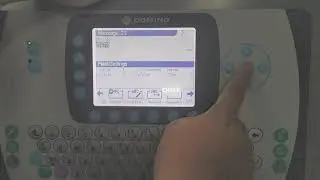
How to Start Domino A120 Industrial Inkjet Printer / Below Fall Time / Domino Quality Code 295bk
Автор: 3D Inkjet - Industrial Printing Machines
Загружено: 2020-02-07
Просмотров: 35401
Описание:
How to Start Domino A120 Industrial Inkjet Printer / Below Fall Time / Domino Quality Code 295 bk
In this We learn basic information of Domino A120 printer such as How to start the printer , Enable or print Disable on the screen as in Videojet machines.
Viscometer status - below fall time status - low ink viscosity status
Related search terms
Domino A120 industrial Inkjet Printer Troubleshoot
Domino Printer Not startting
Quality code in domino Industrial inkjet printer
Viscometer Sensor error
Gutter fault in Domino a120 Printer
Print head temperature waiting
Discuss of Problems in Industrial inkjet Printers
More Videos of Domino Inkjet Printer
How to create a new message Domino A120/A220 • How to Create a new message in Domino A12...
Basic information of Domino Ax150i/Ax130i • How To Start Domino Ax150i, , Create a new...
How to start Domino 320i Inkjet printer • How to Start Domino A320i Printer / Indust...
Domino A Series Plus Basic Information & How to Edit Message डोमिनोज़ ए सीरीज़ प्लस in Hindi • Видео
contact us :-
Rahul Chetal
Chetal ink jet technology
+91-81958-69666
#IndustrialInkJetPrinter #Videojet #QualityCode #295BK
Повторяем попытку...

Доступные форматы для скачивания:
Скачать видео
-
Информация по загрузке: