How to Use Google NotebookLM: AI Podcasts, Deep Research, & More (Full Tutorial)
Автор: HamroLabs By Devbarat
Загружено: 2026-01-31
Просмотров: 61
Описание:
Unlock the full potential of Google NotebookLM in this comprehensive guide! This video covers everything from generating AI Podcasts and conducting Deep Research to creating visual Infographics and study systems. Whether you are a student preparing for exams or a researcher looking for high-accuracy summaries, this free tool ensures zero hallucination by using only the sources you provide.
--------------------------------------------------------------------------------
Video Timeline
• 00:00 – Introduction: 6 Key Features of NotebookLM
• 00:45 – Getting Started: URL & Account Login
• 01:20 – Exploring the Interface: Sources, Chat, and Studio
• 02:30 – AI Podcast Creation: Generating Audio Overviews in Nepali
• 04:00 – Downloading & Managing Audio Files
• 05:15 – Deep Research: Creating Plans & Finding Sources
• 06:30 – Customising Settings: Output Languages & Dark Mode
• 07:45 – YouTube Summarisation: Turning Video Links into Notes
• 09:15 – Visual Learning: Generating Mind Maps
• 10:45 – Study Expert: Using NotebookLM for Complex Subjects (e.g., Trigonometry)
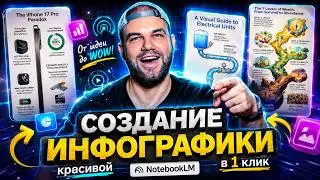
• 12:15 – Creative Outputs: Infographics, Posters, and Slide Decks
• 13:45 – Knowledge Testing: How to Create Interactive Quizzes
• 14:30 – The "Crazy" Feature: AI Video Generation from PDF Notes
• 16:00 – Final Thoughts & Call to Action
--------------------------------------------------------------------------------
Get Started Prompts
To help you interact with your notes effectively, you can copy and paste these prompts directly into the NotebookLM chat:
• For Summarising Content: "What is the main conclusion of this YouTube video, and what are the top takeaways I should learn?"
• For Deep Research: "Please create a research plan and find specific information within these sources regarding [Your Topic]."
• For Visual Study Aids: "Create a mind map for these formulas and break them down into easier sections to understand."
• For Language Support: "Explain this specific portion in Nepali [or any of the 80+ supported languages] for better clarity."
• For Testing Knowledge: "Generate a quiz based on the uploaded sources to test my understanding of the material."
--------------------------------------------------------------------------------
Key Takeaways
• Source Fidelity: NotebookLM draws information only from your uploaded sources (PDFs, website links, or text), ensuring maximum accuracy.
• Efficiency: Save hours of study time by using the tool to summarise long podcasts or complex documents in minutes.
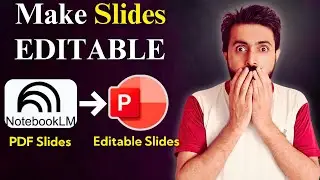
• Multi-Format: Generate audio, text summaries, mind maps, posters, and even slide decks (PPT style) all in one place.
• Completely Free: Currently, all these powerful features are available for free from Google.
Don't forget to subscribe for more tech tutorials and share your creations with us on Facebook!
Welcome to Hamrolab — Your Tech, AI & Web Development Hub 🚀
Hamrolab is a tech-driven channel from Nepal focused on helping you learn and build in the world of modern technology.
Here you’ll find:
💻 Web Development tutorials (HTML, CSS, JavaScript, frameworks)
🤖 AI tools, tips & real-world use cases
🧠 Practical tech guides for students, creators, and innovators
🌐 Coding, projects & career insight
📈 Tools & techniques to level up your digital skills
Our mission: Make advanced technology accessible, useful, and actionable for everyone.
Whether you’re just starting or scaling up your tech journey — you’re in the right place!
👉 Don’t forget to Subscribe and hit the 🔔 to get updates on new videos!
🔗 Connect with Hamrolab
📱 TikTok: / harmolabs
📘 Facebook: / dewbrath.patel.94
💻 GitHub (Projects & Code): https://github.com/hamrolabs
📺 YouTube Channel: / @hamrolabs
Let’s learn, build & grow with technology — together!
#Hamrolab #WebDevelopment #AITutorials #TechEducation #CodingNepal
Повторяем попытку...

Доступные форматы для скачивания:
Скачать видео
-
Информация по загрузке: