How To Fix Hostinger SSL Certificate Expired
Автор: Champ Picks
Загружено: 2025-08-17
Просмотров: 477
Описание:
How To Fix Hostinger SSL Certificate Expired
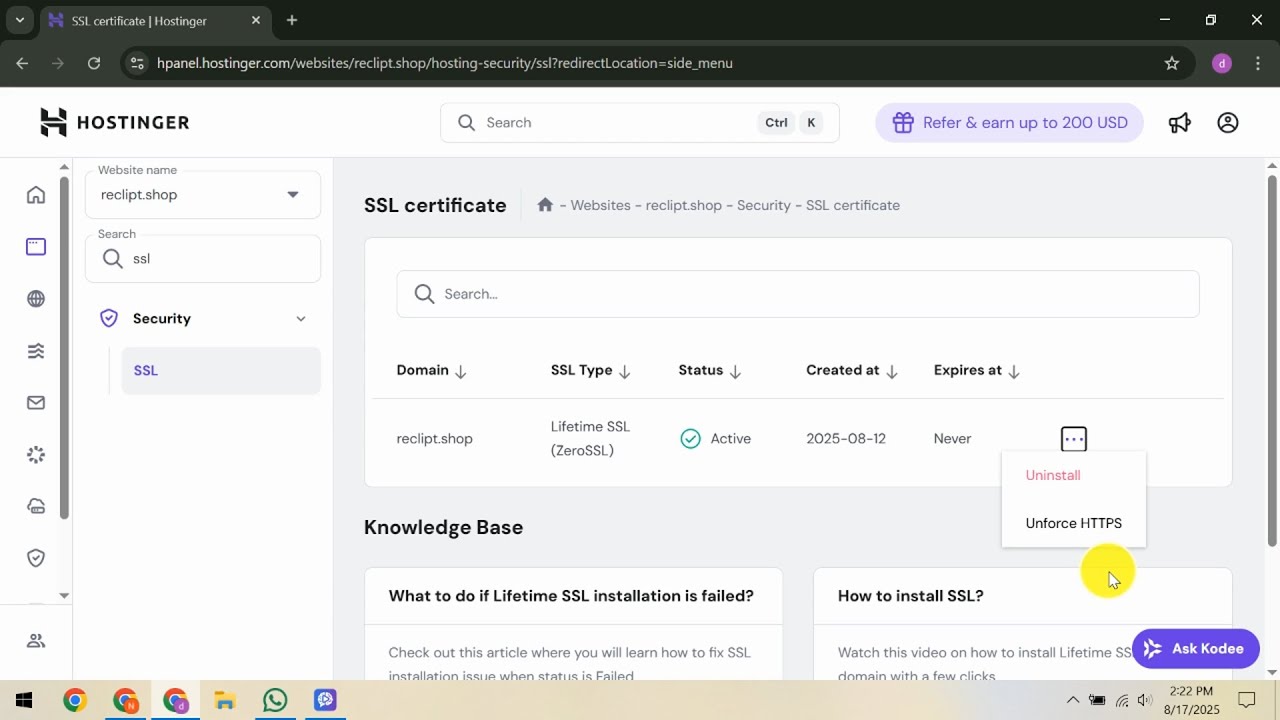
Looking for How To Fix Hostinger SSL Certificate Expired? In this video, we'll walk you through the crucial steps to resolve SSL certificate issues on your Hostinger website, ensuring your site remains secure and trustworthy for visitors. When your Hostinger SSL certificate expires, it can lead to alarming security warnings that deter visitors. First, access your Hostinger account; this is your command hub where everything from SSL certificate renewal to server migration procedures can happen. After logging in, navigate to the "Websites" section and then select your website’s "Dashboard." From here, look for "SSL" under "Security" to inspect your certificate details. If your Hostinger SSL certificate has indeed expired, the simplest fix entails clicking on "Renew" to initiate the automatic process. Keep in mind, renewing your SSL certificate through Hostinger is a straightforward task which includes confirming domain ownership and occasionally generating a new certificate request. It's akin to the process of how to migrate to another server in Hostinger—streamlined with user-friendly interfaces. For domains hosted outside with custom DNS configurations, however, you might need to update your DNS records to point towards the new SSL certificate. This step is comparable to updating DNS settings after server migration. Delays can occur, so it's wise to wait a few hours for DNS propagation. While you're in your Hostinger dashboard, explore additional security measures like setting up periodic alerts for SSL renewals; this preempts you from having to deal with expired certificates again in the future. This preventive measure ensures continuous operation, similar to opting for the best smart wallets for men 2025, providing peace of mind and added functionality. By the end of this video, you'll have a renewed, functional SSL certificate and a more secure website without ever questioning how to fix Hostinger SSL certificate expired again. Don't miss our other tutorials on optimizing web hosting for peak performance.
#HostingerSSL #WebsiteSecurity #SSLCertificateRenewal #WebHostingTutorials
Повторяем попытку...
Доступные форматы для скачивания:
Скачать видео
-
Информация по загрузке: