How To Setup Simplisafe Glass Break Sensor
Автор: One Hour Smart Home
Загружено: 2020-12-01
Просмотров: 27345
Описание:
Simplisafe Glassbreak Sensor: https://amzn.to/2KqFcTM
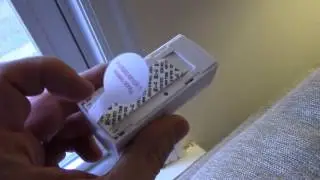
In this video we teach you how to setup a Simplisafe Glassbreak Sensor. The Simplisafe Glass break sensor is a battery powered sensor that can detect if glass breaks and in some cases can detect if glass is being pounded on before it breaks.
In order to use the Simplisafe Glassbreak sensor you will need to have a Simplisafe Alarm system: setup and installed.
To Connect Simplisafe Glassbreak Sensor:
1. Your Simplisafe Alarm system should be setup and installed.
2. Press the menu button on your Simplisafe keypad to wake up the keypad.
3. Enter your pin number for the Simplisafe Keypad. Press menu, and scroll up or down to select the "Devices" tab and press open on the corner touchpad of the screen.
4. Select "Add A Device" as a menu option and select with the touchpad.
5. Remove the plastic battery tab from the Glassbreak sensor.
6. Find the correct device "Glass" by scrolling with the touch pad and then selecting by clicking "Add" on the touchpad.
7. Tap the button on the top of the device to add the sensor.
8. Select a name for the glass break sensor and click "set"
**Join the email list: http://eepurl.com/0KDob **
Our Website: https://www.onehoursmarthome.com/
Podcast: https://www.onehoursmarthome.com/podc...
DID THIS HELP? You can support us: https://www.buymeacoffee.com/OneSmart...
some of the links above maybe affiliate links which help support this channel.
Повторяем попытку...

Доступные форматы для скачивания:
Скачать видео
-
Информация по загрузке: